


AI Lyric Video Maker
Diep Quoc Vuong
Category
Content Rating
4+
Developer
Diep Quoc Vuong
Version
1.0
Updated
Oct 9, 2026
Requires
iOS 15.6 or later
Price
Free
Size (iOS)
114.1 MB
Advertisement
Screenshots


Advertisement
Editor Reviews
AI Lyric Video Maker is an action game developed by Diep Quoc Vuong for iPhone & iPad.
AI Lyric Video Maker is free to download. The latest version 1.0 was released on Oct 9, 2026. Content rating: 4+.
About AI Lyric Video Maker
Turn your music into a lyric video with animated words, your own photos and clips, and templates that bring your song to life.
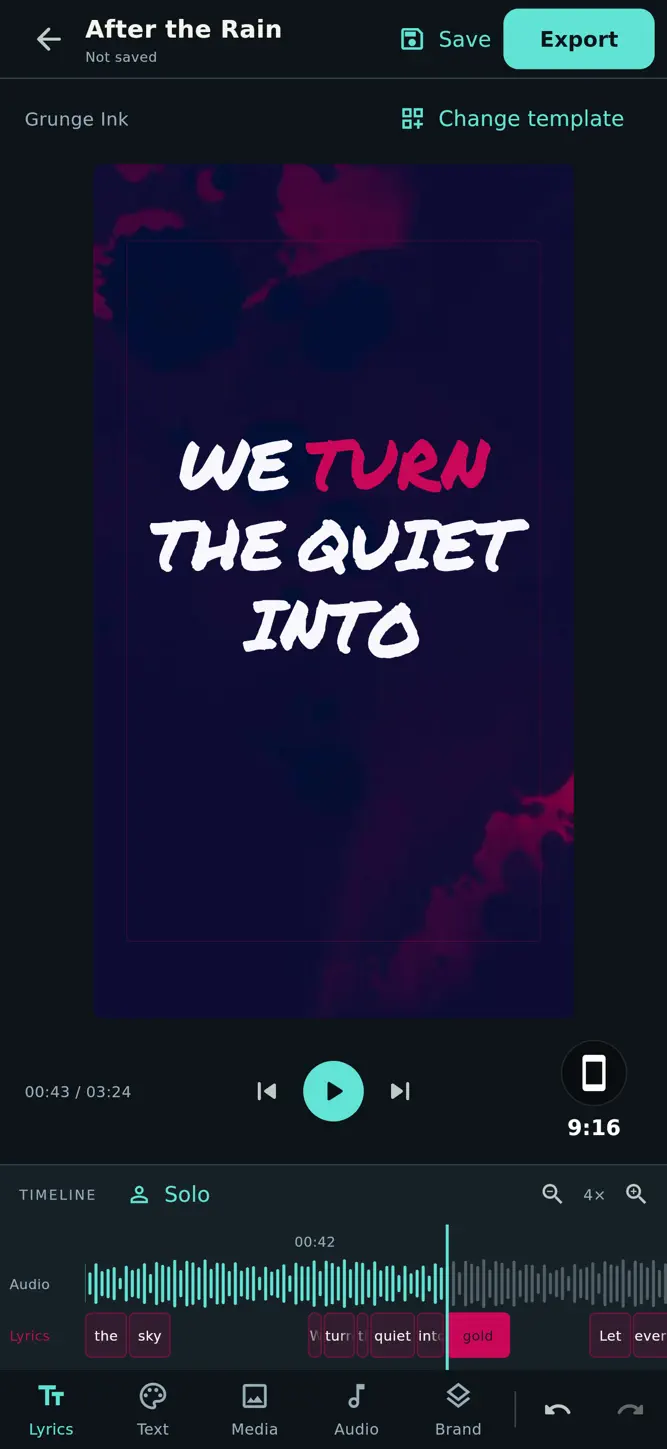
AI Lyric Video Maker helps you go from an audio file to a video you can share. Import your track, trim the part you want, recognize the lyrics, refine the timing, and choose your look.
START WITH YOUR AUDIO
Import an audio file from your device or reuse one from your asset library. Trim your clip with a waveform before creating your project.
RECOGNIZE AND REVIEW LYRICS
Use on-device AI to recognize lyrics, then preview the words as the audio plays. Recognition runs locally after the required model is downloaded. Results vary with the recording, vocals and language, so you can review and correct every line.
EDIT EVERY WORD
Fix a single word or paste the whole song. Use line breaks to organize your lyrics. Add, delete and reorder words, with undo and redo to help you refine your edit.
FINE-TUNE THE TIMING
Adjust word boundaries on the waveform, enter precise start and end times, and loop the selected word while you listen. Slow down playback to make detailed adjustments easier.
FIND YOUR VISUAL STYLE
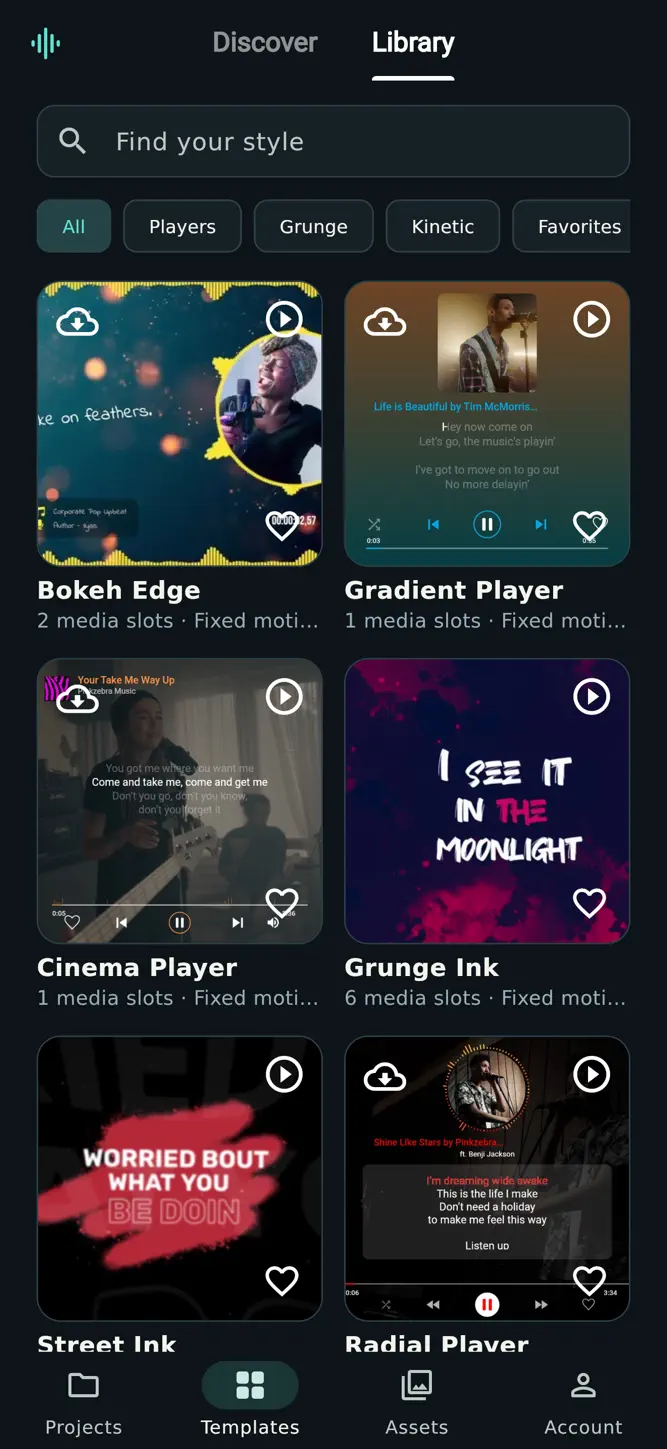
Explore animated text and music visualizer templates. Add your own photos or videos, customize text styling, and switch templates as your project takes shape. Supported visualizer templates react to your audio.
CREATE FOR DIFFERENT SCREENS
Choose vertical 9:16, landscape 16:9 or square 1:1. Export an MP4 for music clips, song teasers and social posts. Keep your projects and media organized so you can return to them later.
GO FURTHER WITH PREMIUM
Premium includes an ad-free experience, an additional on-device recognition mode, 1024p export and 60 FPS on supported devices. Monthly and yearly subscriptions are available. Recognition quality and export options depend on your audio and device.
The free experience includes ads. Subscription pricing and renewal details are shown before purchase. Manage or cancel your subscription in your Apple account settings.
Your music. Your words. Your studio.
Privacy Policy: https://sites.google.com/view/ai-lyric-maker-policy/trang-ch%E1%BB%A7
Terms of Use (Apple Standard EULA):
https://www.apple.com/legal/internet-services/itunes/dev/stdeula/
How to download AI Lyric Video Maker?
- Tap the Google Play button (Android) or the App Store button (iPhone / iPad) in the download section.
- The official store page of AI Lyric Video Maker opens in a new tab.
- Tap Install or Get and wait until the download finishes.
- Open AI Lyric Video Maker from your home screen and start playing.
FAQ
Is AI Lyric Video Maker free to play?
Yes, AI Lyric Video Maker is free to download.
Is AI Lyric Video Maker available for iPhone?
Yes, AI Lyric Video Maker is available on the Apple App Store and needs iOS 15.6 or later.
Is it safe to download AI Lyric Video Maker?
Yes. GameZone does not host any files — the download buttons open the official Google Play and App Store pages.
Download the App
Similar Games


Disclaimer
1. GameZone does not represent any developer, nor is it the developer of any app or game listed on this website.
2. Game details such as icons, screenshots, ratings and descriptions are collected from the public Google Play and App Store listings so players can compare games before installing.
3. All trademarks, registered trademarks, product names, company names and logos are the property of their respective owners.
4. GameZone does not host APK or IPA files. Every download button opens the official Google Play Store or Apple App Store page of the game.
5. GameZone respects the Digital Millennium Copyright Act (DMCA). If you are the owner of any content shown here and want it removed, please contact us at contact@shresult.com.