


Audimori
Guilin Sanyu Technology Co., Ltd
Category
Content Rating
4+
Developer
Guilin Sanyu Technology Co., Ltd
Version
1.1.0
Updated
Oct 24, 2026
Requires
iOS 18.0 or later
Price
Free
Size (iOS)
18.5 MB
Screenshots
Editor Reviews
Audimori is a music game developed by Guilin Sanyu Technology Co., Ltd for iPhone & iPad.
Audimori is free to download. The latest version 1.1.0 was released on Oct 24, 2026. Content rating: 4+.
About Audimori
Audimori keeps your favorite sounds close.
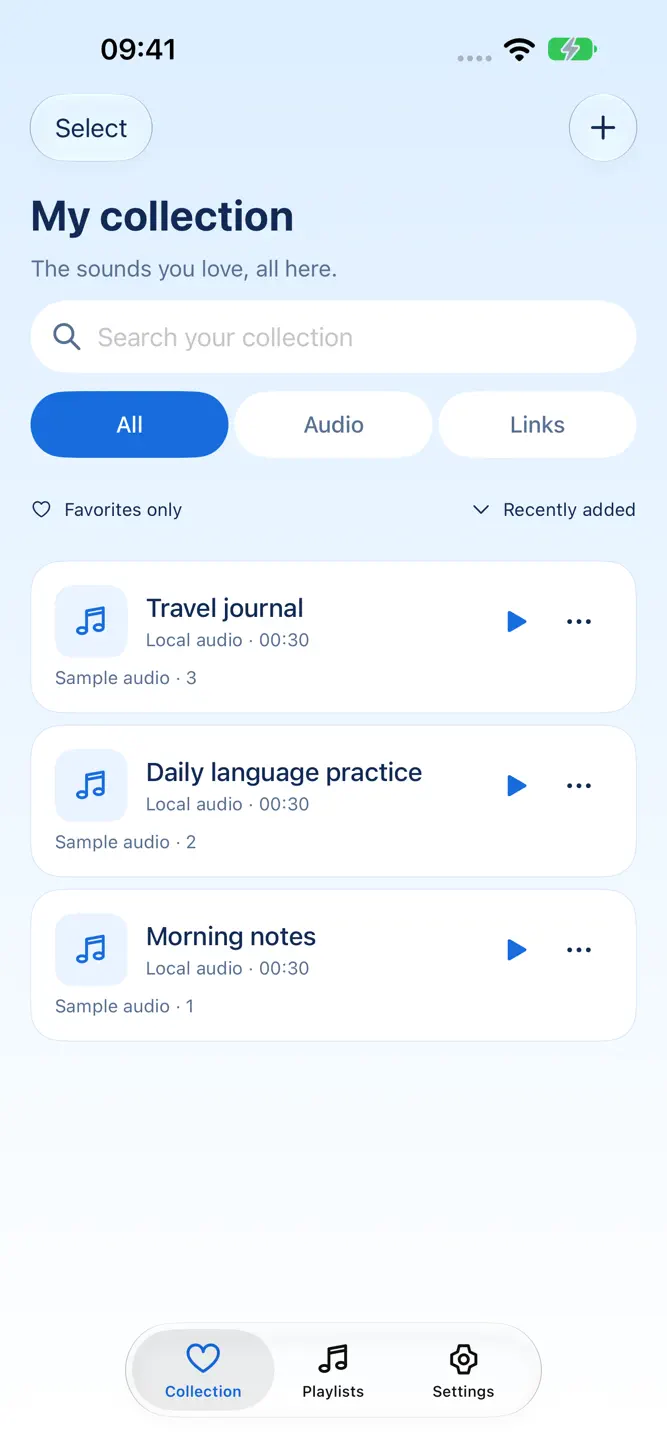
Build a personal collection of audio, video excerpts, and saved audio links. Organize study materials, personal recordings, and clips you want to hear again, all in one place.
IMPORT AND ORGANIZE
Import audio or video from Files and video from Photos. Extract audio from video, edit titles and notes, and organize sounds into playlists. You can also add content through the iOS share sheet.
TRIM AND SPLIT
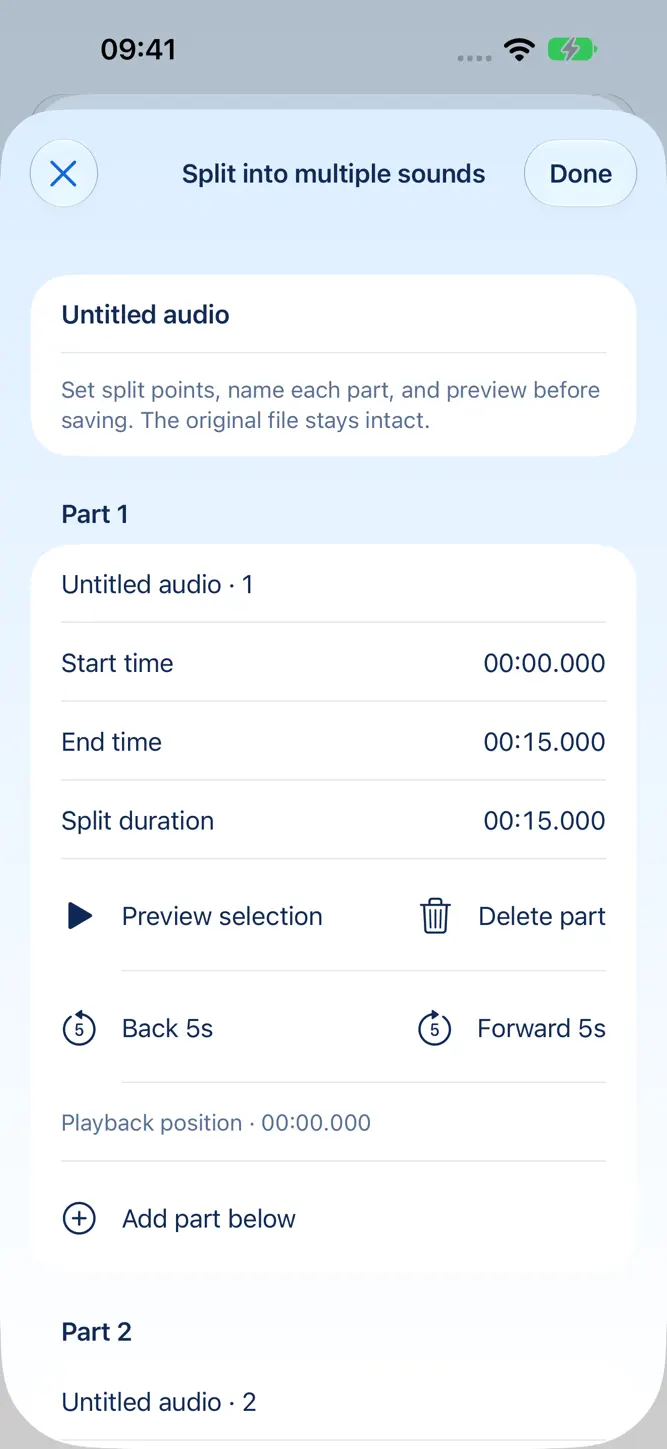
Adjust start and end times, remove unwanted sections from the middle, or split a long recording into multiple sounds. Edit each segment, preview the audio, and skip forward or backward to refine your cuts.
ADD LYRICS AND TEXT
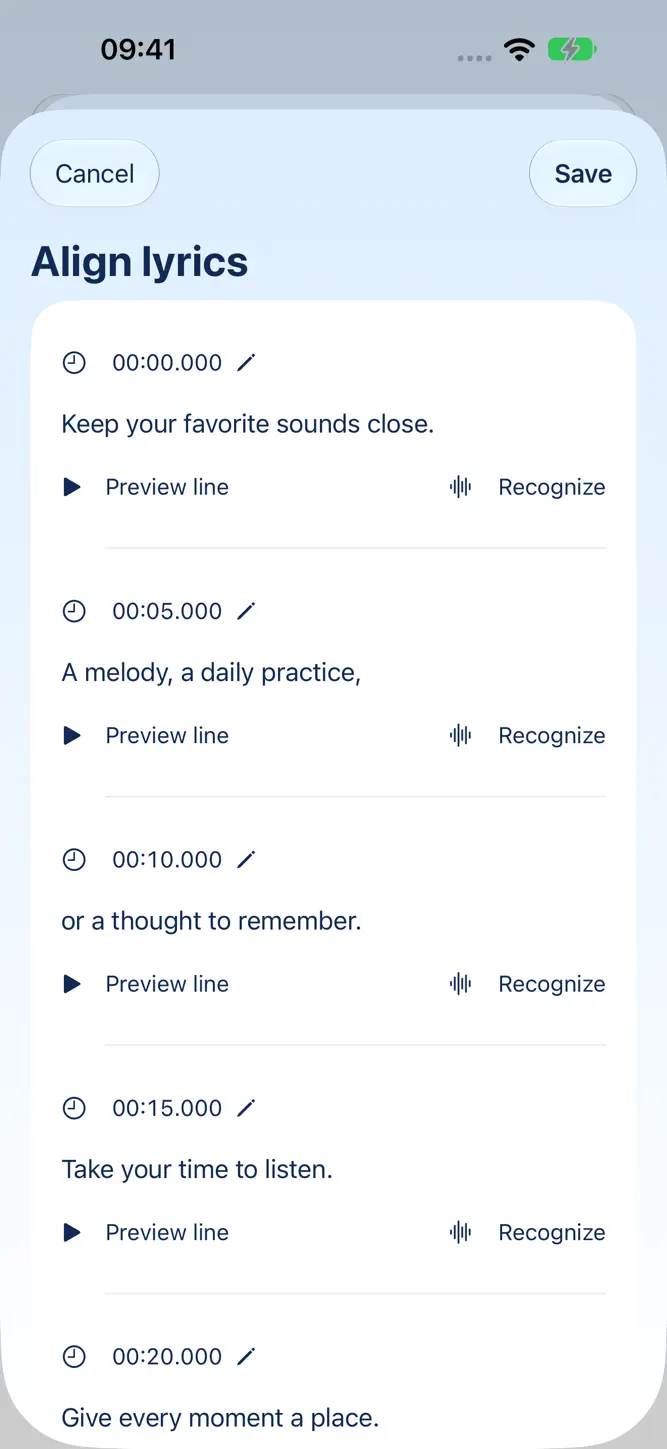
Import LRC or TXT files and edit existing lyrics or text. Transcribe audio with on-device recognition when available, review each line, adjust its timestamp, preview the corresponding segment, or recognize a single line again. Save the result as synchronized lyrics or plain text.
Enhanced on-device song recognition requires a one-time download of approximately 650 MB with your confirmation. Audio is processed locally. Recognition accuracy varies by recording; review and correct the result before saving. Apple on-device recognition also depends on your device, iOS version, and language. Online recognition uses Apple's speech service only after you choose and confirm it.
LISTEN YOUR WAY
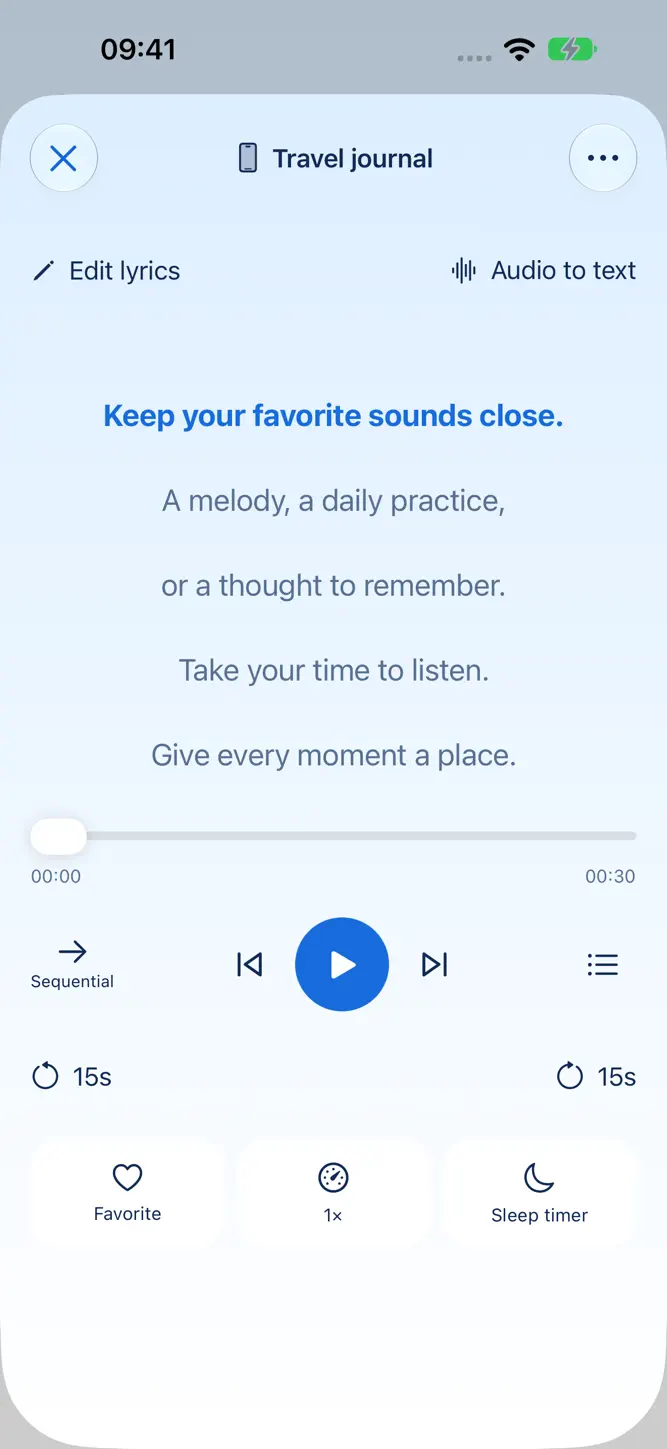
Enjoy background and Lock Screen playback, shuffle, repeat one, repeat all, a playback queue, adjustable playback speed, and a sleep timer. Select a specific sound to hear it directly, even in Shuffle mode.
KEEP YOUR COLLECTION LOCAL
No Audimori account is required. Your collection and text stay on your device. Create and restore local backups, and recover recently deleted items from Trash. Free users may see app-open ads. Audio, lyrics, notes and covers are not sent to advertisers. See our privacy policy for advertising and model-download data processing.
OPTIONAL PRO
Core importing, playback, manual lyric editing, trimming, splitting, and backup are free. Pro unlocks audio-to-text recognition, all themes, batch editing of titles and notes, batch audio export, and an ad-free experience. Free users can voluntarily watch a rewarded ad for one recognition attempt. Ad availability varies; no reward is granted unless the ad reward is earned. Choose a monthly or annual auto-renewable subscription, or a one-time lifetime purchase. Prices are shown in the app.
Payment is charged to your Apple Account. Subscriptions renew automatically unless canceled at least 24 hours before the current period ends. Manage or cancel subscriptions in your Apple Account settings, or restore existing purchases in the app.
Only import, edit, and share content you have the right to use. Audimori does not provide music downloads, a built-in licensed music catalog, or cloud synchronization.
Terms of Use: https://www.apple.com/legal/internet-services/itunes/dev/stdeula/
Privacy Policy: https://tricosmos.cn/products/audimori/privacy/
Support: contact@tricosmos.cn
What's New
• A redesigned waveform editor: trim clips, remove middle sections, and split audio into multiple files. Drag edit points, enter precise times, preview results, and undo changes. • Enhanced on-device song transcription, improved recovery of missed sections, and more complete lyric timestamps. Review text line by line and add segments before or after any line. • Improved collection organization, cover artwork, playback controls, and grouped settings. • Paste shared text to extract its link and open saved links in the in-app browser. • Faster, more reliable file imports and clearer editing sheets. • Improved language switching and Pro product labels. Audio-to-text is now a Pro feature, with optional rewarded-ad trials for free users; Pro is ad-free.
How to download Audimori?
- Tap the Google Play button (Android) or the App Store button (iPhone / iPad) in the download section.
- The official store page of Audimori opens in a new tab.
- Tap Install or Get and wait until the download finishes.
- Open Audimori from your home screen and start playing.
FAQ
Is Audimori free to play?
Yes, Audimori is free to download.
Is Audimori available for iPhone?
Yes, Audimori is available on the Apple App Store and needs iOS 18.0 or later.
Is it safe to download Audimori?
Yes. GameZone does not host any files — the download buttons open the official Google Play and App Store pages.
Download the App
Similar Games
Magic Tiles 3™ - Piano Game
Tiles Hop Music & Ball Game
Piano Kids - Music & Songs
Real Drum electronic drums set
My Singing Monsters
Music Piano 7: Tiles Song Game
Piano Game: Classic Music Song
Piano Fire: Edm Music & Piano
Piano Star
Guitar Band: Rock Battle
Real Guitar - Music Band Game
Magic Dancing Tiles
Real Piano
Piano Music Go-EDM Piano Games
Just Dance Now
Disclaimer
1. GameZone does not represent any developer, nor is it the developer of any app or game listed on this website.
2. Game details such as icons, screenshots, ratings and descriptions are collected from the public Google Play and App Store listings so players can compare games before installing.
3. All trademarks, registered trademarks, product names, company names and logos are the property of their respective owners.
4. GameZone does not host APK or IPA files. Every download button opens the official Google Play Store or Apple App Store page of the game.
5. GameZone respects the Digital Millennium Copyright Act (DMCA). If you are the owner of any content shown here and want it removed, please contact us at contact@shresult.com.