


Autograph Notation
Timothy Williams
Category
Content Rating
4+
Developer
Timothy Williams
Version
1.0
Updated
Oct 9, 2026
Requires
iOS 17.0 or later
Price
Free
Size (iOS)
56.5 MB
Advertisement
Screenshots



Advertisement
Editor Reviews
Autograph Notation is a music game developed by Timothy Williams for iPhone & iPad.
Autograph Notation is free to download. The latest version 1.0 was released on Oct 9, 2026. Content rating: 4+.
About Autograph Notation
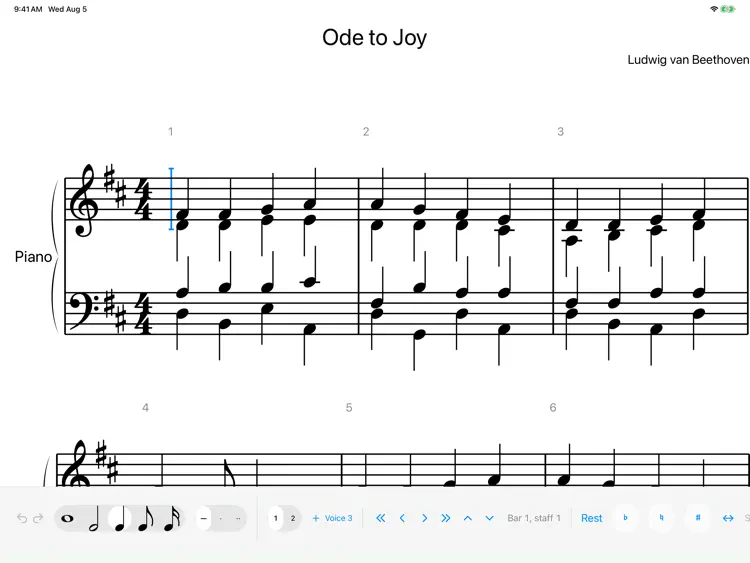
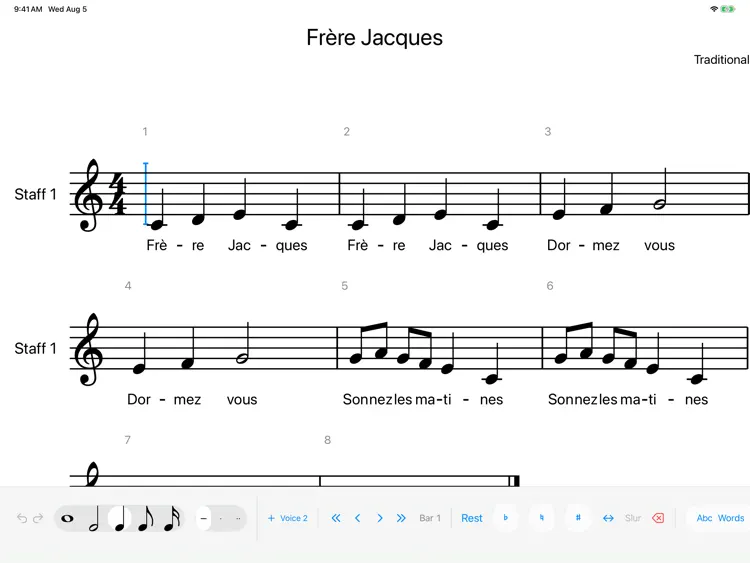
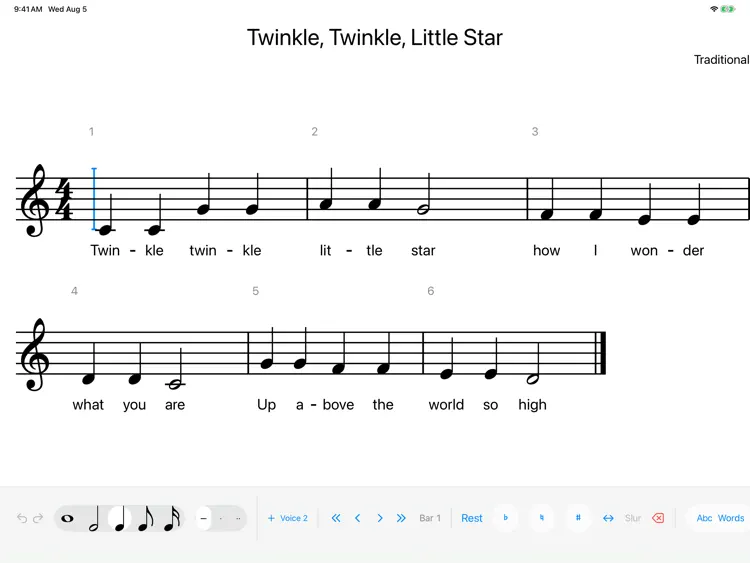
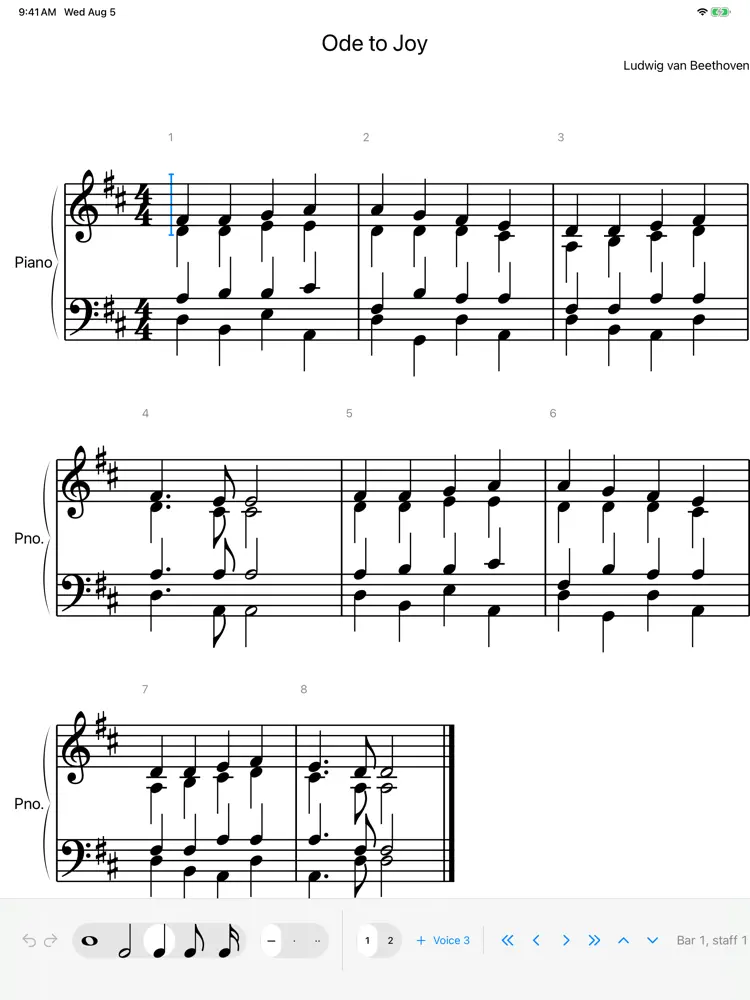
Autograph turns handwriting into engraved music notation. Write a note with Apple Pencil and it becomes a properly engraved note right where you wrote it: on the staff, at the right pitch, in the right place in the bar.
WRITE THE WAY YOU THINK
• Handwrite notes, rests and more with Apple Pencil
• Or tap to place notes, type with the number keys, or play them in from a MIDI keyboard. Every method makes the same edits.
• Pencil writes, finger scrolls and zooms, so the page never gets in your way
NOTATION THAT LOOKS PUBLISHED
• Engraved with the Bravura music font
• Automatic beaming, spacing, accidentals and page layout
• Multiple voices, chords, ties, slurs, tuplets, grace notes and rolled chords
• Time and key signatures, clefs, dynamics, articulations and repeats
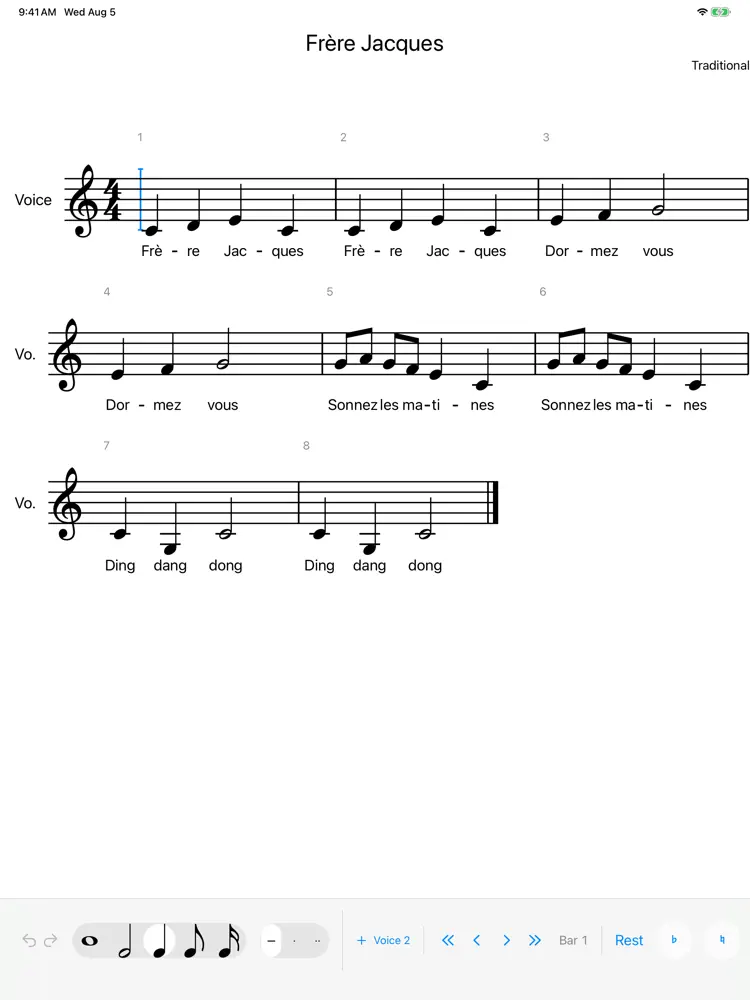
• Lyrics, including multiple verses, and chord symbols
• Piano and multi-staff scores
HEAR IT AND SHARE IT
• Play your score back and follow along bar by bar
• Export to PDF for printing
• Import and export MusicXML and MEI, to work with other notation software
PAY ONCE
Autograph is free to download. Every feature is unlocked for 28 days. After that, a single one-time purchase keeps editing unlocked for good, with no subscription. Reading, playback and export stay free forever, so your scores are never locked away.
Autograph works on iPad, and supports the first-generation Apple Pencil.
How to download Autograph Notation?
- Tap the Google Play button (Android) or the App Store button (iPhone / iPad) in the download section.
- The official store page of Autograph Notation opens in a new tab.
- Tap Install or Get and wait until the download finishes.
- Open Autograph Notation from your home screen and start playing.
FAQ
Is Autograph Notation free to play?
Yes, Autograph Notation is free to download.
Is Autograph Notation available for iPhone?
Yes, Autograph Notation is available on the Apple App Store and needs iOS 17.0 or later.
Is it safe to download Autograph Notation?
Yes. GameZone does not host any files — the download buttons open the official Google Play and App Store pages.
Download the App
Similar Games
Magic Tiles 3™ - Piano Game
Tiles Hop Music & Ball Game
My Singing Monsters
Piano Kids - Music & Songs
Real Drum electronic drums set
Music Piano 7: Tiles Song Game
Piano Fire: Edm Music & Piano
Piano Star
Real Guitar - Music Band Game
Guitar Band: Rock Battle
Piano Music Go-EDM Piano Games
Magic Dancing Tiles
Just Dance Now
Real Piano
Smash Colors: Music Ball Rush
Disclaimer
1. GameZone does not represent any developer, nor is it the developer of any app or game listed on this website.
2. Game details such as icons, screenshots, ratings and descriptions are collected from the public Google Play and App Store listings so players can compare games before installing.
3. All trademarks, registered trademarks, product names, company names and logos are the property of their respective owners.
4. GameZone does not host APK or IPA files. Every download button opens the official Google Play Store or Apple App Store page of the game.
5. GameZone respects the Digital Millennium Copyright Act (DMCA). If you are the owner of any content shown here and want it removed, please contact us at contact@shresult.com.