


Brumelet Spectral Edit
Gobling Company
Category
Content Rating
4+
Developer
Gobling Company
Version
1.0
Updated
Oct 5, 2026
Requires
iOS 17.0 or later
Price
$4.99
Size (iOS)
2.6 MB
Advertisement
Screenshots
Advertisement
Editor Reviews
Brumelet Spectral Edit is a music game developed by Gobling Company for iPhone & iPad.
Brumelet Spectral Edit is a paid game ($4.99). The latest version 1.0 was released on Oct 5, 2026. Content rating: 4+.
About Brumelet Spectral Edit
Reduce a whistle or tone in a short recording without lowering the whole take. Brumelet lets you select the exact time and frequency region, hear the result and inspect the sound that was removed.
A focused offline tool for your own recordings up to 12 seconds. One upfront purchase unlocks every feature on iPhone and iPad.
SELECT THE SOUND
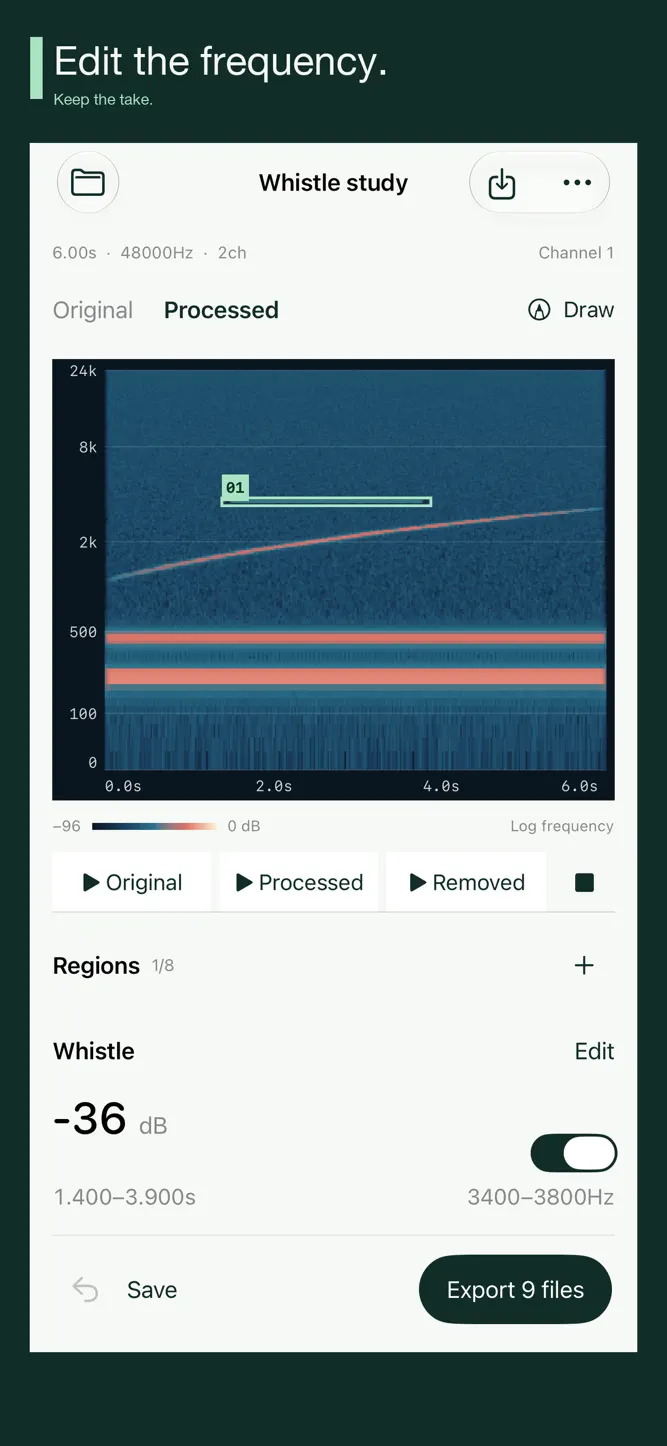
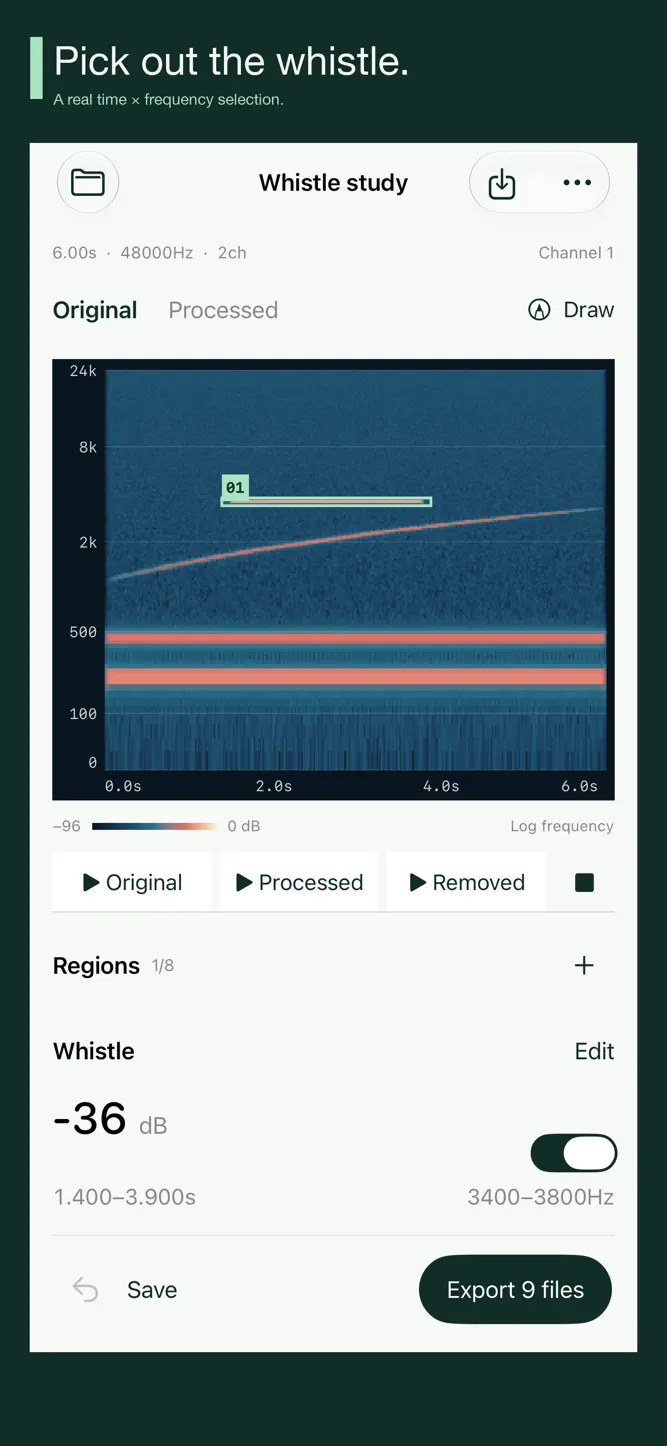
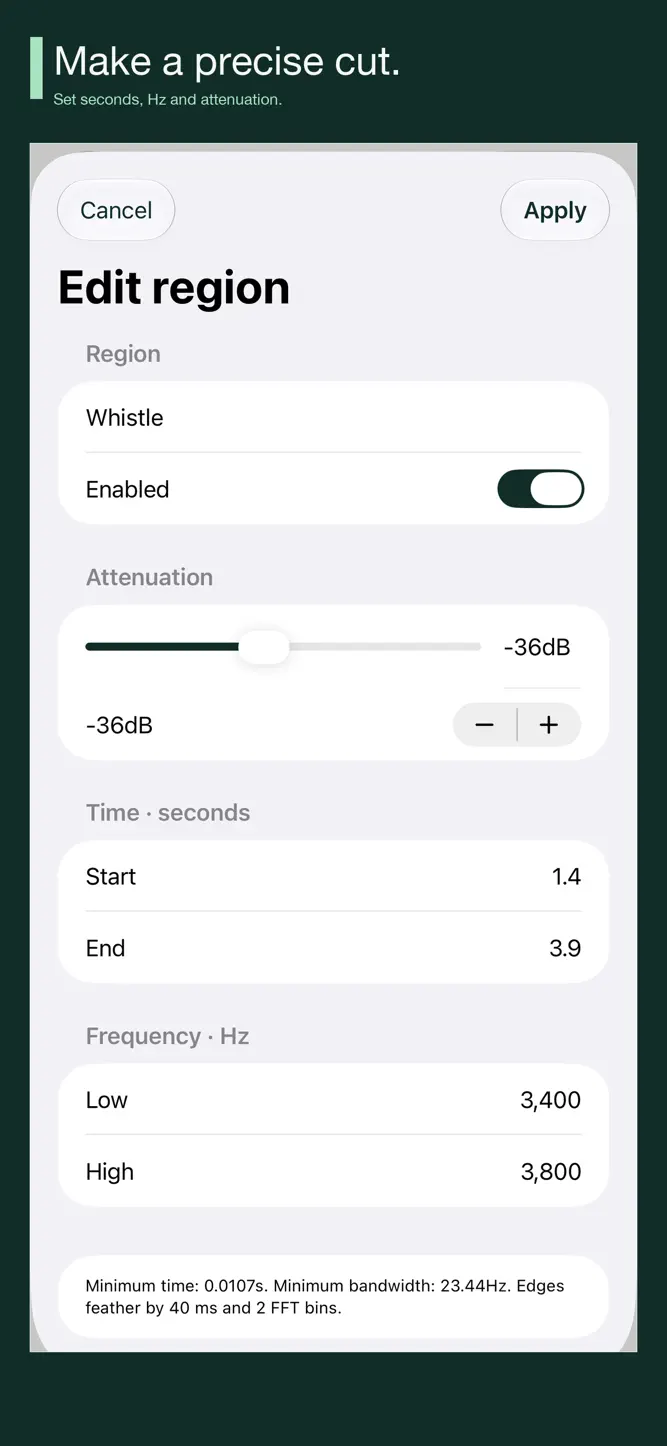
Open a mono or stereo WAV, AIFF or M4A from Files. Draw directly on the actual spectrogram, or enter precise start/end seconds and low/high Hz. Add up to 8 regions, name them and choose attenuation from −6 to −60 dB. Enable, disable, delete or undo edits. The display shows channel 1 with time and frequency rulers.
HEAR WHAT CHANGED
Render your edits and compare Original and Processed at the same amplitude scale. Listen to Original, Processed or Removed. Removed is source minus processed audio, so you can check whether wanted sound was affected too. This is a manual frequency attenuation tool; it does not identify noise, regenerate missing audio or separate voices and instruments.
KEEP USEFUL FILES
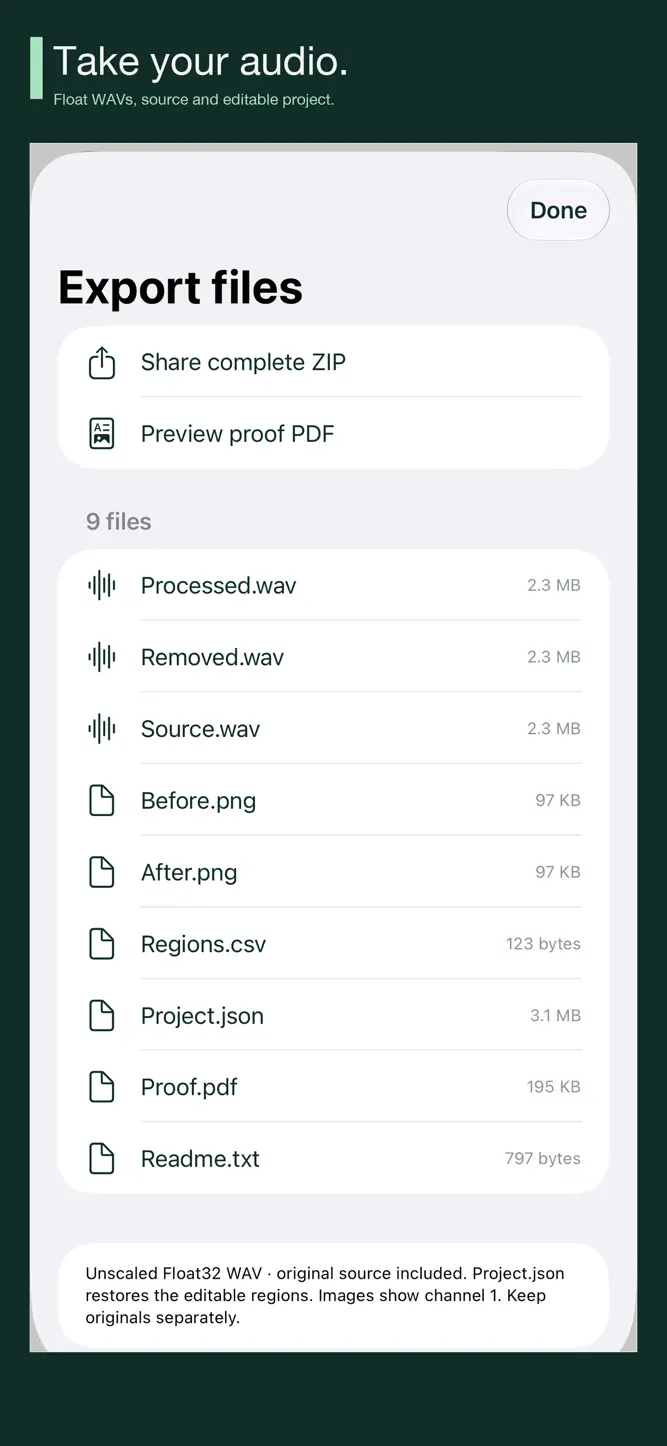
Export a 9-file ZIP containing Processed.wav, Removed.wav, the unchanged source file, before/after spectrogram images, Regions.csv, an editable Project.json, a real proof PDF and a readme. Share the ZIP or individual files and preview the PDF inside the app. The unscaled Float32 WAVs preserve the source sample rate and channel count.
REOPEN YOUR WORK
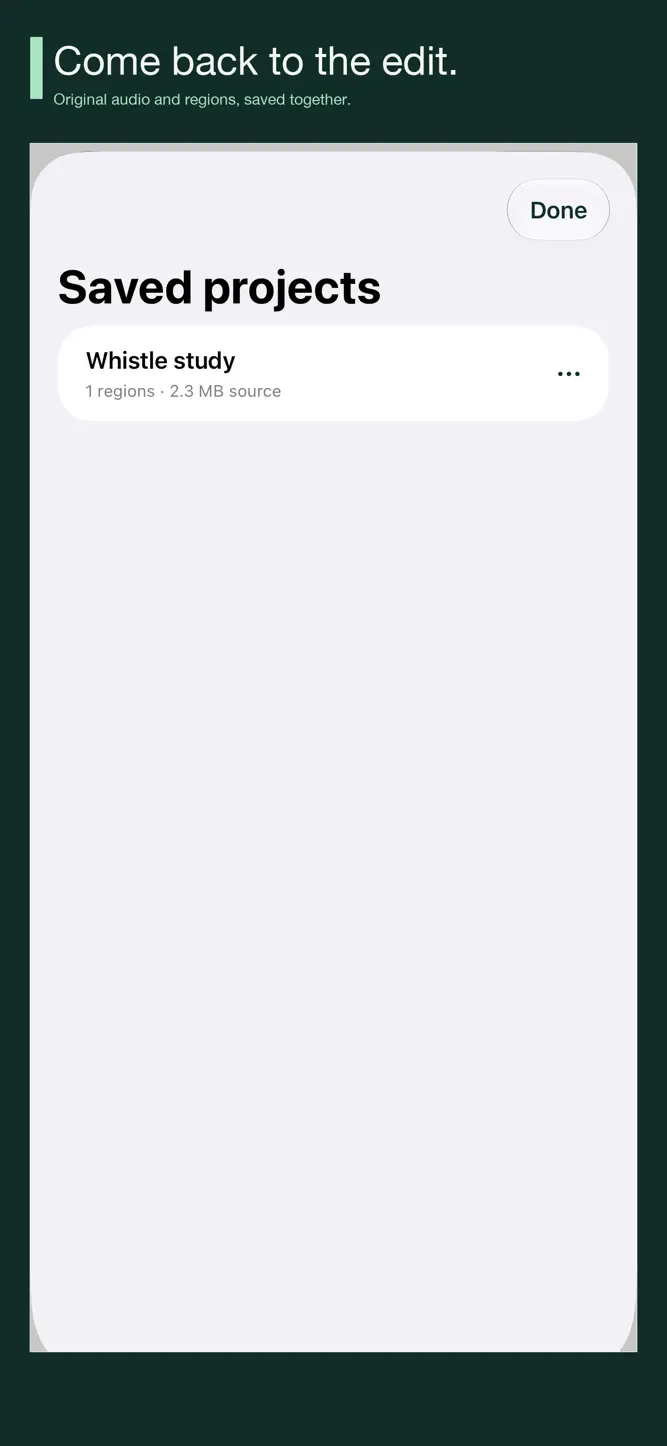
Save up to 12 local projects with their original source audio and regions. Reopen, rename, duplicate or delete saved projects. Import an exported Project.json through Files to restore its audio and settings. Open work is retained across relaunch. iPad places the frequency canvas beside the inspector and supports landscape.
Brumelet starts empty. An optional Whistle study is synthesized on your device to help you learn the selection and comparison controls.
KNOW THE LIMITS
• WAV, AIFF and device-decodable M4A; mono or stereo; integer sample rates from 8–96 kHz.
• Up to 12 seconds, 1 million decoded frames and 24 MiB per audio source. Project JSON up to 34 MiB; saved sources up to 200 MiB in total.
• Regions use smooth time and frequency edges. Overlapping regions multiply attenuation. Processing windows can affect approximately 21 ms beyond a selected time edge. Wanted sound inside a region can change.
• Playback uses a common safety gain when needed for a −1 dBFS sample peak. Exported Float32 WAVs are unscaled and can exceed full scale; check your destination editor. This is not limiting or true-peak processing.
• No microphone recording, AUv3, live processing, resampling or automatic restoration. Keep originals separately and use audio you have rights to process and share.
No subscription, in-app purchase, account, ads, analytics or developer upload. Audio and projects stay on your device unless you choose to share them.
How to download Brumelet Spectral Edit?
- Tap the Google Play button (Android) or the App Store button (iPhone / iPad) in the download section.
- The official store page of Brumelet Spectral Edit opens in a new tab.
- Tap Install or Get and wait until the download finishes.
- Open Brumelet Spectral Edit from your home screen and start playing.
FAQ
Is Brumelet Spectral Edit free to play?
No, Brumelet Spectral Edit is a paid game. Current price: $4.99.
Is Brumelet Spectral Edit available for iPhone?
Yes, Brumelet Spectral Edit is available on the Apple App Store and needs iOS 17.0 or later.
Is it safe to download Brumelet Spectral Edit?
Yes. GameZone does not host any files — the download buttons open the official Google Play and App Store pages.
Download the App
Similar Games
Magic Tiles 3™ - Piano Game
Tiles Hop Music & Ball Game
My Singing Monsters
Piano Kids - Music & Songs
Real Drum electronic drums set
Music Piano 7: Tiles Song Game
Piano Fire: Edm Music & Piano
Piano Star
Smash Colors: Music Ball Rush
Magic Dancing Tiles
Piano Game: Classic Music Song
Guitar Band: Rock Battle
Real Piano
Just Dance Now
Music Ballz Hop
Disclaimer
1. GameZone does not represent any developer, nor is it the developer of any app or game listed on this website.
2. Game details such as icons, screenshots, ratings and descriptions are collected from the public Google Play and App Store listings so players can compare games before installing.
3. All trademarks, registered trademarks, product names, company names and logos are the property of their respective owners.
4. GameZone does not host APK or IPA files. Every download button opens the official Google Play Store or Apple App Store page of the game.
5. GameZone respects the Digital Millennium Copyright Act (DMCA). If you are the owner of any content shown here and want it removed, please contact us at contact@shresult.com.