


ChoirXML
Jonathan Froese
Category
Content Rating
4+
Developer
Jonathan Froese
Version
1.0
Updated
Oct 14, 2026
Requires
iOS 17.0 or later
Price
Free
Size (iOS)
6.9 MB
Advertisement
Screenshots

Advertisement
Editor Reviews
ChoirXML is a music game developed by Jonathan Froese for iPhone & iPad.
ChoirXML is free to download. The latest version 1.0 was released on Oct 14, 2026. Content rating: 4+.
About ChoirXML
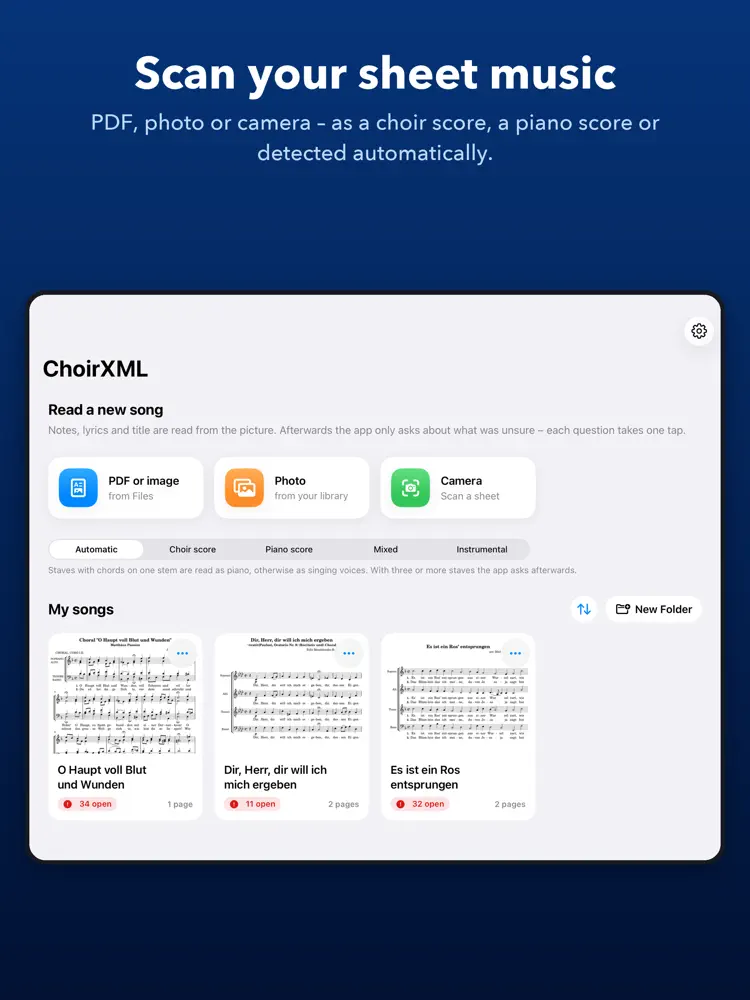
ChoirXML reads printed choral scores and turns them into MusicXML – the file every common notation app can open. An old sheet, a scan or a photo becomes an editable score you can listen to, transpose, re-engrave or share with your choir.
IMPORT
• PDF or image from Files, a photo from your library, or scan with the camera
• several pages into one song
• pages are straightened automatically
• choose the kind of score or let ChoirXML tell: choir, piano, choir with piano, instrumental
RECOGNITION
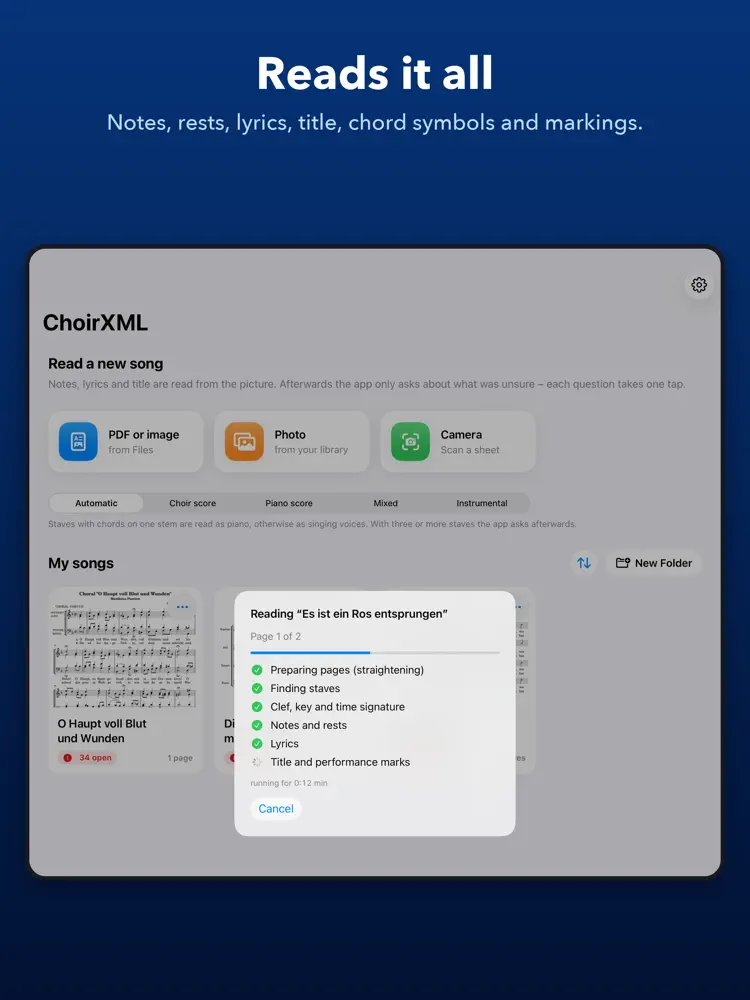
• staves, clefs, key and time signatures, including changes along the way
• notes and rests down to sixteenths, dots, triplets, chords and several voices per staff
• ties, slurs, fermatas, multi-bar rests and pickup bars
• lyrics with several verses – even when printed once for all voices
• dynamics (pp to ff), crescendo and diminuendo hairpins, accents, staccato, tenuto and breath marks
• chord symbols above the notes
• pale, grey photocopies too
CHECK AND CORRECT
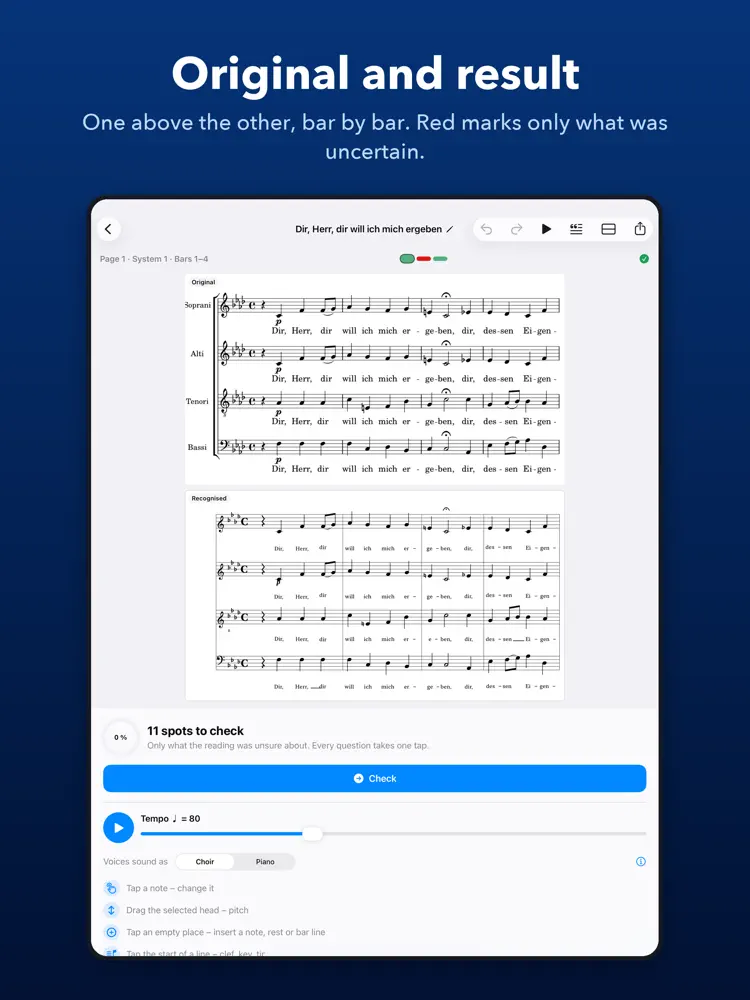
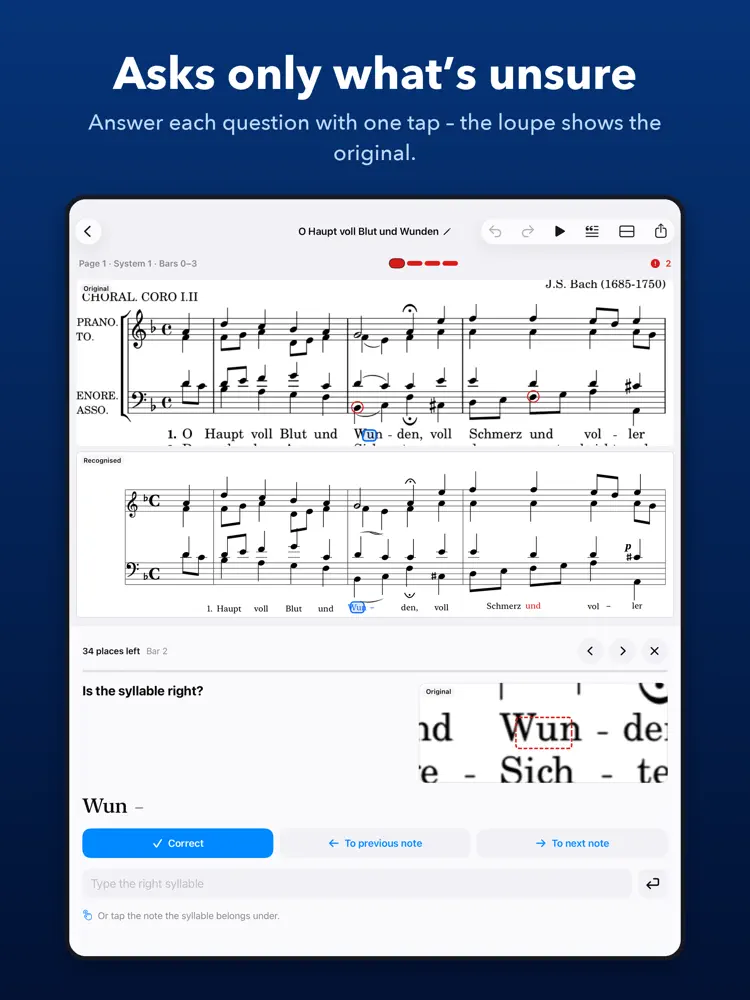
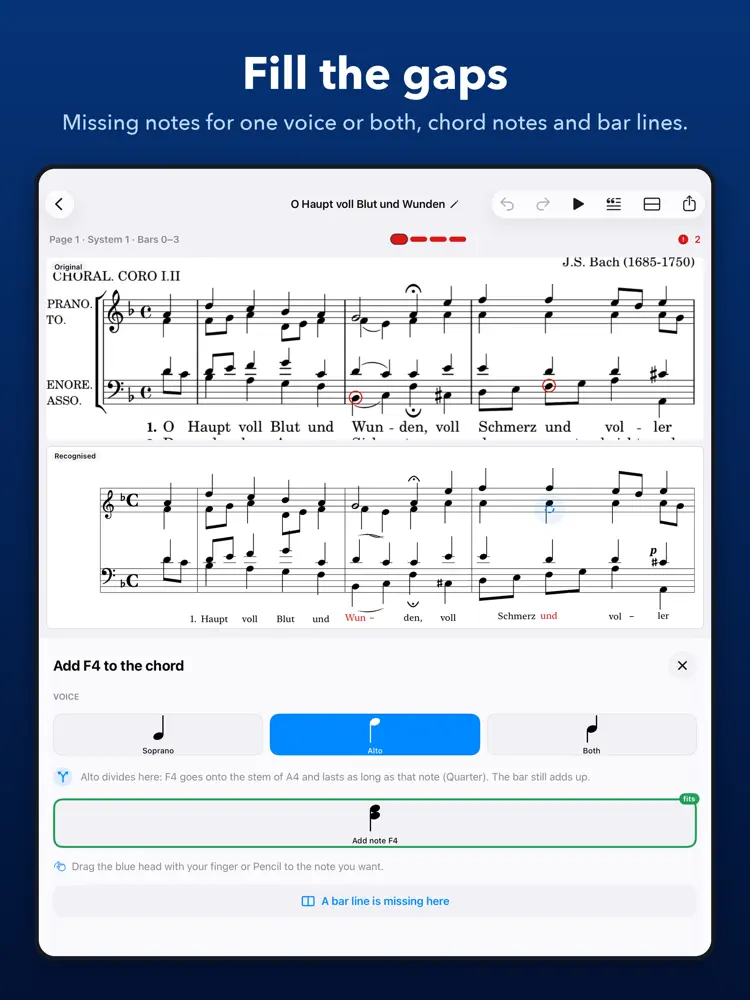
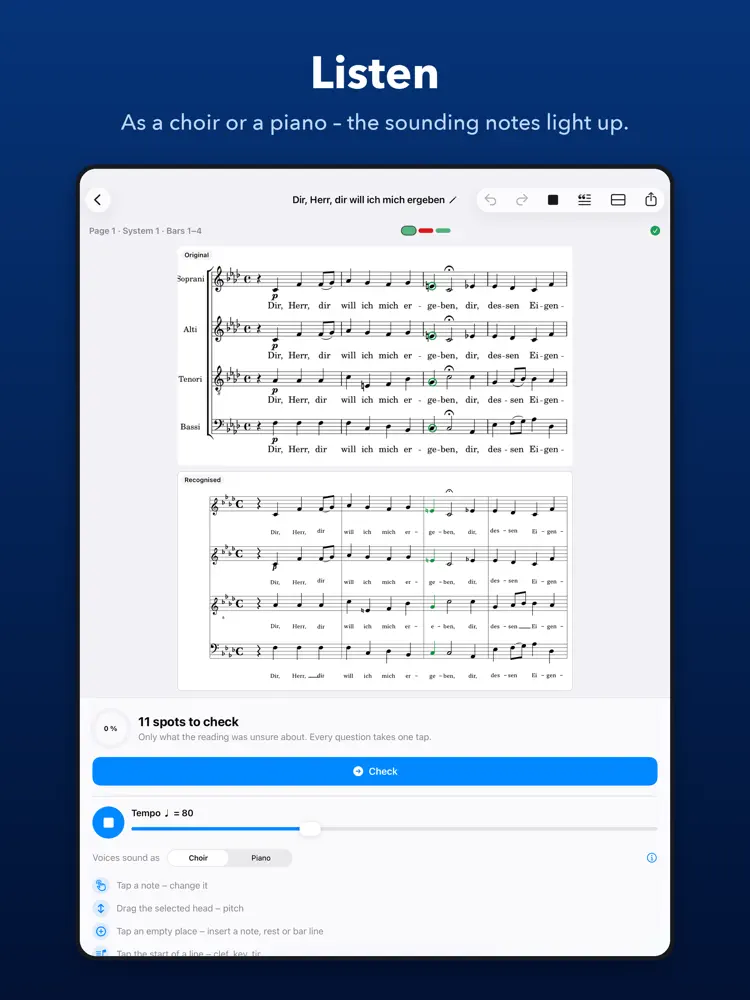
Your original on top, the recognised music below – bar by bar in the same place. Only what was uncertain is marked in red, and ChoirXML asks exactly about it: Is the length right? Is the pitch right? Does this syllable belong to this note? A loupe shows that spot of the original.
• tap a note to change pitch, length, accidental, voice or expression
• delete single notes of a chord
• insert missing notes for one voice or for both – also onto the stem of a note where the voice divides
• insert missing bar lines, set or remove a pickup bar
• confirm a voice that sings only a few notes of its own right where they stand
• assign a syllable by tapping its note
• set clefs, keys, time signatures, slurs, fermatas, final bars and repeats
• undo and redo every change
LISTEN
Play back what was recognised before you share it: with a recorded grand piano and a choir sound, the singing voices as a choir or as a piano. The sounding notes light up, and you set the tempo.
EXPORT
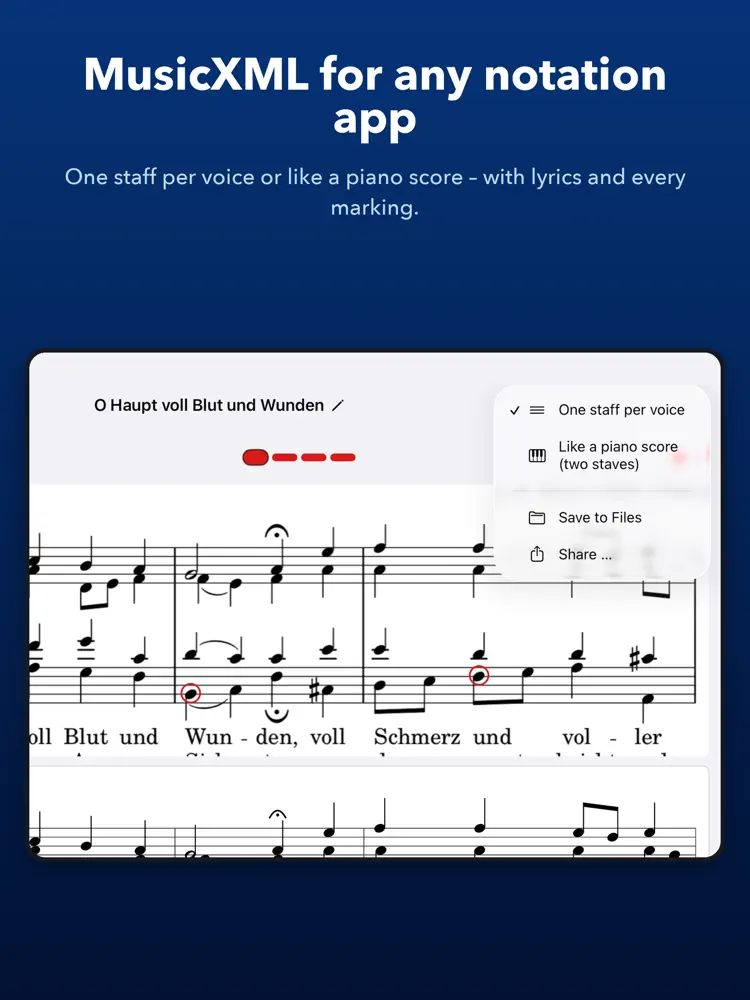
MusicXML with all voices, verses, markings and chord symbols – with one staff per voice (soprano, alto, tenor, bass, each with its own sound and part in your notation app) or like a piano score on two staves. Save it to Files or share it straight to your notation app.
PRIVATE
Everything happens on your iPad. No account, no subscription, no ads, no data collection. Your music leaves the device only when you share it.
GOOD TO KNOW
Recognition works best with cleanly printed music. Handwriting, smudged copies or very dense scores need more corrections – ChoirXML shows you exactly where. Please respect the rights to the music you scan.
How to download ChoirXML?
- Tap the Google Play button (Android) or the App Store button (iPhone / iPad) in the download section.
- The official store page of ChoirXML opens in a new tab.
- Tap Install or Get and wait until the download finishes.
- Open ChoirXML from your home screen and start playing.
FAQ
Is ChoirXML free to play?
Yes, ChoirXML is free to download.
Is ChoirXML available for iPhone?
Yes, ChoirXML is available on the Apple App Store and needs iOS 17.0 or later.
Is it safe to download ChoirXML?
Yes. GameZone does not host any files — the download buttons open the official Google Play and App Store pages.
Download the App
Similar Games
Magic Tiles 3™ - Piano Game
Tiles Hop Music & Ball Game
My Singing Monsters
Piano Kids - Music & Songs
Real Drum electronic drums set
Music Piano 7: Tiles Song Game
Piano Music Go-EDM Piano Games
Piano Star
Guitar Band: Rock Battle
Piano Game: Classic Music Song
Magic Dancing Tiles
Piano Fire: Edm Music & Piano
Real Guitar - Music Band Game
Real Piano
Music Ballz Hop
Disclaimer
1. GameZone does not represent any developer, nor is it the developer of any app or game listed on this website.
2. Game details such as icons, screenshots, ratings and descriptions are collected from the public Google Play and App Store listings so players can compare games before installing.
3. All trademarks, registered trademarks, product names, company names and logos are the property of their respective owners.
4. GameZone does not host APK or IPA files. Every download button opens the official Google Play Store or Apple App Store page of the game.
5. GameZone respects the Digital Millennium Copyright Act (DMCA). If you are the owner of any content shown here and want it removed, please contact us at contact@shresult.com.