


Clarify: Voice to Text
Joao Victor Maynard Mota
Category
Content Rating
4+
Developer
Joao Victor Maynard Mota
Version
0.8.1
Updated
Oct 24, 2026
Requires
iOS 16.4 or later
Price
Free
Size (iOS)
35.7 MB
Screenshots



Editor Reviews
Clarify: Voice to Text is an action game developed by Joao Victor Maynard Mota for iPhone & iPad.
Clarify: Voice to Text is free to download. The latest version 0.8.1 was released on Oct 24, 2026. Content rating: 4+.
About Clarify: Voice to Text
Turn your voice into clear text on iPhone.
Clarify transcribes your speech and revises the text to remove repetition, organize ideas, and improve punctuation while preserving your meaning.
A KEYBOARD FOR YOUR VOICE
Use Clarify in apps that support custom keyboards. Hold the microphone to speak, slide up to lock recording, and tap the paper plane to process your audio and insert the text.
YOUR WORDS
Add names and specialized terms to your dictionary. Select one or two words in a text field to save them directly from the keyboard.
HISTORY ACROSS DEVICES
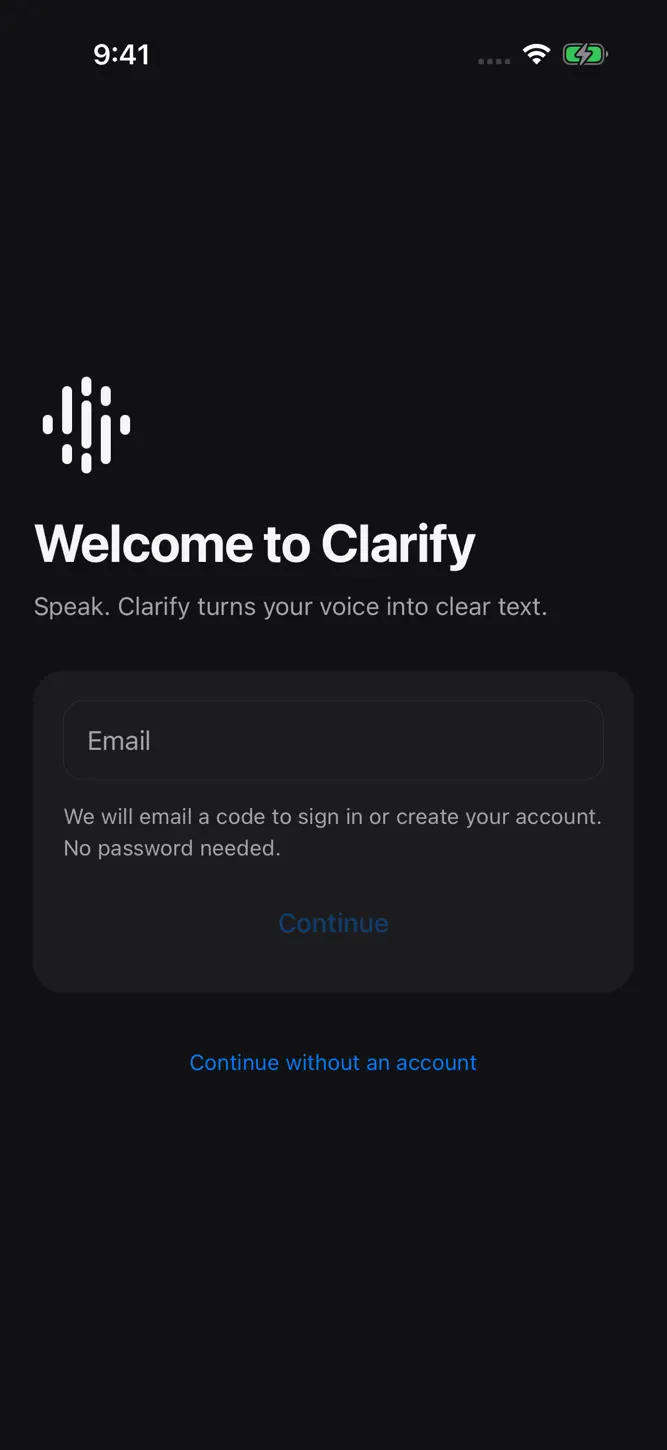
Enter your email and confirm the code you receive, without a password. New account transcriptions and dictionary words sync with Clarify for Windows. View the original transcript, revised text, and source of each entry.
YOUR CHOICE
Use a free Clarify account, subject to the available allowance, or continue without an account with your own API key. Account-free entries and records created before history synchronization stay on their original device.
Transcription and revision require an internet connection. The keyboard needs Full Access to communicate with the app. Microphone access requires your permission; turn it off at any time in Clarify.
Open source: https://github.com/jvictormaynard/clarify
Privacy: https://github.com/jvictormaynard/clarify/blob/main/PRIVACY.md
What's New
Clearer messages for processing failures, usage limits, and service availability. Improved session handling and keyboard error display.
How to download Clarify: Voice to Text?
- Tap the Google Play button (Android) or the App Store button (iPhone / iPad) in the download section.
- The official store page of Clarify: Voice to Text opens in a new tab.
- Tap Install or Get and wait until the download finishes.
- Open Clarify: Voice to Text from your home screen and start playing.
FAQ
Is Clarify: Voice to Text free to play?
Yes, Clarify: Voice to Text is free to download.
Is Clarify: Voice to Text available for iPhone?
Yes, Clarify: Voice to Text is available on the Apple App Store and needs iOS 16.4 or later.
Is it safe to download Clarify: Voice to Text?
Yes. GameZone does not host any files — the download buttons open the official Google Play and App Store pages.
Download the App
Similar Games


Disclaimer
1. GameZone does not represent any developer, nor is it the developer of any app or game listed on this website.
2. Game details such as icons, screenshots, ratings and descriptions are collected from the public Google Play and App Store listings so players can compare games before installing.
3. All trademarks, registered trademarks, product names, company names and logos are the property of their respective owners.
4. GameZone does not host APK or IPA files. Every download button opens the official Google Play Store or Apple App Store page of the game.
5. GameZone respects the Digital Millennium Copyright Act (DMCA). If you are the owner of any content shown here and want it removed, please contact us at contact@shresult.com.