


Classic Canasta
Coppercod Ltd
Category
Content Rating
4+
Developer
Coppercod Ltd
Version
1.1.3
Updated
Oct 1, 2026
Requires
iOS 15.0 or later
Price
Free
Size (iOS)
69.1 MB
Advertisement
Screenshots




Advertisement
Editor Reviews
Classic Canasta is a card game developed by Coppercod Ltd for iPhone & iPad.
Classic Canasta is free to download. The latest version 1.1.3 was released on Oct 1, 2026. Content rating: 4+.
About Classic Canasta
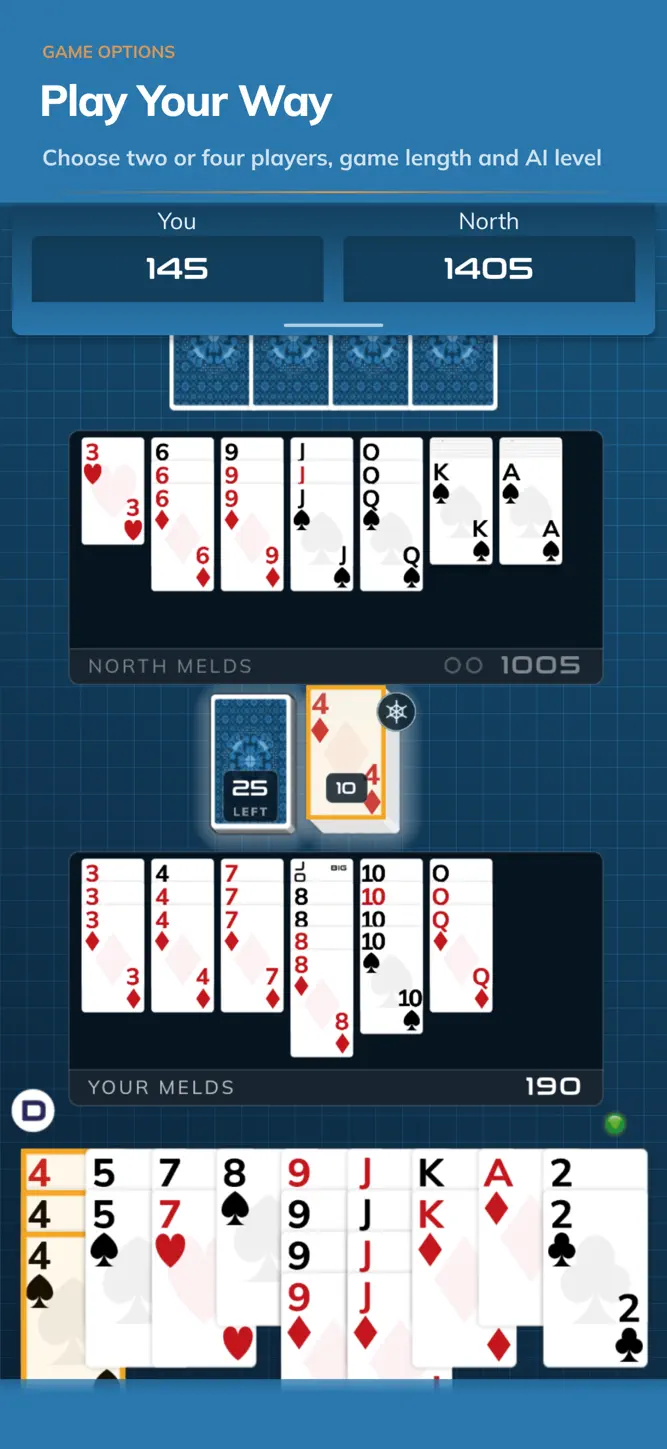
Play Classic Canasta offline with thoughtful computer players and everything you need to learn or rediscover the game. Take on an AI opponent head-to-head in two-player Canasta, or team up with a smart AI partner against two computer opponents in the classic four-player partnership game.
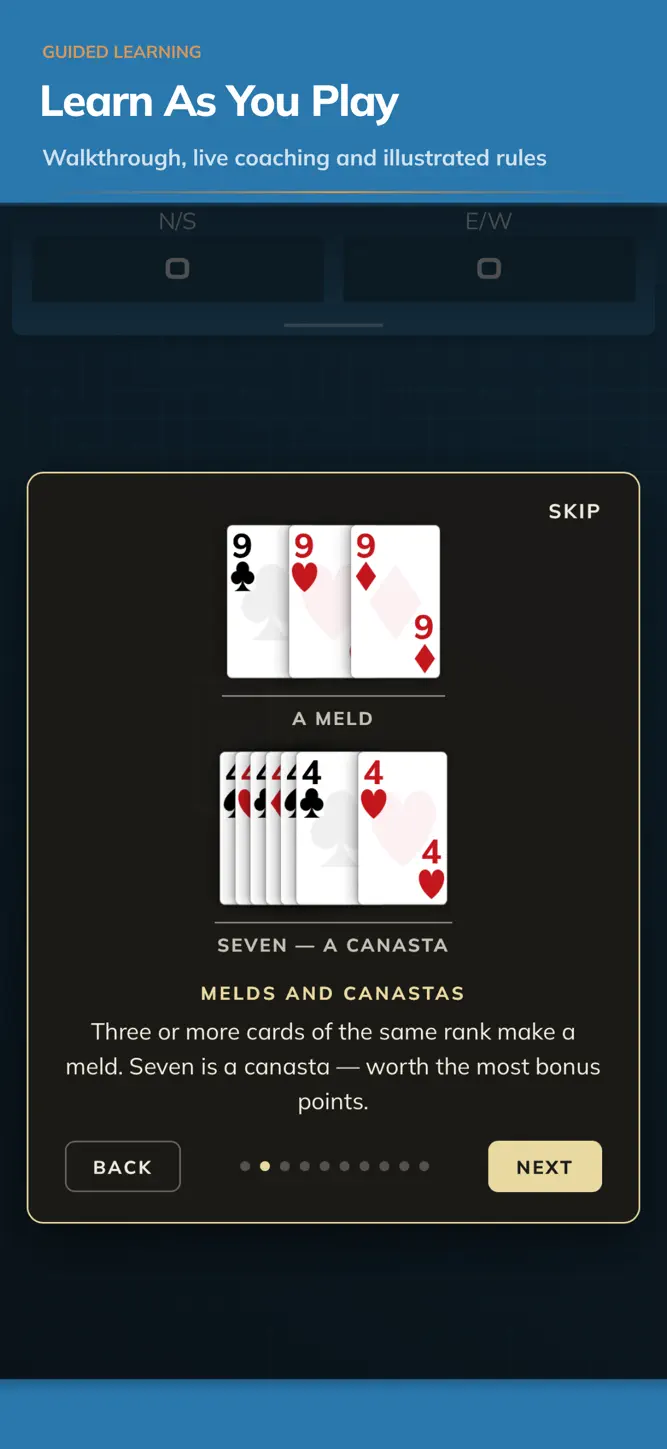
New to Canasta, or returning after time away? A guided walkthrough introduces the table before your first deal. Optional coaching then teaches drawing, melding, taking the pile, discarding and going out as those moments arise during real play. The illustrated How To Play reference gives you clear visual examples of melds, wild cards, canastas, red and black threes, frozen-pile pickup, opening requirements and going out.
Build melds, complete natural and mixed canastas, manage the discard pile and decide when your team should go out. Choose a one-hand Quick Game for a shorter session or play a full match to 5,000 points.
Every hand begins with a fresh random deal. Easy, Medium and Hard opponents bring different levels of memory, judgement and strategy. In partnership games your AI partner always plays at full strength, working towards your shared melds, canastas and score.
Your partner plays for the team: helping to complete canastas, protecting useful cards and judging when the partnership should go out. The computer players understand opening requirements, frozen discard piles, safe discards, match scores and partnership going-out decisions.
Features:
• Two-player head-to-head and four-player partnership Canasta
• Quick Games and full 5,000-point matches
• Easy, Medium and Hard computer opponents
• A cooperative AI partner that plays for the team
• Walkthrough, live-table coaching and illustrated rules for learning Canasta
• Autosave and resume, plus Reset Turn before you discard
• Detailed scoring, final-hand inspection and statistics by mode
• Custom cards, suit colours, card backs, tables, animation speed and sound
Play with classic frozen-pile, opening-meld, red-three and going-out rules. Optional settings include Draw Two and Two Canastas to Go Out in two-player games, Ask Permission in partnership games, and an always-frozen discard pile.
At the end of each hand, inspect the remaining cards and review a full score breakdown covering melds, canastas, red threes, going out and cards left in hand. Statistics are kept separately by player count, game type and difficulty, as well as overall.
Choose your card faces, two-colour or four-colour suits, card backs and table theme. Adjust card size, animation speed, orientation and sound to make the table comfortable for you.
If a move is not legal, a short message explains the rule that stopped it. Your game saves as you play, so you can leave the table and continue when it suits you.
No account or internet connection is required. Open the game, take your seat and enjoy Classic Canasta at your own pace.
What's New
Classic Canasta is ready for launch! Play offline on iPhone and iPad, head to head or with an AI partner. Learn as you play with a guided walkthrough, live coaching and illustrated rules. This update strengthens Hard-mode AI and includes the latest refinements from pre-launch testing.
How to download Classic Canasta?
- Tap the Google Play button (Android) or the App Store button (iPhone / iPad) in the download section.
- The official store page of Classic Canasta opens in a new tab.
- Tap Install or Get and wait until the download finishes.
- Open Classic Canasta from your home screen and start playing.
FAQ
Is Classic Canasta free to play?
Yes, Classic Canasta is free to download.
Is Classic Canasta available for iPhone?
Yes, Classic Canasta is available on the Apple App Store and needs iOS 15.0 or later.
Is it safe to download Classic Canasta?
Yes. GameZone does not host any files — the download buttons open the official Google Play and App Store pages.
Download the App
Similar Games
UNO!™
Pokémon TCG Pocket
Solitaire - Classic Card Games
Solitaire - Classic Card Games
Solitaire Grand Harvest
WSOP Poker: Texas Holdem Game
Solitaire.com - Classic Cards
Spider Solitaire: Card Games
Disney Solitaire
Solitaire - Classic Card Games
Solitaire
Zynga Poker- Texas Holdem Game
Solitaire Verse
Phase 10: Casual Card Game
 Solitaire Clash: Win Real Cash
Disclaimer
1. GameZone does not represent any developer, nor is it the developer of any app or game listed on this website.
2. Game details such as icons, screenshots, ratings and descriptions are collected from the public Google Play and App Store listings so players can compare games before installing.
3. All trademarks, registered trademarks, product names, company names and logos are the property of their respective owners.
4. GameZone does not host APK or IPA files. Every download button opens the official Google Play Store or Apple App Store page of the game.
5. GameZone respects the Digital Millennium Copyright Act (DMCA). If you are the owner of any content shown here and want it removed, please contact us at contact@shresult.com.