


Freezer: Fridge Inventory
Ruifan Wang
Category
Content Rating
4+
Developer
Ruifan Wang
Version
1.0
Updated
Oct 5, 2026
Requires
iOS 26.1 or later
Price
Free
Size (iOS)
3.8 MB
Advertisement
Screenshots

Advertisement
Editor Reviews
Freezer: Fridge Inventory is an action game developed by Ruifan Wang for iPhone & iPad.
Freezer: Fridge Inventory is free to download. The latest version 1.0 was released on Oct 5, 2026. Content rating: 4+.
About Freezer: Fridge Inventory
Make your freezer feel like part of your kitchen again.
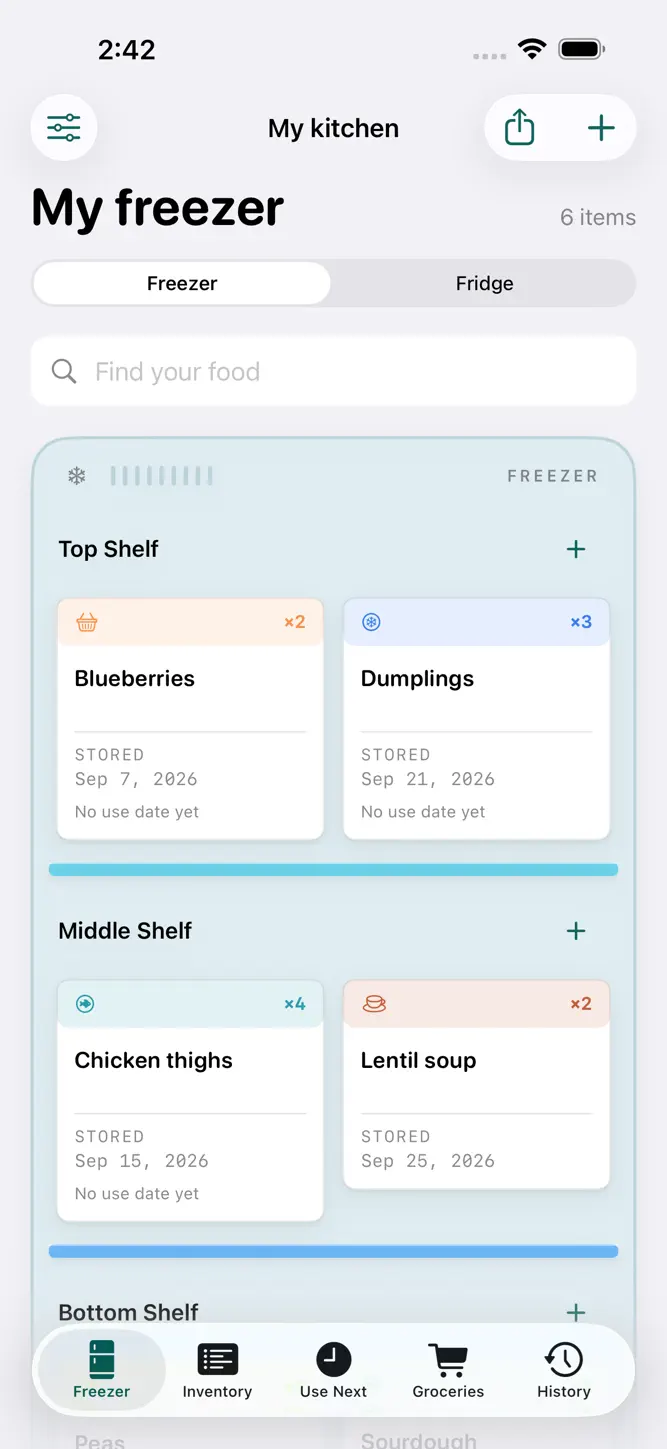
See what you have, remember when you put it away, and find the leftovers before they disappear behind the next shopping trip. Freezer keeps your fridge, freezer, and grocery list together on your device.
ARRANGE IT LIKE YOUR KITCHEN
Create shelves, drawers, and door bins for one freezer and one fridge. Give each area a name and color, arrange them in your preferred order, and move food with a few taps. Each batch keeps its own dates and portions.
ADD FOOD WITHOUT THE FUSS
Start with just a name. Use the offline food dictionary, reuse a recent food, or scan a visible label with on-device text recognition. Review English or Chinese text before confirming it. Scanning does not guess quantities, freshness, or storage dates.
REMEMBER WHAT TO USE NEXT
Check stored dates and your personal use dates. Record portions eaten or discarded, undo an accidental action, and review your week: most eaten, most wasted, and your repeat favorite. Suggested dates are planning guidance, not a guarantee of food safety.
KEEP A PRACTICAL GROCERY LIST
Write your shopping list and quantity notes. Choose foods to track for restocking and review suggestions based on recorded stock and consumption. Checking off a purchase does not change inventory until you put it away.
SHARE A LITTLE OF YOUR KITCHEN
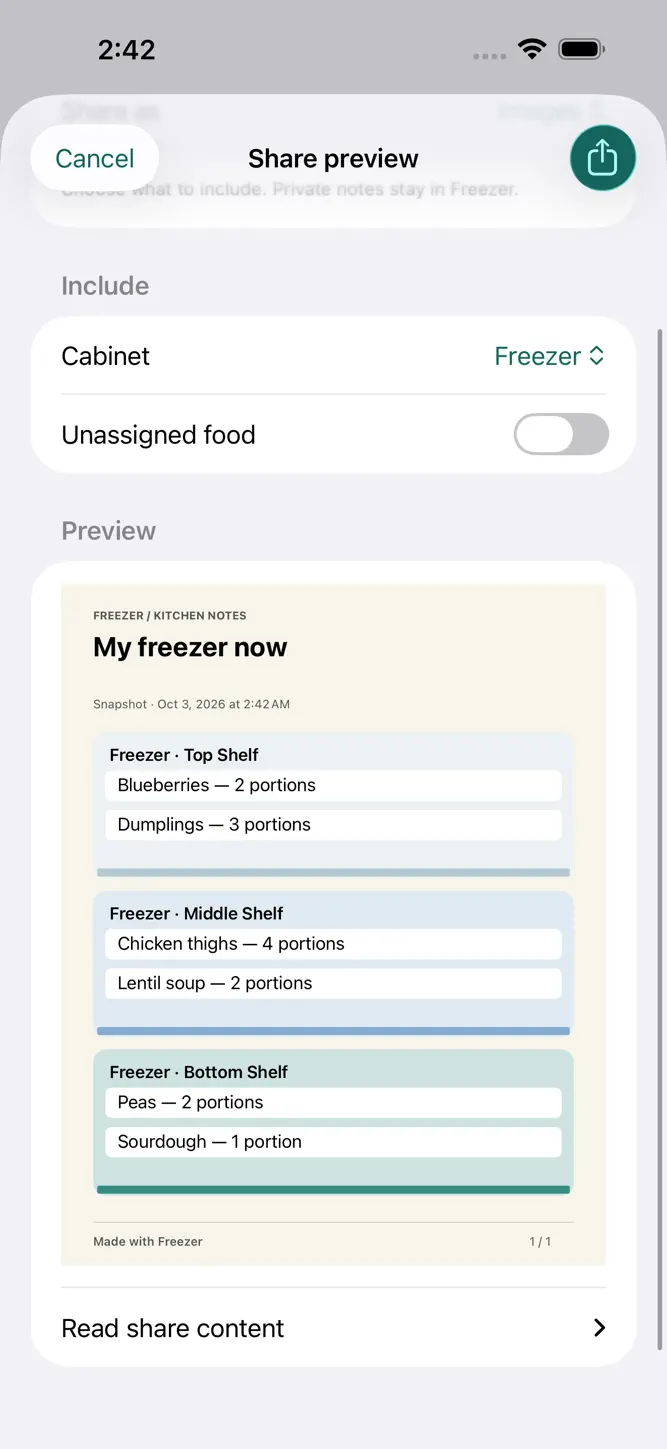
Send a grocery checklist, weekly postcard, inventory document, or illustrated cabinet through Apple’s share sheet. Choose what to include. Private food notes stay out of shared cards.
PRIVATE BY DEFAULT
No account, ads, or tracking. Core features work offline. Records stay on your device, with export and restore when you want a backup. Optional reminders use iOS notifications.
Food guidance cannot measure temperature or freshness. Label recognition can make mistakes; always review the result. External links and sharing destinations may require internet access.
How to download Freezer: Fridge Inventory?
- Tap the Google Play button (Android) or the App Store button (iPhone / iPad) in the download section.
- The official store page of Freezer: Fridge Inventory opens in a new tab.
- Tap Install or Get and wait until the download finishes.
- Open Freezer: Fridge Inventory from your home screen and start playing.
FAQ
Is Freezer: Fridge Inventory free to play?
Yes, Freezer: Fridge Inventory is free to download.
Is Freezer: Fridge Inventory available for iPhone?
Yes, Freezer: Fridge Inventory is available on the Apple App Store and needs iOS 26.1 or later.
Is it safe to download Freezer: Fridge Inventory?
Yes. GameZone does not host any files — the download buttons open the official Google Play and App Store pages.
Download the App
Similar Games


Disclaimer
1. GameZone does not represent any developer, nor is it the developer of any app or game listed on this website.
2. Game details such as icons, screenshots, ratings and descriptions are collected from the public Google Play and App Store listings so players can compare games before installing.
3. All trademarks, registered trademarks, product names, company names and logos are the property of their respective owners.
4. GameZone does not host APK or IPA files. Every download button opens the official Google Play Store or Apple App Store page of the game.
5. GameZone respects the Digital Millennium Copyright Act (DMCA). If you are the owner of any content shown here and want it removed, please contact us at contact@shresult.com.