


Mochi: AI Pose Coach Camera
ZHUOER TANG
Category
Content Rating
4+
Developer
ZHUOER TANG
Version
1.0
Updated
Oct 9, 2026
Requires
iOS 16.0 or later
Price
Free
Size (iOS)
122.7 MB
Advertisement
Screenshots

Advertisement
Editor Reviews
Mochi: AI Pose Coach Camera is an action game developed by ZHUOER TANG for iPhone & iPad.
Mochi: AI Pose Coach Camera is free to download. The latest version 1.0 was released on Oct 9, 2026. Content rating: 4+.
About Mochi: AI Pose Coach Camera
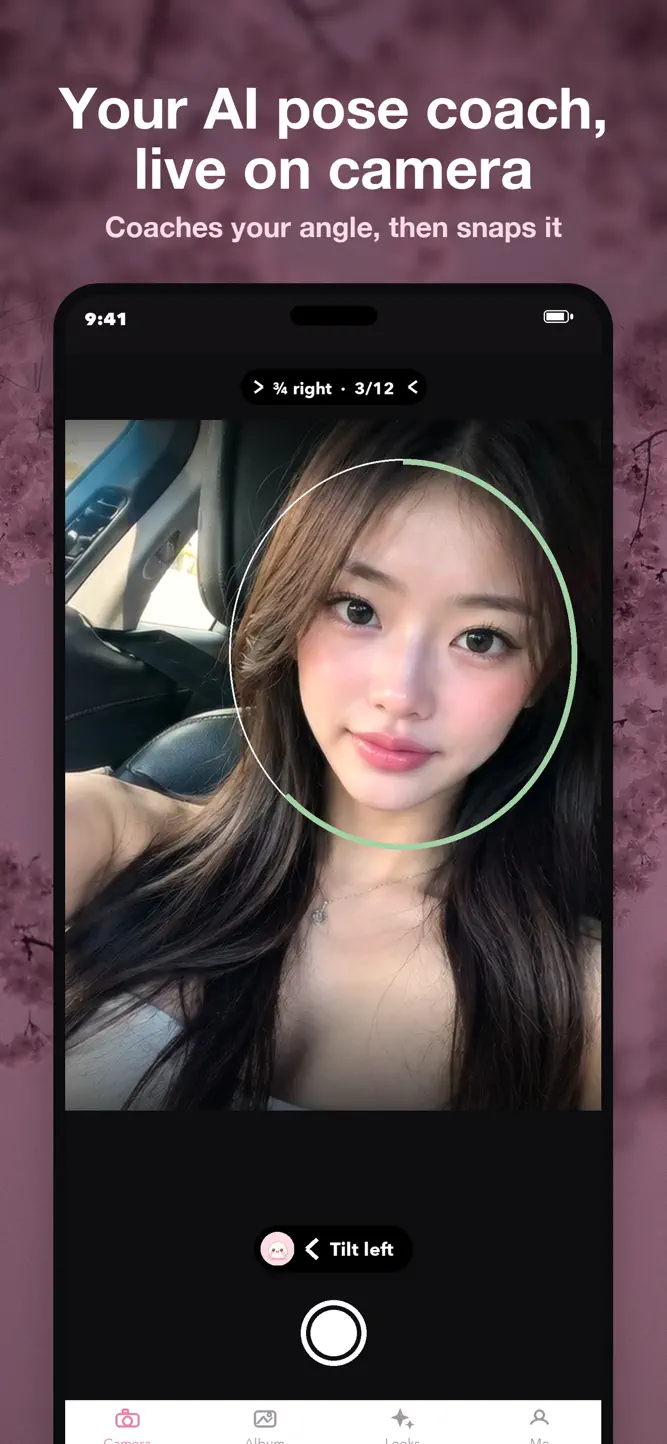
Mochi is an AI pose coach built into a selfie camera. It reads your angle live, tells you exactly how to move — "tilt left," "chin down," "turn right" — and takes the photo itself the moment you nail it. No stretching for the shutter.
YOUR AI POSE COACH
• 12 flattering selfie angles, each drawn as a pose you can see before you pick it
• A live match ring fills as you line up, plus a guide that shows your head next to the target
• Hold the pose and Mochi snaps it automatically — hands-free
• Winks are welcome; blinks never get snapped. It waits until your eyes are open
• Optional voice coach reads the cues out loud, and "wait for a smile" holds the shot until you do
FIND YOUR BEST ANGLE
• One tap walks you through four poses, snaps each one, and lays them side by side so you can see which angle suits you
GROUP SELFIES THAT WORK
• Two or more people? Mochi switches to group mode: everyone in frame, squeeze in, and no shot until nobody is blinking
• Beauty applies evenly to everyone, and face reshape stays off for group shots
BEYOND SELFIES
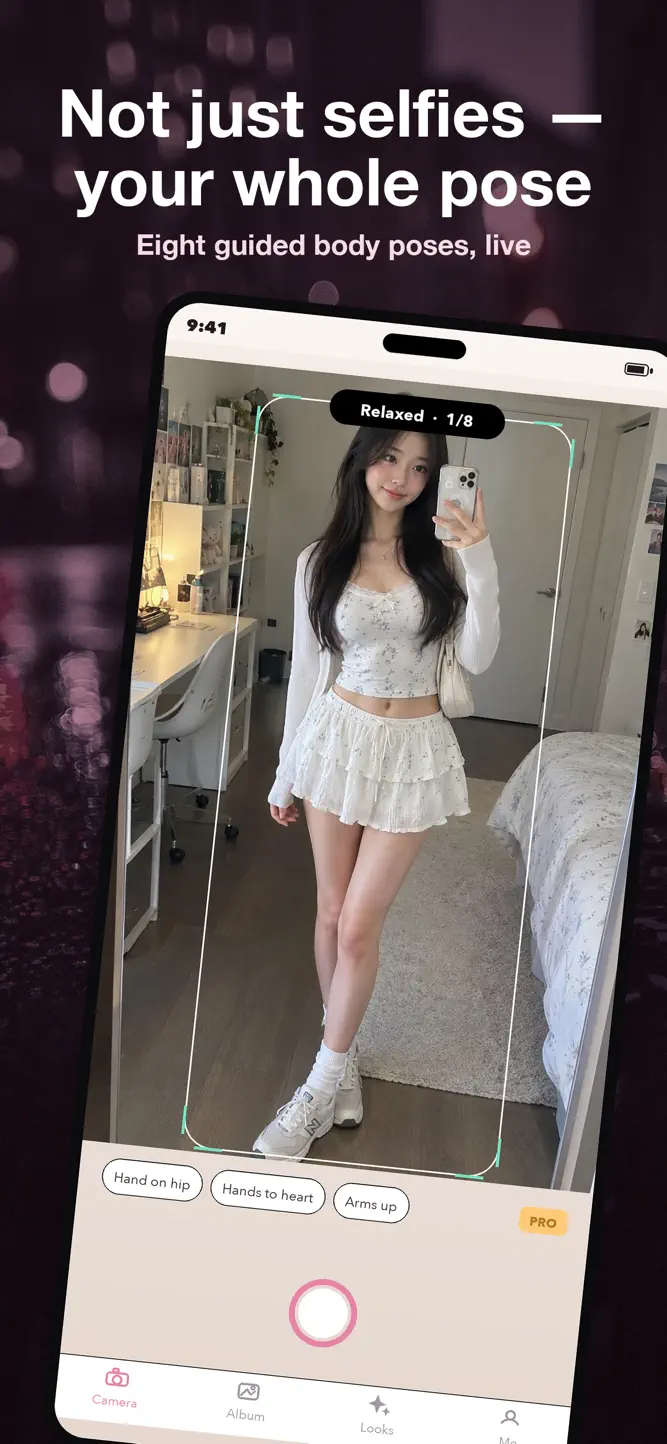
• Guided full-body poses (Pro): hand on hip, arms up, hands to heart and more
• Framing tips for full-body, food and scenery shots
BEAUTY, LIVE
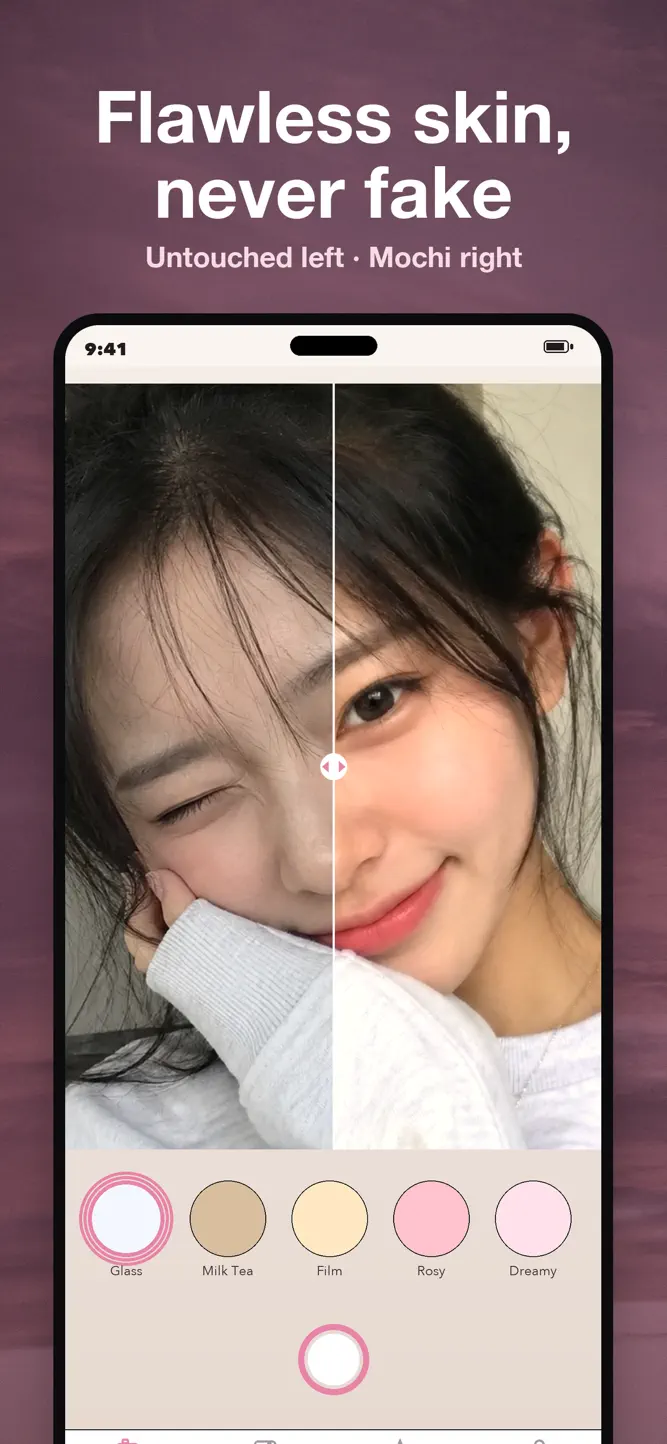
• Face-aware smoothing and a luminous glass-skin glow
• Subtle reshape for solo selfies — V-line, brighter eyes, refined nose
• You decide how much
LOOKS & EDITING
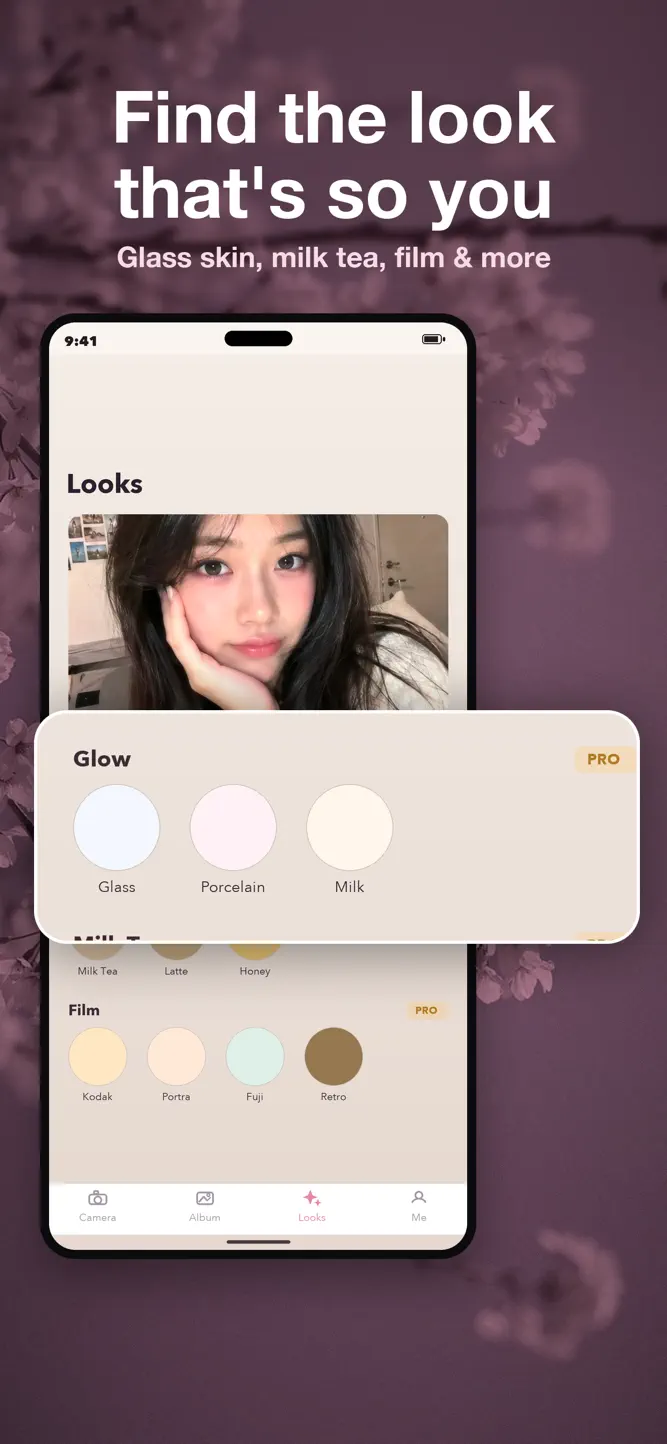
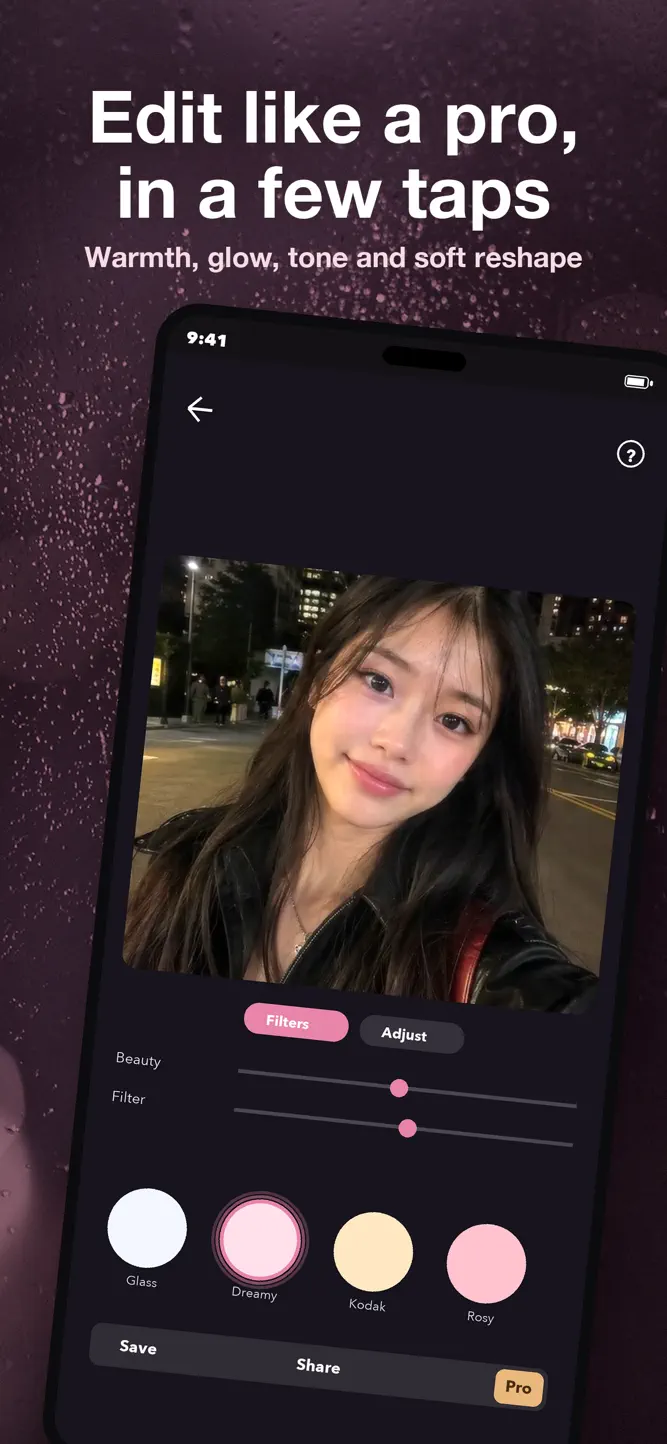
• Dozens of looks across Glow, Trend, Milk Tea, Mood, Film and Mono packs, with a strength slider
• Edit any photo from your library: filters, exposure, contrast, warmth, vibrance, eye brighten
KEEP LOOKS FREE
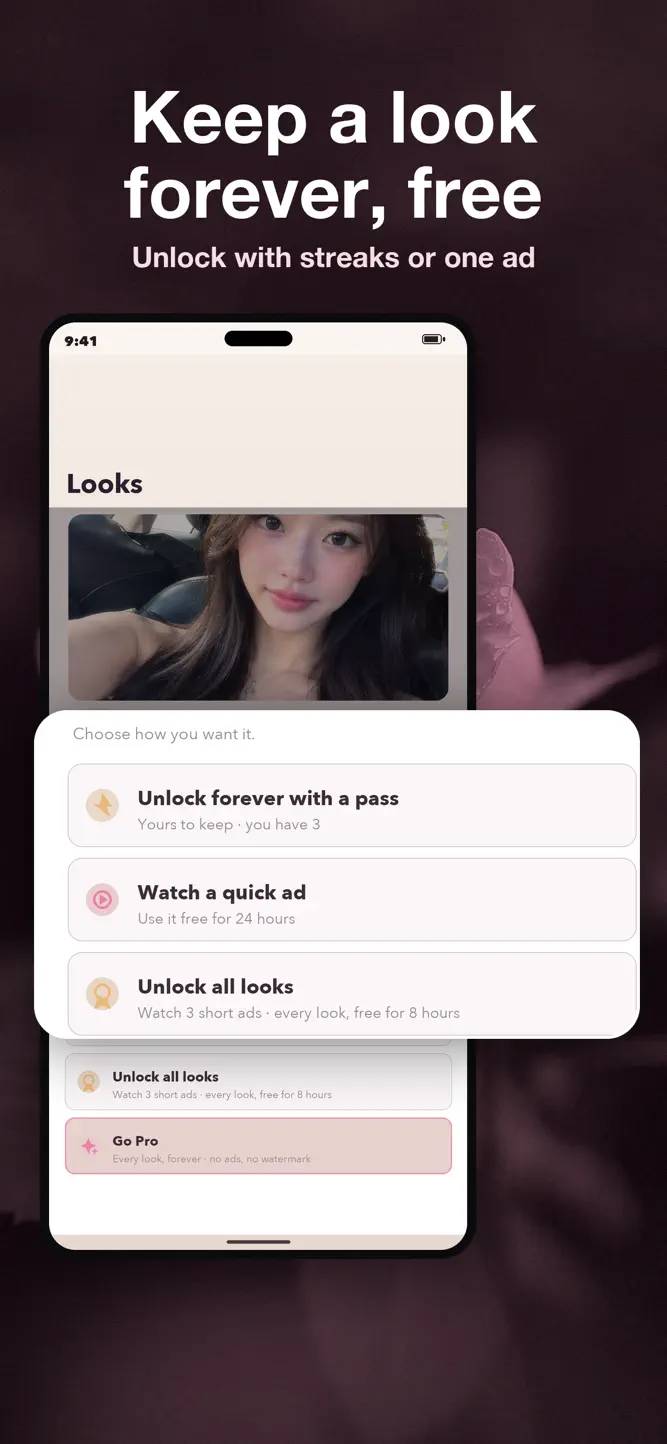
• Build a daily streak to earn passes that unlock a look for good, or watch a short ad. Pro unlocks everything with no ads or watermark
Your photos, faces and poses are processed on your device and never uploaded. No account needed.
Terms of Use (EULA): https://www.apple.com/legal/internet-services/itunes/dev/stdeula/
Privacy Policy: https://zetstudios.ca/privacy/mochi/
How to download Mochi: AI Pose Coach Camera?
- Tap the Google Play button (Android) or the App Store button (iPhone / iPad) in the download section.
- The official store page of Mochi: AI Pose Coach Camera opens in a new tab.
- Tap Install or Get and wait until the download finishes.
- Open Mochi: AI Pose Coach Camera from your home screen and start playing.
FAQ
Is Mochi: AI Pose Coach Camera free to play?
Yes, Mochi: AI Pose Coach Camera is free to download.
Is Mochi: AI Pose Coach Camera available for iPhone?
Yes, Mochi: AI Pose Coach Camera is available on the Apple App Store and needs iOS 16.0 or later.
Is it safe to download Mochi: AI Pose Coach Camera?
Yes. GameZone does not host any files — the download buttons open the official Google Play and App Store pages.
Download the App
Similar Games


Disclaimer
1. GameZone does not represent any developer, nor is it the developer of any app or game listed on this website.
2. Game details such as icons, screenshots, ratings and descriptions are collected from the public Google Play and App Store listings so players can compare games before installing.
3. All trademarks, registered trademarks, product names, company names and logos are the property of their respective owners.
4. GameZone does not host APK or IPA files. Every download button opens the official Google Play Store or Apple App Store page of the game.
5. GameZone respects the Digital Millennium Copyright Act (DMCA). If you are the owner of any content shown here and want it removed, please contact us at contact@shresult.com.