


Nwork: Team Work OS
Nouwacore
Category
Content Rating
4+
Developer
Nouwacore
Version
1.2.0
Updated
Sep 30, 2026
Requires
iOS 15.0 or later
Price
Free
Size (iOS)
45.1 MB
Advertisement
Screenshots


Advertisement
Editor Reviews
Nwork: Team Work OS is an action game developed by Nouwacore for iPhone & iPad.
Nwork: Team Work OS is free to download. The latest version 1.2.0 was released on Sep 30, 2026. Content rating: 4+.
About Nwork: Team Work OS
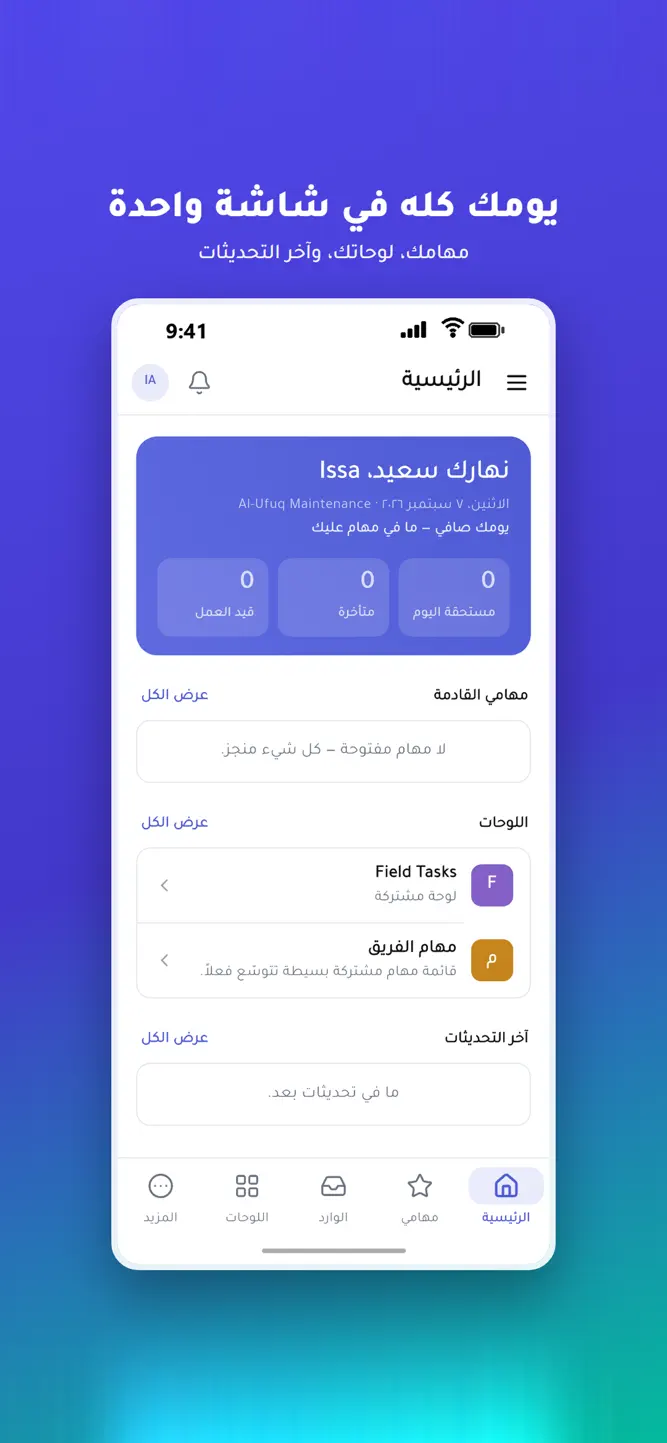
Nwork is a work OS for teams: boards, tasks, chat and files in one app, fully Arabic and right-to-left from the first line — not a translation layer.
Built for teams whose work happens on site: maintenance, installations, customer service, contracting, and any team with people in the field and people at a desk.
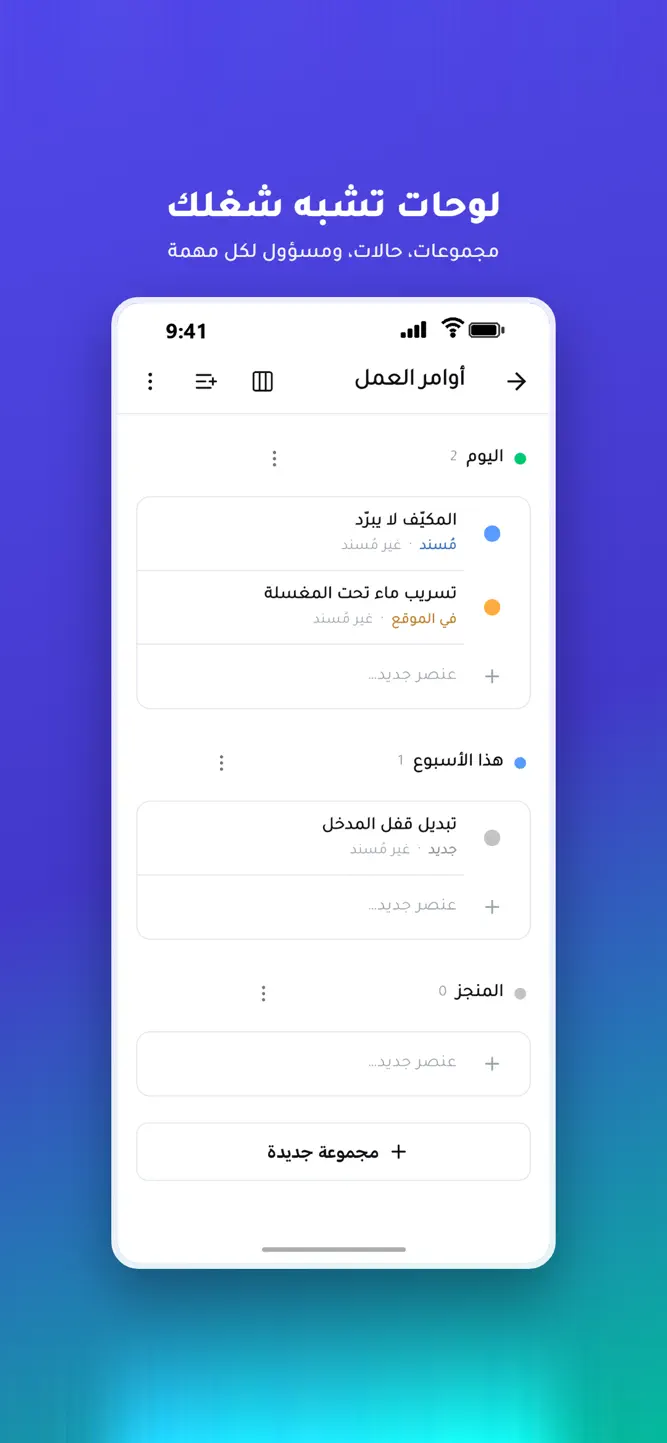
■ Boards shaped like your work
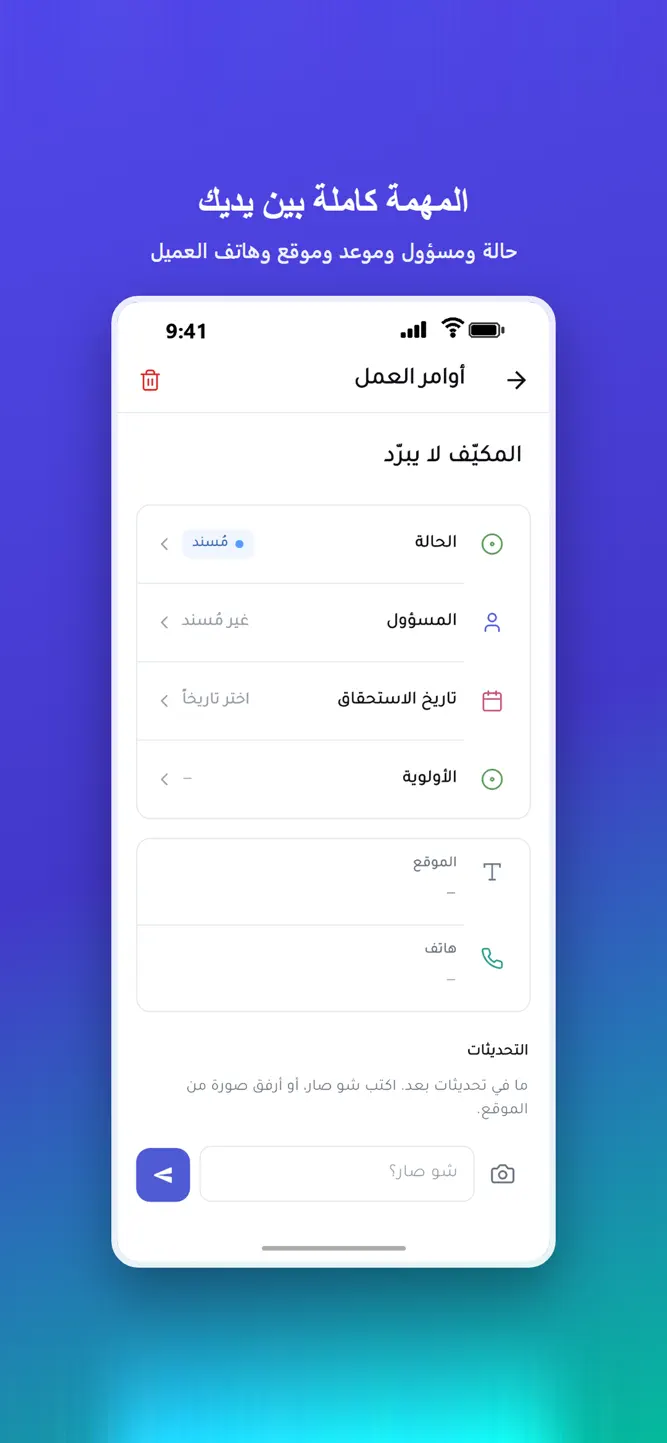
Organize with groups, statuses and the columns you choose: assignee, date, priority, site, customer phone, numbers, files and more. Every task shows who owns it and when it is due.
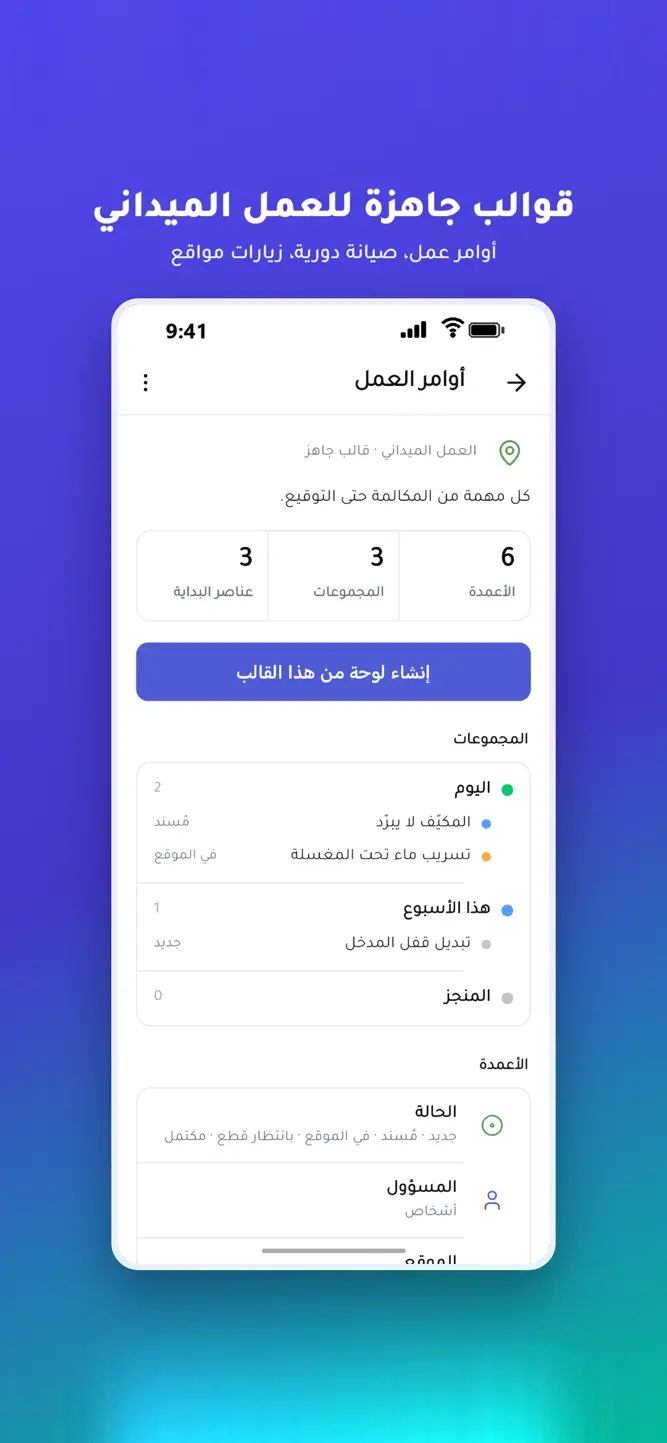
■ 42 ready templates
Start from a built board instead of a blank page: work orders, preventive maintenance, site visits, installations, fleet, service requests — plus marketing, sales, development, product, HR and project management.
■ Your team reports from the site
A technician opens the task, says what happened, and attaches a photo straight from the camera. The update stays with the job, and whoever owns it is notified.
■ My tasks, one tap
Everything assigned to you, sorted: overdue, today, this week. Tap the dot to mark a job done without opening it.
■ Precise permissions
Five roles — owner, admin, supervisor, member, guest — and the owner can tune each person individually: what they see in the menu, and what they may edit.
■ Team chat
Private channels with photos and files. A channel is invisible to anyone not in it.
■ Files and storage
Upload and organize in folders, and see how much of your space you have used.
■ Dashboards and reports
Five ready dashboards: today's work, team load, board progress, tasks at risk, and the week's activity. Plus a full reports section — executive summary and a detailed register — downloaded as an Excel file or emailed to an accountant or a partner in one tap.
■ Field reps
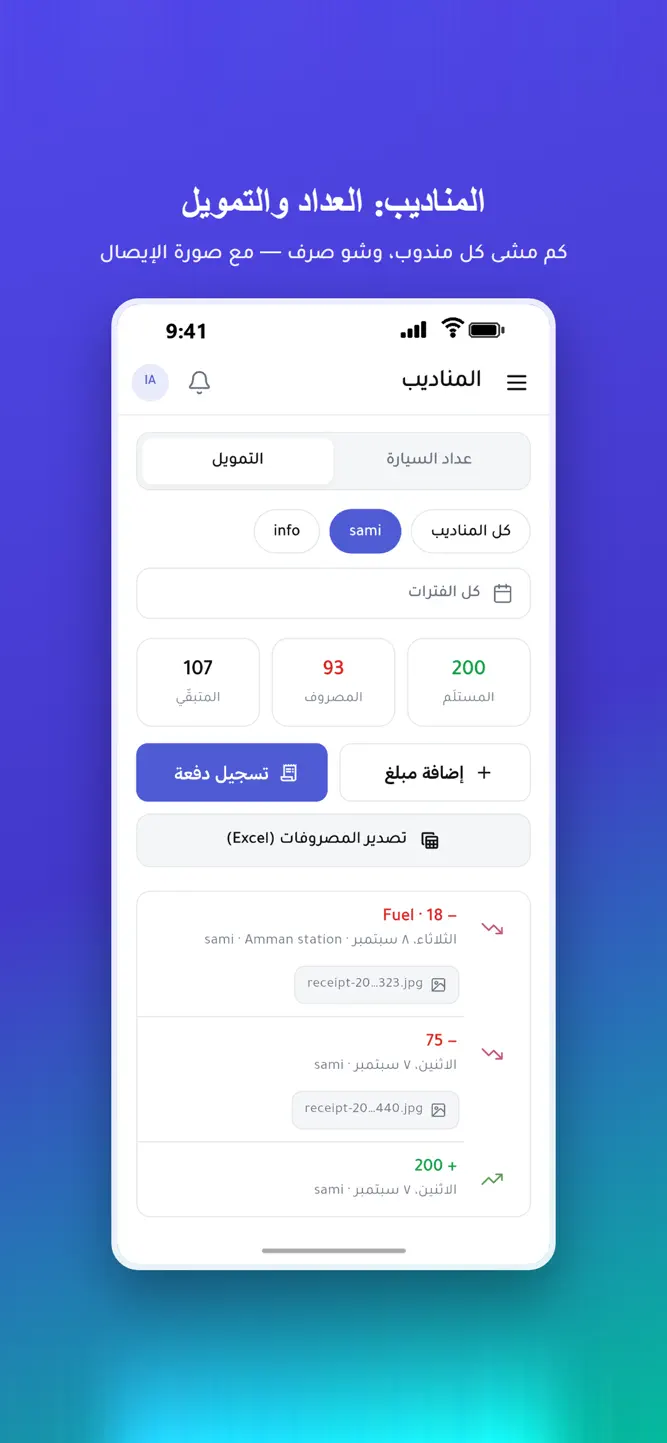
A rep logs the vehicle's odometer at the start and end of the day, and the money they spent with the receipt photographed. The office sees each person's distance and balance, and exports the expenses to Excel.
■ Phone notifications
When a task is assigned to you, falls due, or runs late, your phone tells you — like any messaging app, even with Nwork closed.
Free plan to start, paid plans priced per actual seat — no three-seat minimum.
Privacy: enworkly.com/privacy
Account deletion: enworkly.com/delete-account
How to download Nwork: Team Work OS?
- Tap the Google Play button (Android) or the App Store button (iPhone / iPad) in the download section.
- The official store page of Nwork: Team Work OS opens in a new tab.
- Tap Install or Get and wait until the download finishes.
- Open Nwork: Team Work OS from your home screen and start playing.
FAQ
Is Nwork: Team Work OS free to play?
Yes, Nwork: Team Work OS is free to download.
Is Nwork: Team Work OS available for iPhone?
Yes, Nwork: Team Work OS is available on the Apple App Store and needs iOS 15.0 or later.
Is it safe to download Nwork: Team Work OS?
Yes. GameZone does not host any files — the download buttons open the official Google Play and App Store pages.
Download the App
Similar Games


Disclaimer
1. GameZone does not represent any developer, nor is it the developer of any app or game listed on this website.
2. Game details such as icons, screenshots, ratings and descriptions are collected from the public Google Play and App Store listings so players can compare games before installing.
3. All trademarks, registered trademarks, product names, company names and logos are the property of their respective owners.
4. GameZone does not host APK or IPA files. Every download button opens the official Google Play Store or Apple App Store page of the game.
5. GameZone respects the Digital Millennium Copyright Act (DMCA). If you are the owner of any content shown here and want it removed, please contact us at contact@shresult.com.