


Orin: Retro MP3 & FLAC Player
Union25 LLC
Category
Content Rating
4+
Developer
Union25 LLC
Version
1.0
Updated
Oct 9, 2026
Requires
iOS 15.0 or later
Price
Free
Size (iOS)
22.4 MB
Advertisement
Screenshots
Advertisement
Editor Reviews
Orin: Retro MP3 & FLAC Player is a music game developed by Union25 LLC for iPhone & iPad.
Orin: Retro MP3 & FLAC Player is free to download. The latest version 1.0 was released on Oct 9, 2026. Content rating: 4+.
About Orin: Retro MP3 & FLAC Player
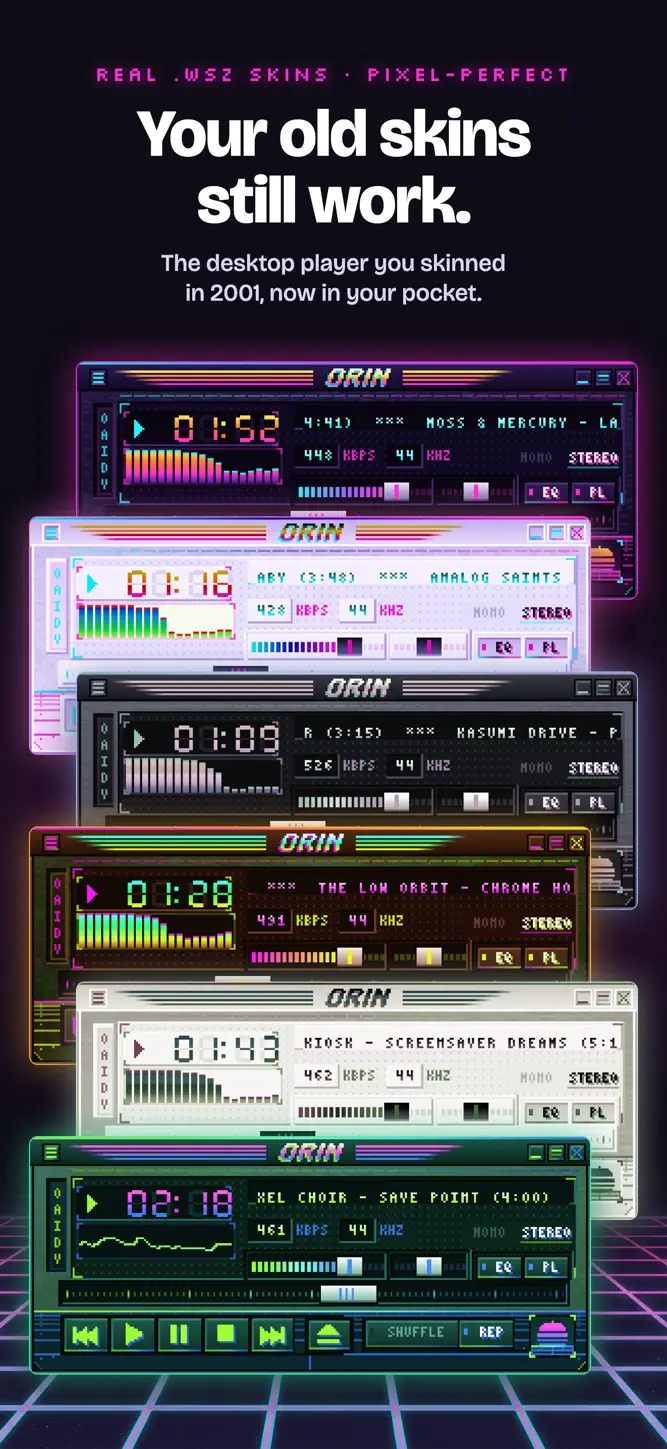
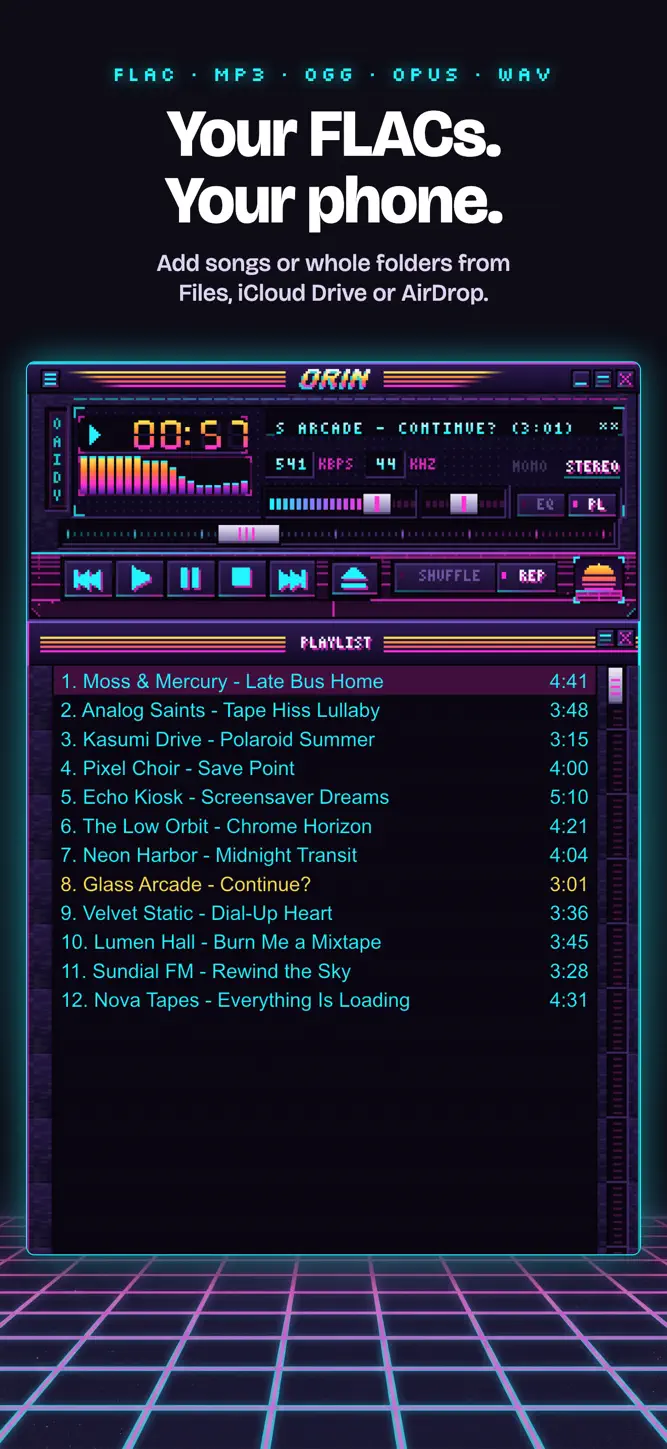
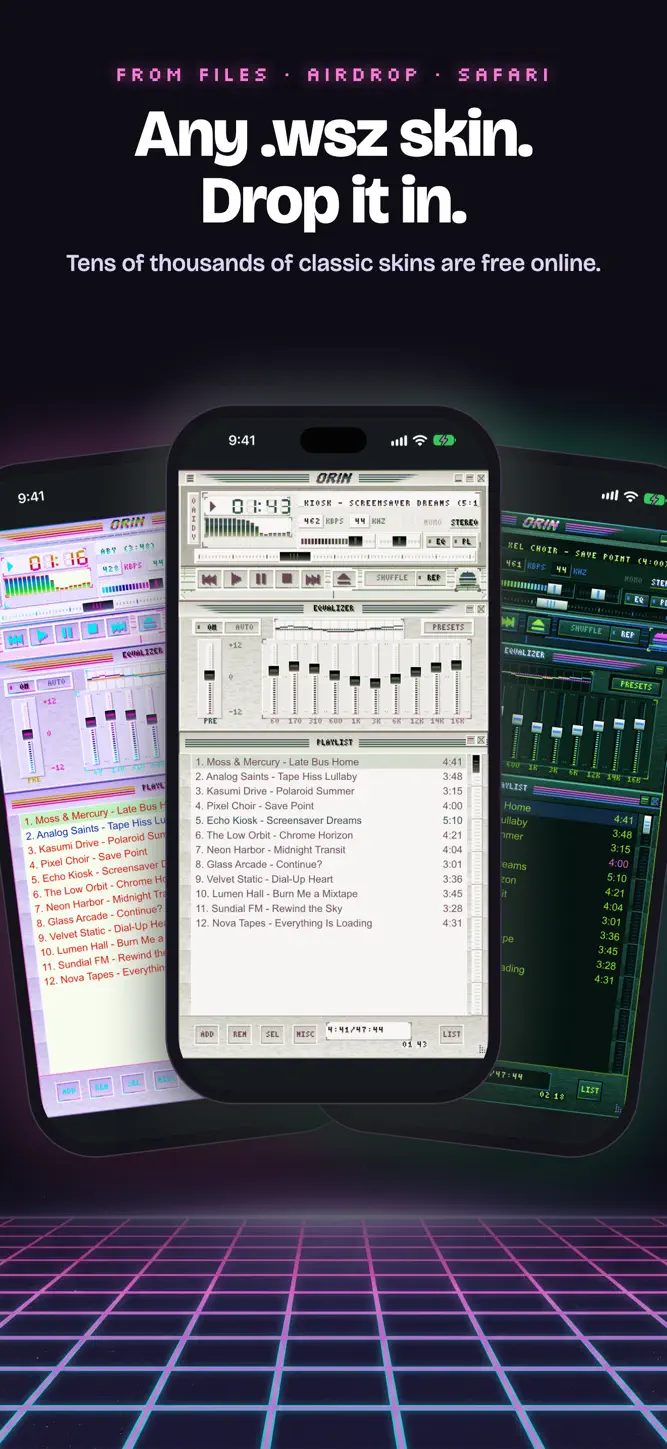
Your old skins still work. Orin plays your own MP3, FLAC, OGG, Opus and WAV files inside the classic .wsz skins of the 2000s desktop era, pixel for pixel, with a real 10-band EQ.
Orin's neon skin is free forever. Import any other skin free for 14 days, then keep every skin with one $6.99 purchase. No subscription. After a trial, your music keeps playing in Orin's skin.
Orin plays files you own, not streaming services, and not AAC or M4A files.
CLASSIC SKINS
• Open any classic .wsz skin from Files, AirDrop, Safari or Mail. Tens of thousands of them are free online.
• The main window, equalizer and playlist, drawn sharp at any screen size, on iPhone and iPad.
• Keep a shelf of skins and switch between them in a tap.
A REAL PLAYER, NOT A COSTUME
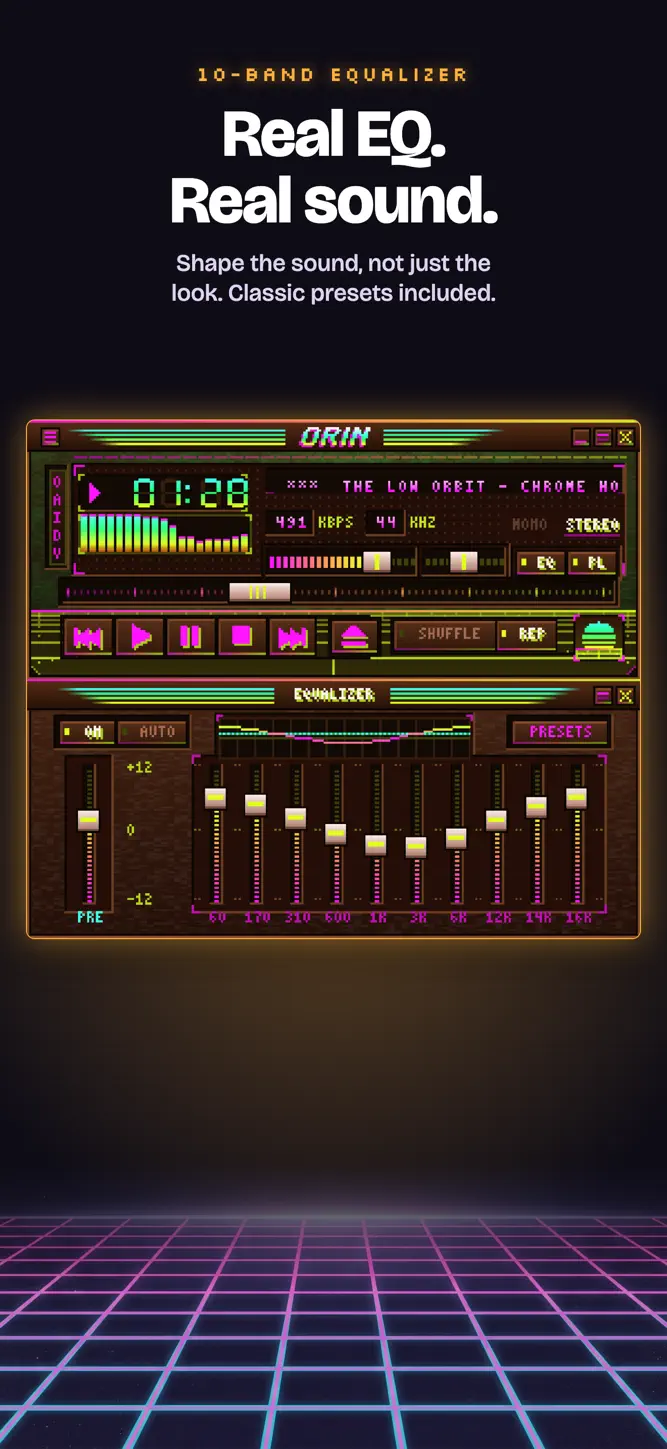
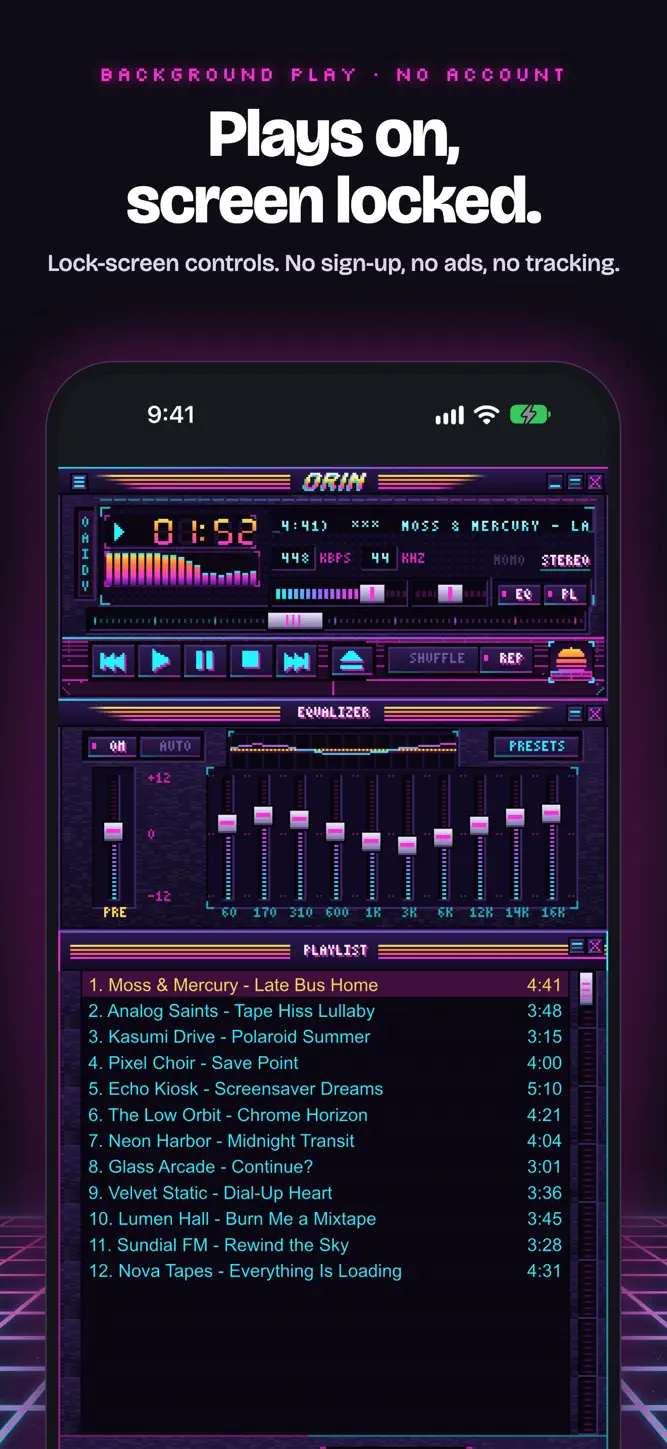
• 10-band equalizer with preamp, the classic preset list, and AUTO presets per track. It changes the sound, not just the sliders.
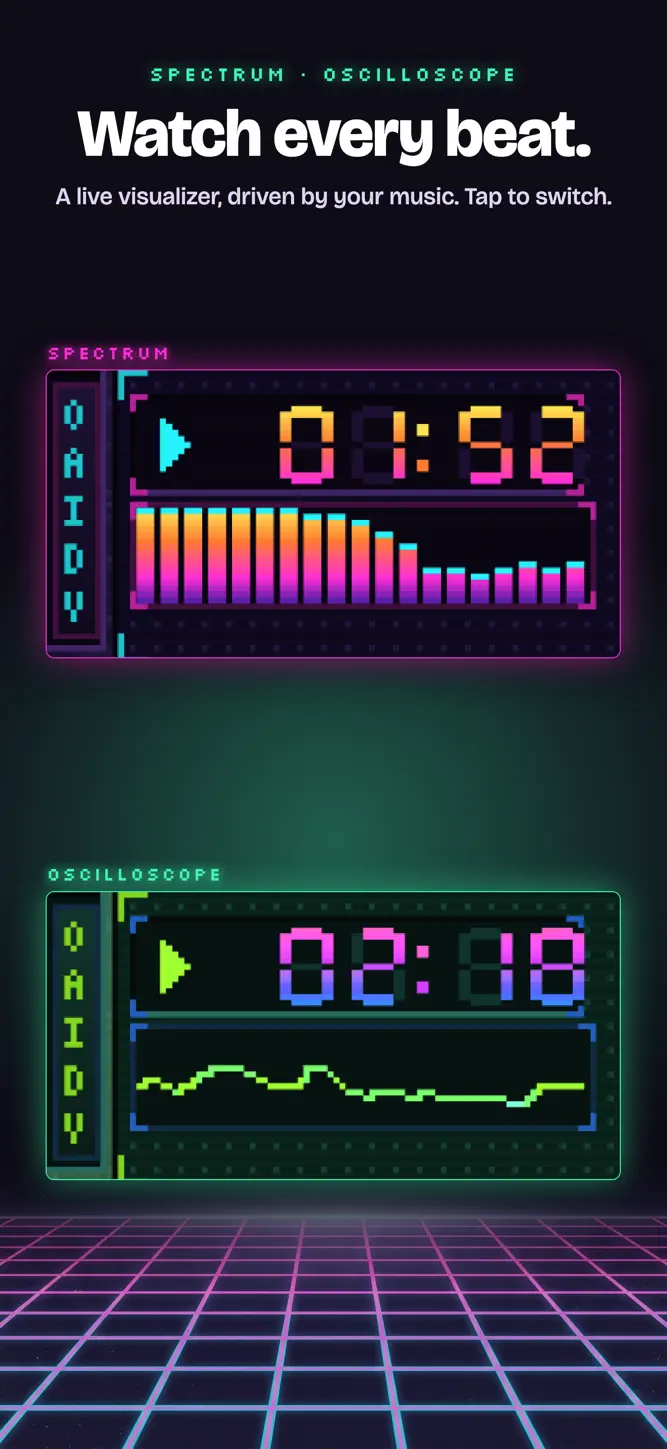
• Live spectrum analyzer and oscilloscope, driven by your music. Tap to switch.
• Real stereo balance, shuffle, repeat and near-gapless playback.
• Scrolling title marquee, elapsed or remaining time, bitrate and sample rate from the file itself.
• Keeps playing in the background, with lock-screen, Control Center and headphone controls.
YOUR FILES, YOUR WAY
• Add single tracks or whole folders, including from iCloud Drive.
• Reads artist and title tags (ID3, Vorbis, APE).
• Loads M3U and PLS playlists and saves M3U8.
• Your playlist, position, skin and EQ are all there next time you open the app.
• Imported music lives in On My iPhone (or iPad) › Orin, where you can manage it in the Files app.
PRIVATE BY DESIGN
Orin collects no data. There is no sign-up, no analytics and no tracking. It works in airplane mode.
How to download Orin: Retro MP3 & FLAC Player?
- Tap the Google Play button (Android) or the App Store button (iPhone / iPad) in the download section.
- The official store page of Orin: Retro MP3 & FLAC Player opens in a new tab.
- Tap Install or Get and wait until the download finishes.
- Open Orin: Retro MP3 & FLAC Player from your home screen and start playing.
FAQ
Is Orin: Retro MP3 & FLAC Player free to play?
Yes, Orin: Retro MP3 & FLAC Player is free to download.
Is Orin: Retro MP3 & FLAC Player available for iPhone?
Yes, Orin: Retro MP3 & FLAC Player is available on the Apple App Store and needs iOS 15.0 or later.
Is it safe to download Orin: Retro MP3 & FLAC Player?
Yes. GameZone does not host any files — the download buttons open the official Google Play and App Store pages.
Download the App
Similar Games
Magic Tiles 3™ - Piano Game
Tiles Hop Music & Ball Game
My Singing Monsters
Piano Kids - Music & Songs
Real Drum electronic drums set
Music Piano 7: Tiles Song Game
Piano Fire: Edm Music & Piano
Piano Star
Real Guitar - Music Band Game
Guitar Band: Rock Battle
Piano Music Go-EDM Piano Games
Magic Dancing Tiles
Just Dance Now
Real Piano
Smash Colors: Music Ball Rush
Disclaimer
1. GameZone does not represent any developer, nor is it the developer of any app or game listed on this website.
2. Game details such as icons, screenshots, ratings and descriptions are collected from the public Google Play and App Store listings so players can compare games before installing.
3. All trademarks, registered trademarks, product names, company names and logos are the property of their respective owners.
4. GameZone does not host APK or IPA files. Every download button opens the official Google Play Store or Apple App Store page of the game.
5. GameZone respects the Digital Millennium Copyright Act (DMCA). If you are the owner of any content shown here and want it removed, please contact us at contact@shresult.com.