


PPT AI - AI Presentation Maker
TRIOSDEV (SMC-PRIVATE) LIMITED
Category
Content Rating
4+
Developer
TRIOSDEV (SMC-PRIVATE) LIMITED
Version
1.0
Updated
Sep 24, 2026
Requires
iOS 26.5 or later
Price
Free
Size (iOS)
6.1 MB
Advertisement
Screenshots

Advertisement
Editor Reviews
PPT AI - AI Presentation Maker is an educational game developed by TRIOSDEV (SMC-PRIVATE) LIMITED for iPhone & iPad.
PPT AI - AI Presentation Maker is free to download. The latest version 1.0 was released on Sep 24, 2026. Content rating: 4+.
About PPT AI - AI Presentation Maker
Create professional presentations with AI and turn your ideas into editable PPT slides.
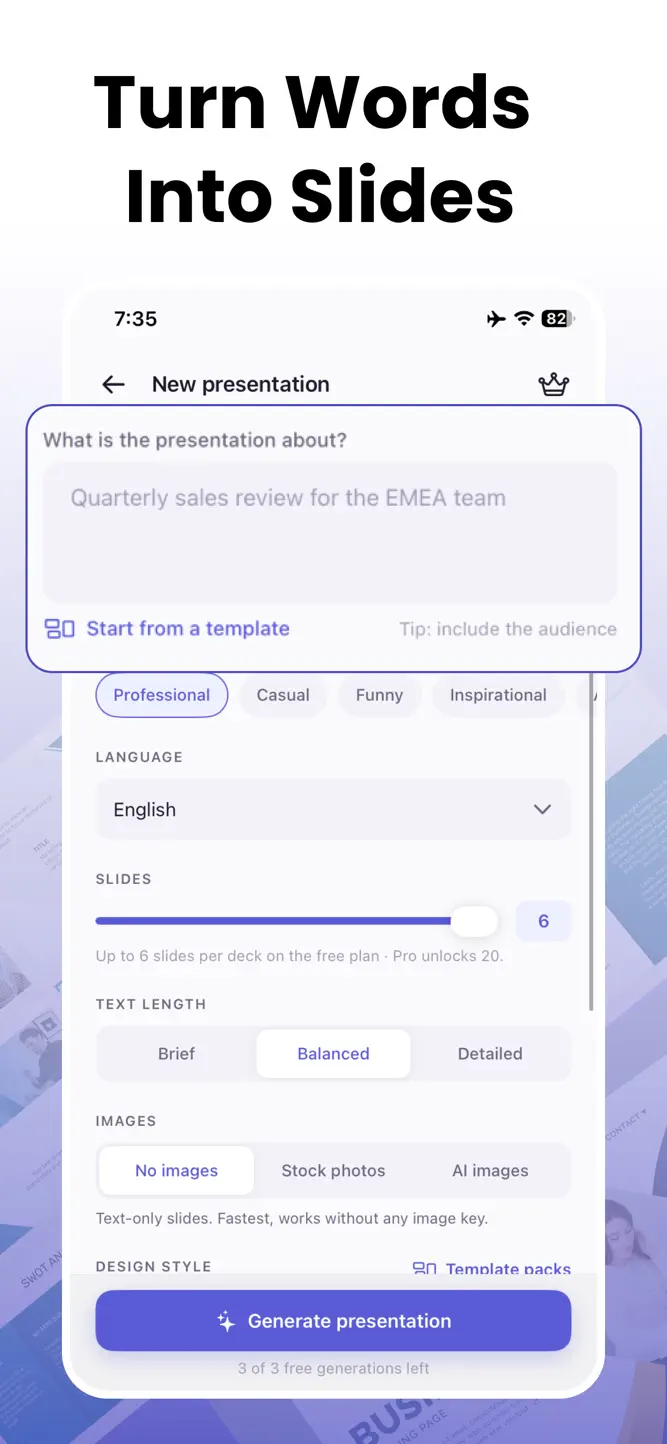
AI PPT Slides Maker helps you create presentations from a simple idea, topic, PDF, or URL. Generate slide content with AI, organize your story, and edit your presentation to make it your own.
Whether you're preparing a business presentation, school project, pitch deck, meeting, lesson, report, or social content, create and refine your slides in one place.
CREATE PPT PRESENTATIONS WITH AI
Start with a topic or idea and let AI help build your presentation. Generate structured slides, organize content, and create an editable deck that you can customize.
EDITABLE AI SLIDES
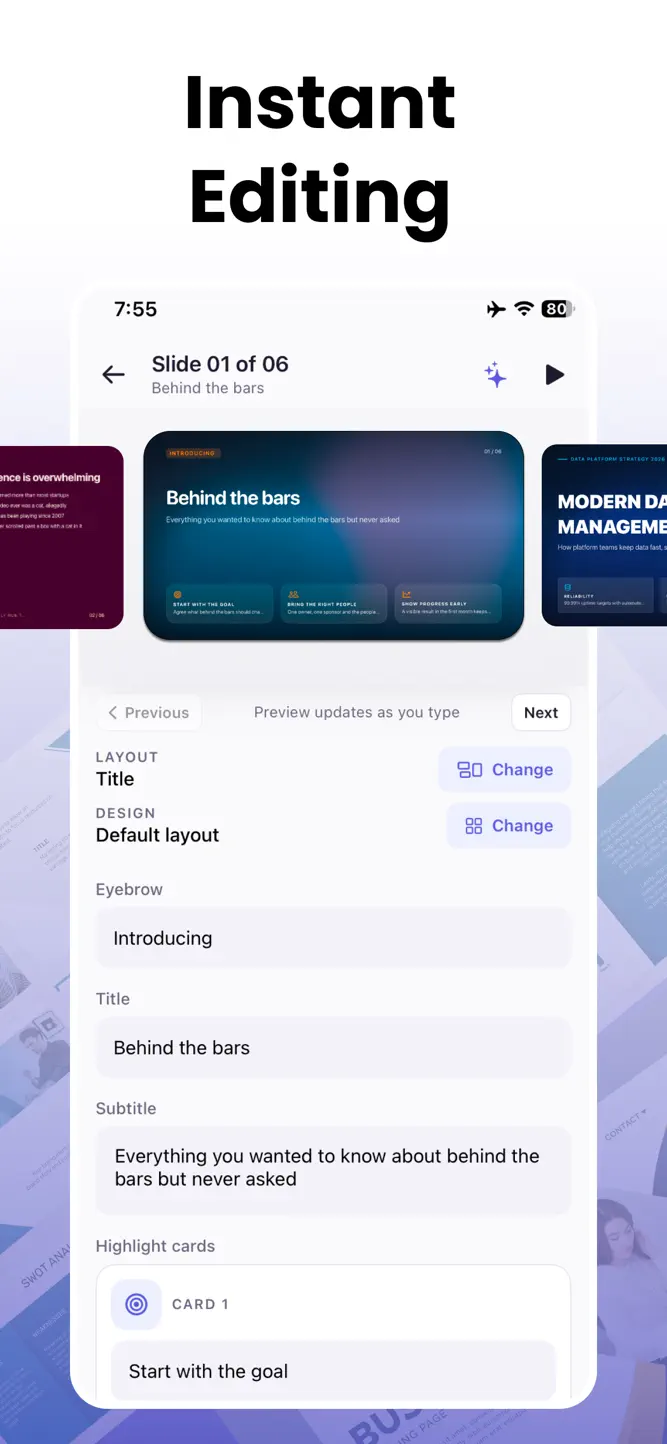
Your presentation is not just an image. Create editable slides that you can refine, rearrange, and personalize to match your message and presentation style.
IMPORT FROM PDF OR URL
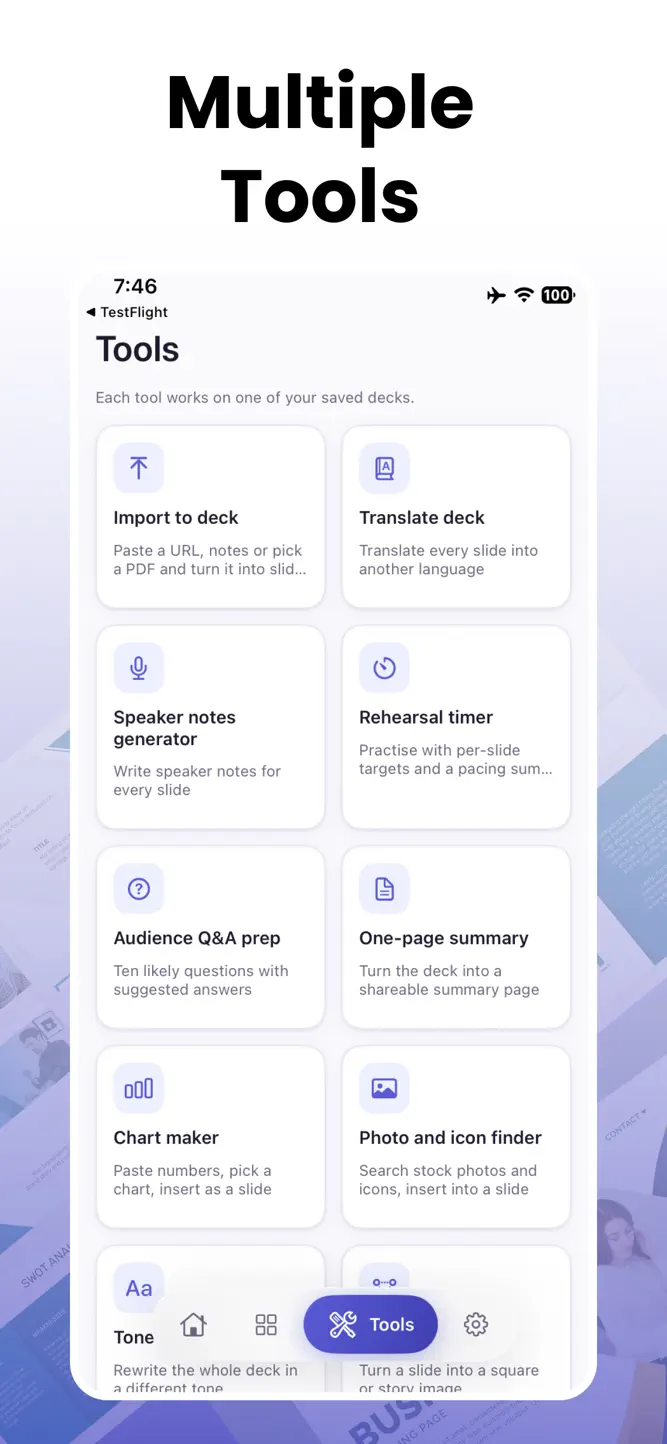
Already have your content? Import information from a PDF or URL and turn it into presentation-ready slides without starting from scratch.
TRANSLATE PRESENTATIONS
Create presentations for different audiences by translating your slide content into other languages.
GENERATE SPEAKER NOTES
Prepare what to say for every slide with AI-generated speaker notes. Use them to guide your presentation and stay focused while presenting.
PREPARE FOR YOUR AUDIENCE
Get ready for questions before you present. Generate potential audience questions and prepare answers based on your presentation content.
REHEARSE YOUR PRESENTATION
Check your presentation flow and estimated rehearsal time so you can better prepare before presenting.
CREATE A ONE-PAGE SUMMARY
Turn a complete presentation into a concise one-page summary. Useful for reviewing key points or sharing the main ideas with others.
MAKE CHARTS FOR YOUR SLIDES
Create chart slides from your data. Choose the number or information you want to visualize and add a chart to your presentation.
FIND PHOTOS & ICONS
Discover relevant photos and icons to make your slides more visual and engaging.
CHANGE YOUR PRESENTATION TONE
Adjust your content for different audiences and situations. Shift the tone of your presentation while keeping the core message intact.
EXPORT FOR SOCIAL MEDIA
Repurpose your presentation content for social platforms and share your ideas beyond traditional slides.
IDEAL FOR
• Business presentations
• Pitch decks
• School and university projects
• Meetings and reports
• Lessons and educational content
• Marketing presentations
• Project proposals
• Personal presentations
FROM IDEA TO PRESENTATION
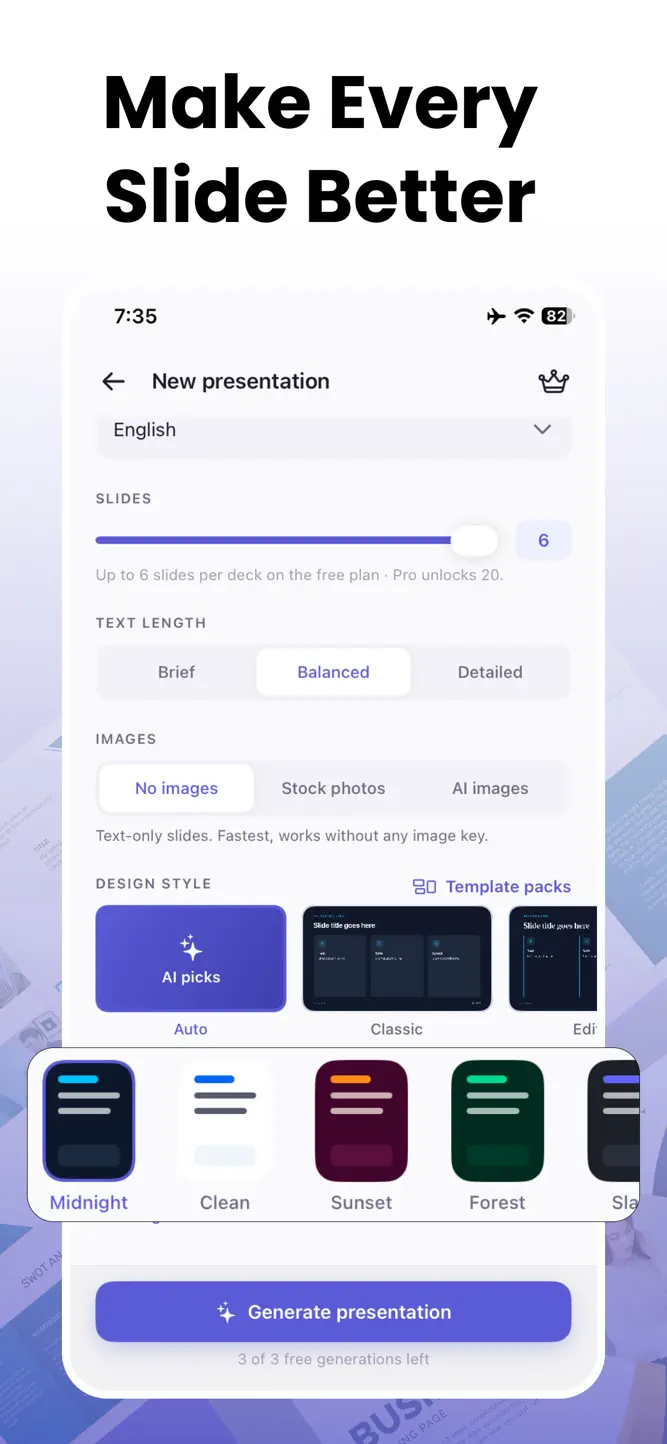
Create your presentation, refine every slide, prepare your speaker notes, practice your delivery, and share your finished work—all with AI-powered tools in one app.
Create better presentations with AI and turn your ideas into editable slides.
Privacy Policy
https://sites.google.com/view/amgtech/privacy-policy
Terms of Use
https://sites.google.com/view/amgtech/terms-conditions
How to download PPT AI - AI Presentation Maker?
- Tap the Google Play button (Android) or the App Store button (iPhone / iPad) in the download section.
- The official store page of PPT AI - AI Presentation Maker opens in a new tab.
- Tap Install or Get and wait until the download finishes.
- Open PPT AI - AI Presentation Maker from your home screen and start playing.
FAQ
Is PPT AI - AI Presentation Maker free to play?
Yes, PPT AI - AI Presentation Maker is free to download.
Is PPT AI - AI Presentation Maker available for iPhone?
Yes, PPT AI - AI Presentation Maker is available on the Apple App Store and needs iOS 26.5 or later.
Is it safe to download PPT AI - AI Presentation Maker?
Yes. GameZone does not host any files — the download buttons open the official Google Play and App Store pages.
Download the App
Similar Games
Toca Boca World
Toca Boca Jr: Fun Kids Games
Baby Panda's School Bus
Coloring Games: Color & Paint
Coloring & Learn
Aha World & Gabby's Dollhouse
Fluvsies - Cute Virtual Pets
Toca Boca Hair Salon 4
ABC Kids - Tracing & Phonics
Pepi City: Hospital Life
Cooking Mama: Let's cook!
Kids Games: For Toddlers 3-5
Dentist games
Math Kids: Math Games For Kids
Miga Town: My World
Disclaimer
1. GameZone does not represent any developer, nor is it the developer of any app or game listed on this website.
2. Game details such as icons, screenshots, ratings and descriptions are collected from the public Google Play and App Store listings so players can compare games before installing.
3. All trademarks, registered trademarks, product names, company names and logos are the property of their respective owners.
4. GameZone does not host APK or IPA files. Every download button opens the official Google Play Store or Apple App Store page of the game.
5. GameZone respects the Digital Millennium Copyright Act (DMCA). If you are the owner of any content shown here and want it removed, please contact us at contact@shresult.com.