


Renotify: Notification History
HAKJAE KIM
Category
Content Rating
4+
Developer
HAKJAE KIM
Version
1.0
Updated
Sep 29, 2026
Requires
iOS 27.0 or later
Price
Free
Size (iOS)
1.0 MB
Advertisement
Screenshots
Advertisement
Editor Reviews
Renotify: Notification History is an action game developed by HAKJAE KIM for iPhone & iPad.
Renotify: Notification History is free to download. The latest version 1.0 was released on Sep 29, 2026. Content rating: 4+.
About Renotify: Notification History
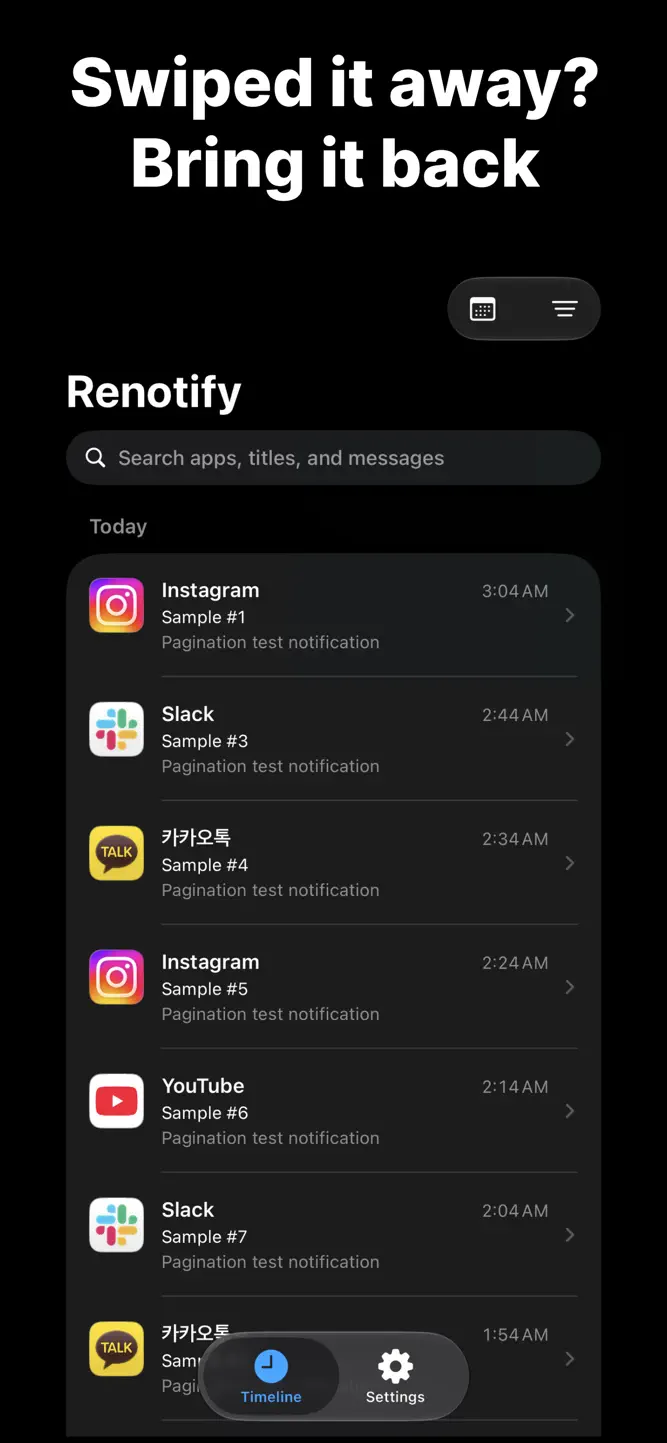
Dismissed a notification by accident?
Cleared one before you read it?
Now you can see it again in Renotify.
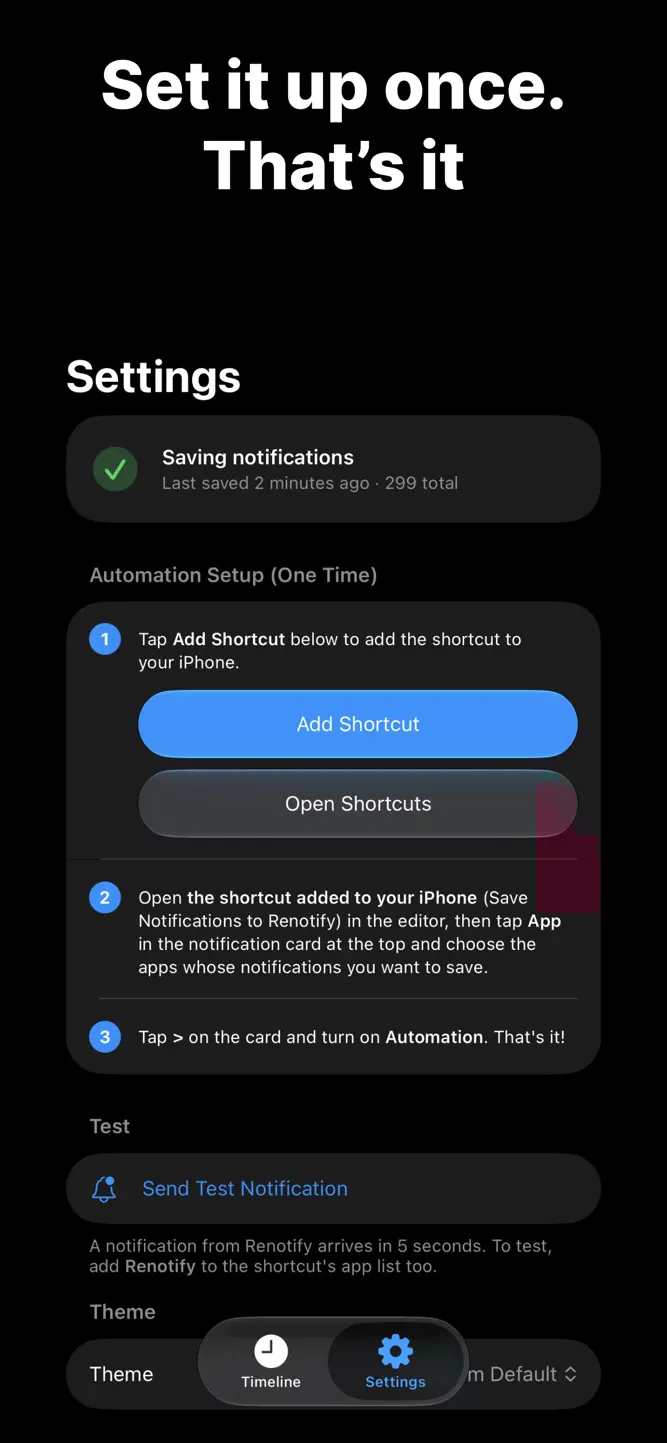
Renotify uses the Notification automation in iOS 27 Shortcuts to keep the notifications you receive on your iPhone.
Set it up once, and new notifications are saved automatically.
Features
• Timeline: See your notifications grouped by day.
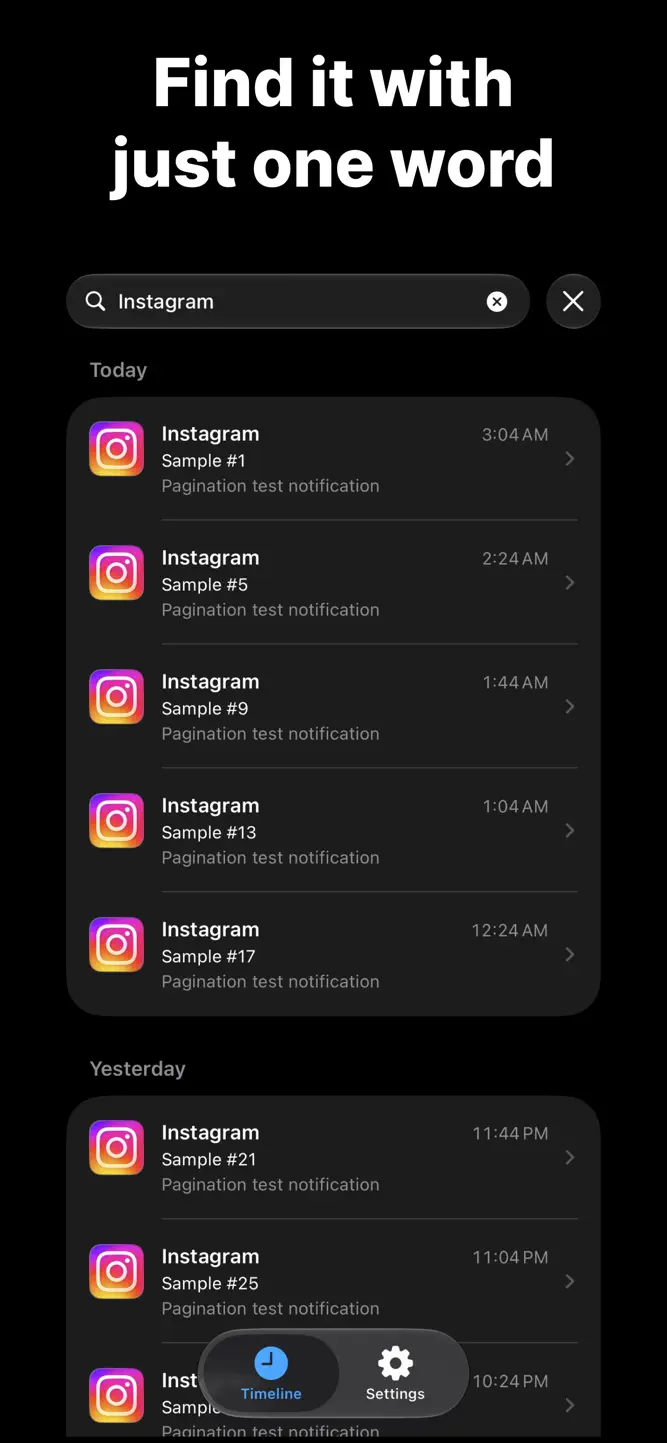
• Search: Find past notifications by app name, title, or message.
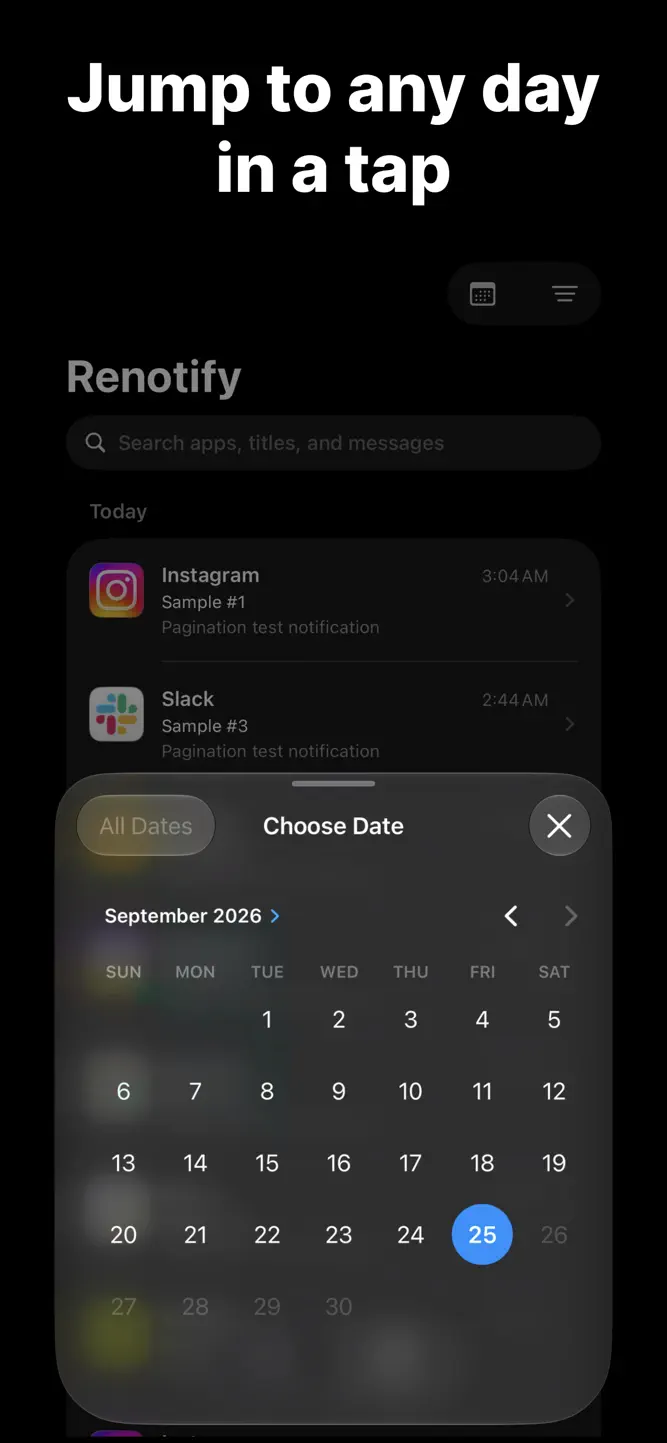
• Date & app filters: Show only a specific day or a specific app.
• App icons: See at a glance which app each notification came from.
• Light and dark themes, in English and Korean.
One-time setup
1. In the Settings tab, tap Add Shortcut to add the shortcut.
2. In the added shortcut, choose the apps whose notifications you want to save.
3. Turn on Automation. That's it!
(Send a test notification to check your setup right away.)
Your notifications stay on your iPhone
• Your history is stored only on your device.
• No accounts, ads, or tracking.
• Notification content is never sent to a server.
Good to know
• Requires iOS 27 or later.
• Only notifications from apps added to the Shortcuts automation are saved. Add newly installed apps to the shortcut yourself.
• Notifications are saved starting from when you install Renotify and turn on the automation.
Contact: hakjae.dev@gmail.com
How to download Renotify: Notification History?
- Tap the Google Play button (Android) or the App Store button (iPhone / iPad) in the download section.
- The official store page of Renotify: Notification History opens in a new tab.
- Tap Install or Get and wait until the download finishes.
- Open Renotify: Notification History from your home screen and start playing.
FAQ
Is Renotify: Notification History free to play?
Yes, Renotify: Notification History is free to download.
Is Renotify: Notification History available for iPhone?
Yes, Renotify: Notification History is available on the Apple App Store and needs iOS 27.0 or later.
Is it safe to download Renotify: Notification History?
Yes. GameZone does not host any files — the download buttons open the official Google Play and App Store pages.
Download the App
Similar Games


Disclaimer
1. GameZone does not represent any developer, nor is it the developer of any app or game listed on this website.
2. Game details such as icons, screenshots, ratings and descriptions are collected from the public Google Play and App Store listings so players can compare games before installing.
3. All trademarks, registered trademarks, product names, company names and logos are the property of their respective owners.
4. GameZone does not host APK or IPA files. Every download button opens the official Google Play Store or Apple App Store page of the game.
5. GameZone respects the Digital Millennium Copyright Act (DMCA). If you are the owner of any content shown here and want it removed, please contact us at contact@shresult.com.