


ScoreQuest: Focus & AI Coach
nguyen van sang
Category
Content Rating
4+
Developer
nguyen van sang
Version
1.0
Updated
Sep 26, 2026
Requires
iOS 17.0 or later
Price
Free
Size (iOS)
48.6 MB
Advertisement
Screenshots
Advertisement
Editor Reviews
ScoreQuest: Focus & AI Coach is an action game developed by nguyen van sang for iPhone & iPad.
ScoreQuest: Focus & AI Coach is free to download. The latest version 1.0 was released on Sep 26, 2026. Content rating: 4+.
About ScoreQuest: Focus & AI Coach
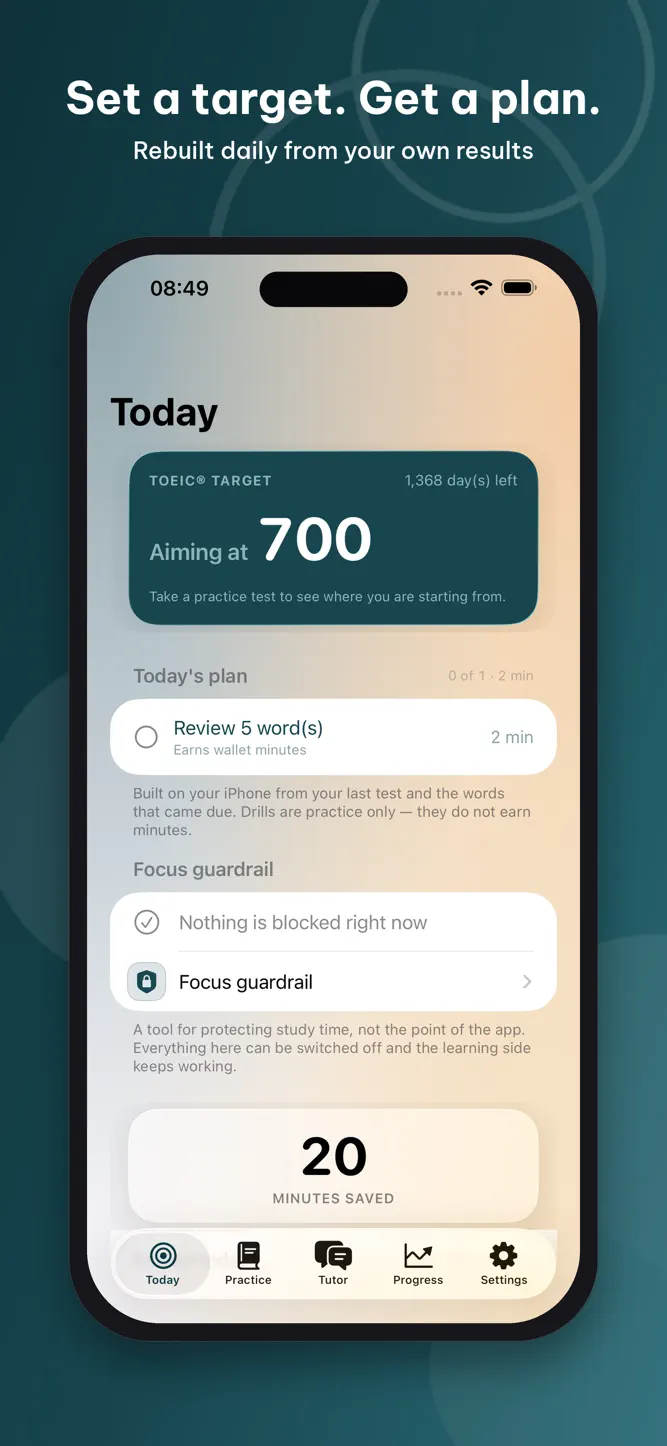
Set your target TOEIC score and your exam date. ScoreQuest builds each day's study plan from your own practice-test results - and uses Screen Time to protect the hours you promised yourself.
YOUR PLAN, FROM YOUR RESULTS
Tell ScoreQuest the score you need, the date you sit, and the minutes you can give each day. The plan fills those minutes with what moves your score: the vocabulary due for review today and a drill on the skill your own tests show is weakest.
TWENTY FULL PRACTICE TESTS
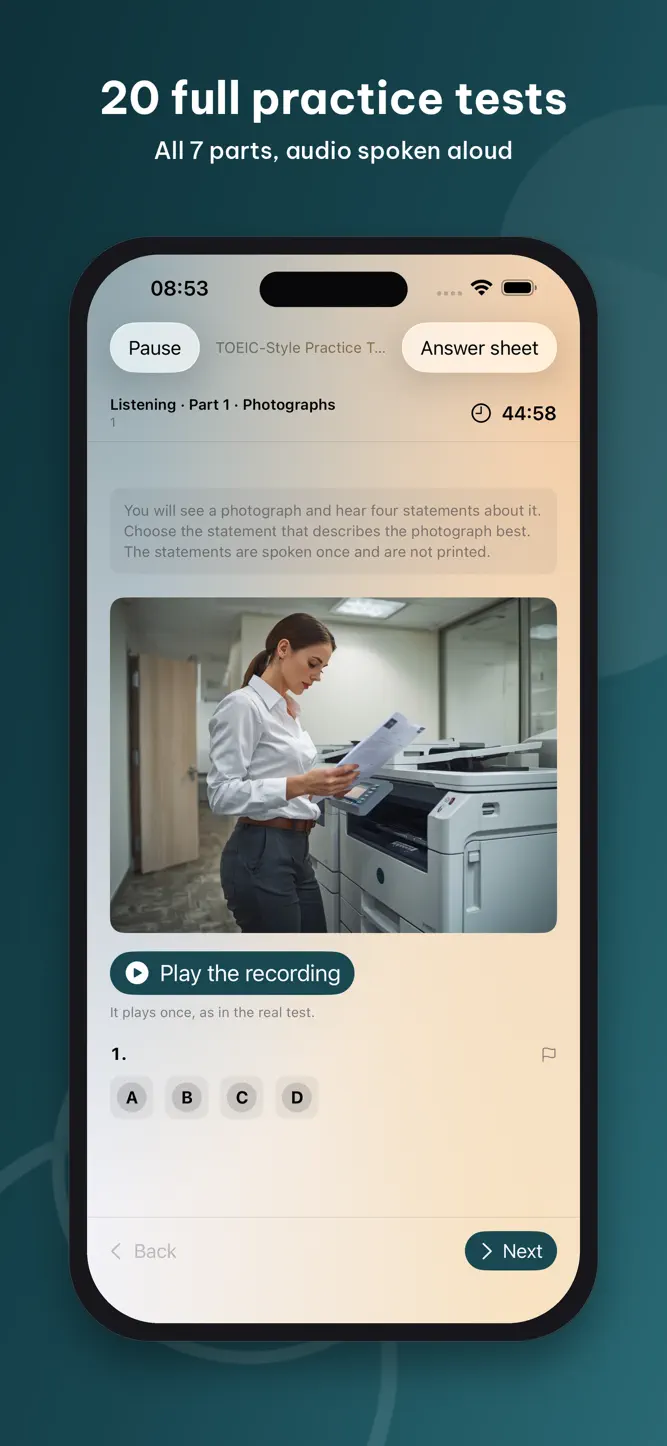
Twenty complete TOEIC-style tests - 200 questions each, all seven parts, listening spoken aloud on your iPhone. Sit a full timed test or practice one part at a time. Every question you miss becomes material: the review queue, skill drills and part practice are all built from questions you answered in a real sitting. One full test is free.
GRAMMAR COACH
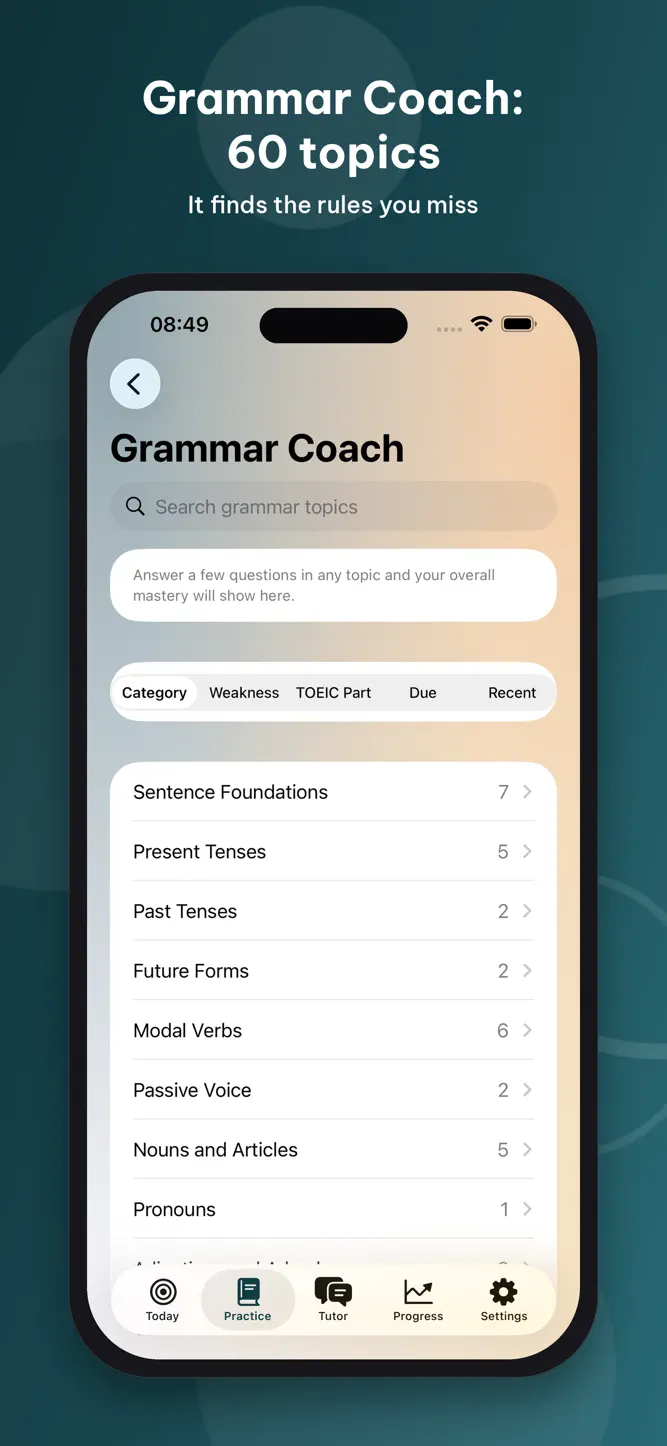
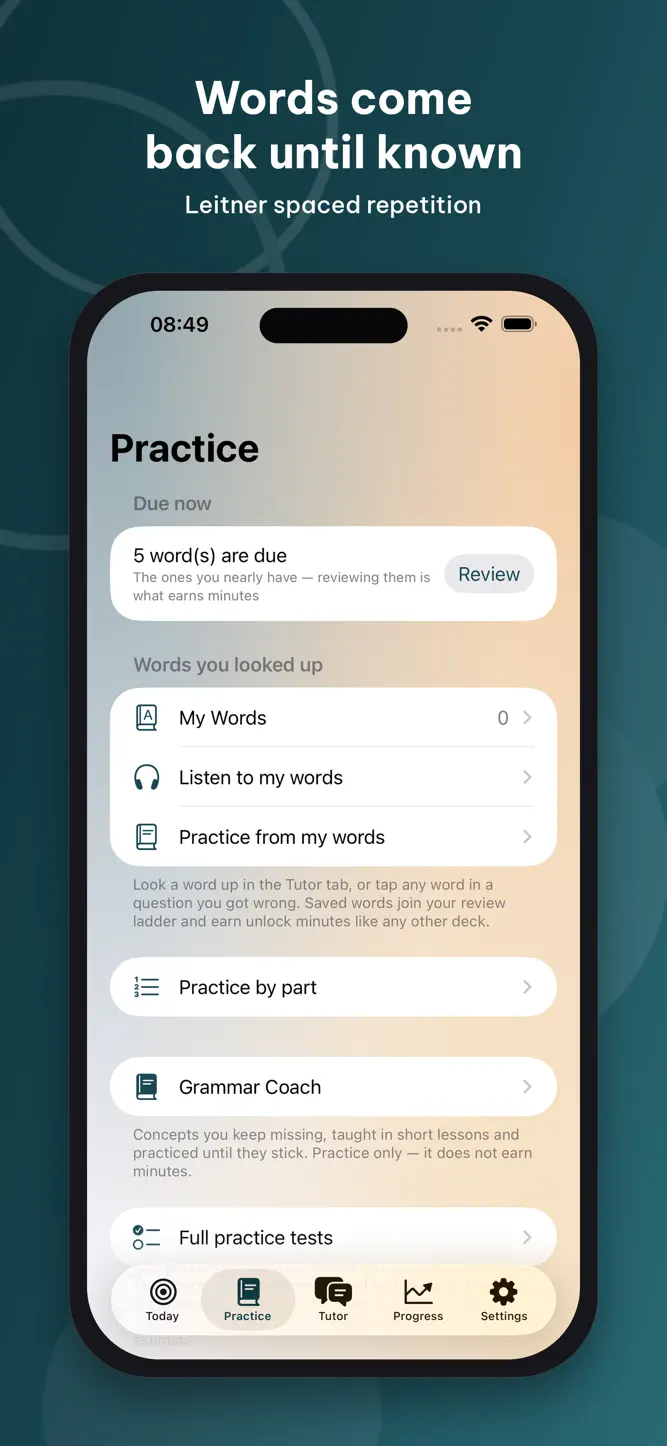
Sixty topics and 660 questions, from articles and tenses to inversion and reported speech. The coach finds the rules you miss, explains them, and brings them back until they stick.
VOCABULARY THAT COMES BACK
Six curated decks, including the 500-word TOEIC core deck, free. Teach-then-test on a Leitner spaced-repetition schedule: words you miss return sooner, words you know climb a five-box ladder to mastered.
AI TUTOR, DICTIONARY AND ANSWER EXPLAINER
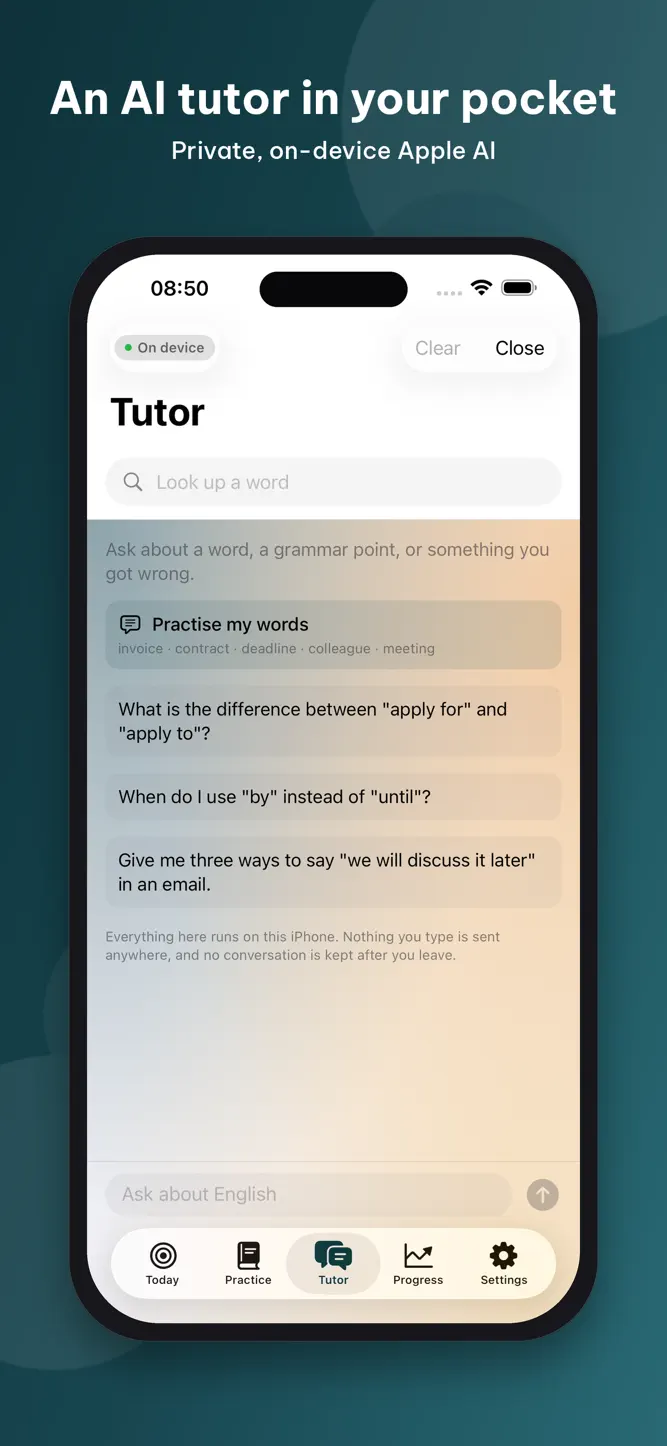
Ask why an answer is wrong, talk through a grammar point, or turn any word into a full dictionary entry with usage notes and practice passages. On iPhone 15 Pro and newer this runs entirely on your device with Apple Intelligence - nothing is sent anywhere. On other iPhones the same features can run through cloud AI, only with your explicit consent, using monthly AI Credits.
THE FOCUS LAYER
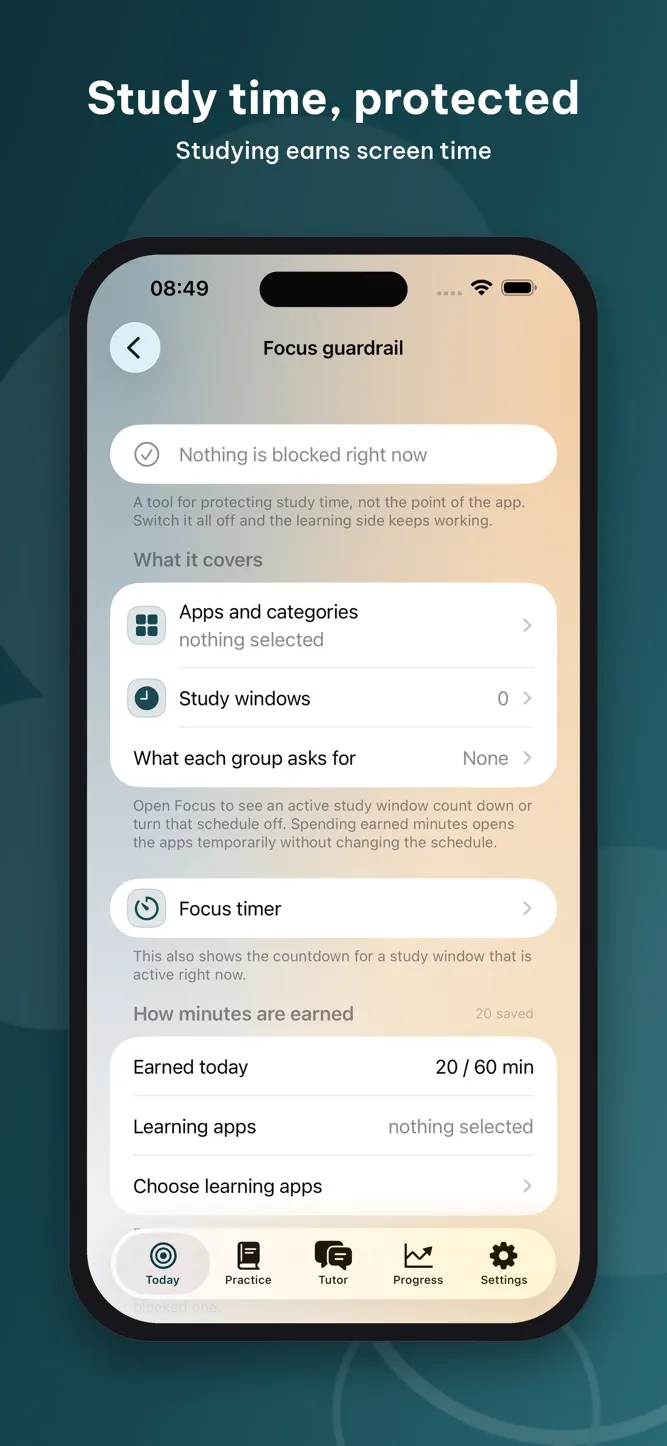
The part other study apps don't have. Pick the apps that eat your evenings and block them on a schedule. Studying earns minutes - quiz rounds, time in study apps you nominate, steps, finished focus sessions - and spending earned minutes is the only way through a scheduled block. No passcode, no "just this once". Strict mode delays any weakening of a rule until the current window closes. Daily earning and the balance are both capped, so screen time cannot be stockpiled.
PROGRESS YOU CAN TRUST
A score trend across sittings, listening and reading split apart, accuracy by part and by skill, and a weekly report. A partial result is always labelled as one.
FREE AND PREMIUM
Free forever: one blocked app, one full practice test, the 500-word TOEIC deck, the grammar coach, the standard 25-minute focus session, and on-device AI where the hardware supports it. Premium - one lifetime purchase, or a monthly AI plan - unlocks all twenty tests, all six decks, unlimited blocked apps and categories, the steps source, custom focus lengths and adjustable earning rates. Monthly AI plans include 125 to 510 cloud AI Credits per month; the lifetime purchase includes its own monthly cloud AI allowance.
PRIVATE BY DESIGN
No account, no sign-in, no analytics. iOS hands ScoreQuest anonymous tokens, so it never learns which apps you chose. Your study history stays on your iPhone. Cloud AI, when you choose it, sends only the text you typed - never your name, because we never asked for it.
Requires Screen Time permission for the focus layer. Steps require Apple Health permission and are optional.
TOEIC is a registered trademark of ETS. This app is not endorsed or approved by ETS.
TERMS AND PRIVACY
Terms of Use (EULA): https://www.apple.com/legal/internet-services/itunes/dev/stdeula/
Privacy Policy: https://sang89vh.github.io/learn2scroll/privacy.html
How to download ScoreQuest: Focus & AI Coach?
- Tap the Google Play button (Android) or the App Store button (iPhone / iPad) in the download section.
- The official store page of ScoreQuest: Focus & AI Coach opens in a new tab.
- Tap Install or Get and wait until the download finishes.
- Open ScoreQuest: Focus & AI Coach from your home screen and start playing.
FAQ
Is ScoreQuest: Focus & AI Coach free to play?
Yes, ScoreQuest: Focus & AI Coach is free to download.
Is ScoreQuest: Focus & AI Coach available for iPhone?
Yes, ScoreQuest: Focus & AI Coach is available on the Apple App Store and needs iOS 17.0 or later.
Is it safe to download ScoreQuest: Focus & AI Coach?
Yes. GameZone does not host any files — the download buttons open the official Google Play and App Store pages.
Download the App
Similar Games


Disclaimer
1. GameZone does not represent any developer, nor is it the developer of any app or game listed on this website.
2. Game details such as icons, screenshots, ratings and descriptions are collected from the public Google Play and App Store listings so players can compare games before installing.
3. All trademarks, registered trademarks, product names, company names and logos are the property of their respective owners.
4. GameZone does not host APK or IPA files. Every download button opens the official Google Play Store or Apple App Store page of the game.
5. GameZone respects the Digital Millennium Copyright Act (DMCA). If you are the owner of any content shown here and want it removed, please contact us at contact@shresult.com.