


Synergy Hub SA
MULTAQA ALTAKAMUL OFFICE FOR MANAGEMENT CONSULTING
Category
Content Rating
4+
Developer
MULTAQA ALTAKAMUL OFFICE FOR MANAGEMENT CONSULTING
Version
1.0
Updated
Oct 10, 2026
Requires
iOS 15.1 or later
Price
Free
Size (iOS)
38.9 MB
Advertisement
Screenshots
Advertisement
Editor Reviews
Synergy Hub SA is an action game developed by MULTAQA ALTAKAMUL OFFICE FOR MANAGEMENT CONSULTING for iPhone & iPad.
Synergy Hub SA is free to download. The latest version 1.0 was released on Oct 10, 2026. Content rating: 4+.
About Synergy Hub SA
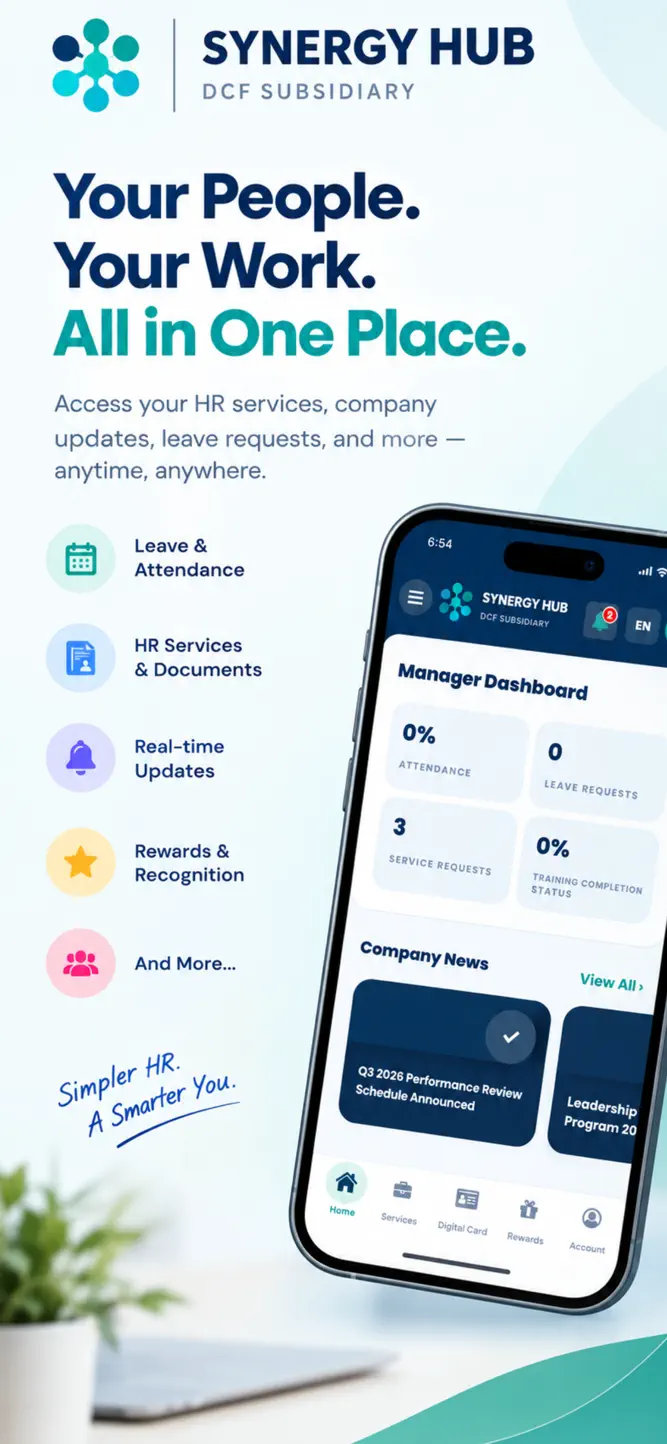
Synergy Hub is your comprehensive, all-in-one mobile workforce and HR management platform designed to streamline daily employee operations and manager approvals on the go.
Whether tracking attendance, managing leave applications, or approving pending team requests, Synergy Hub provides an intuitive, secure, and seamless experience for modern organizations.
KEY FEATURES:
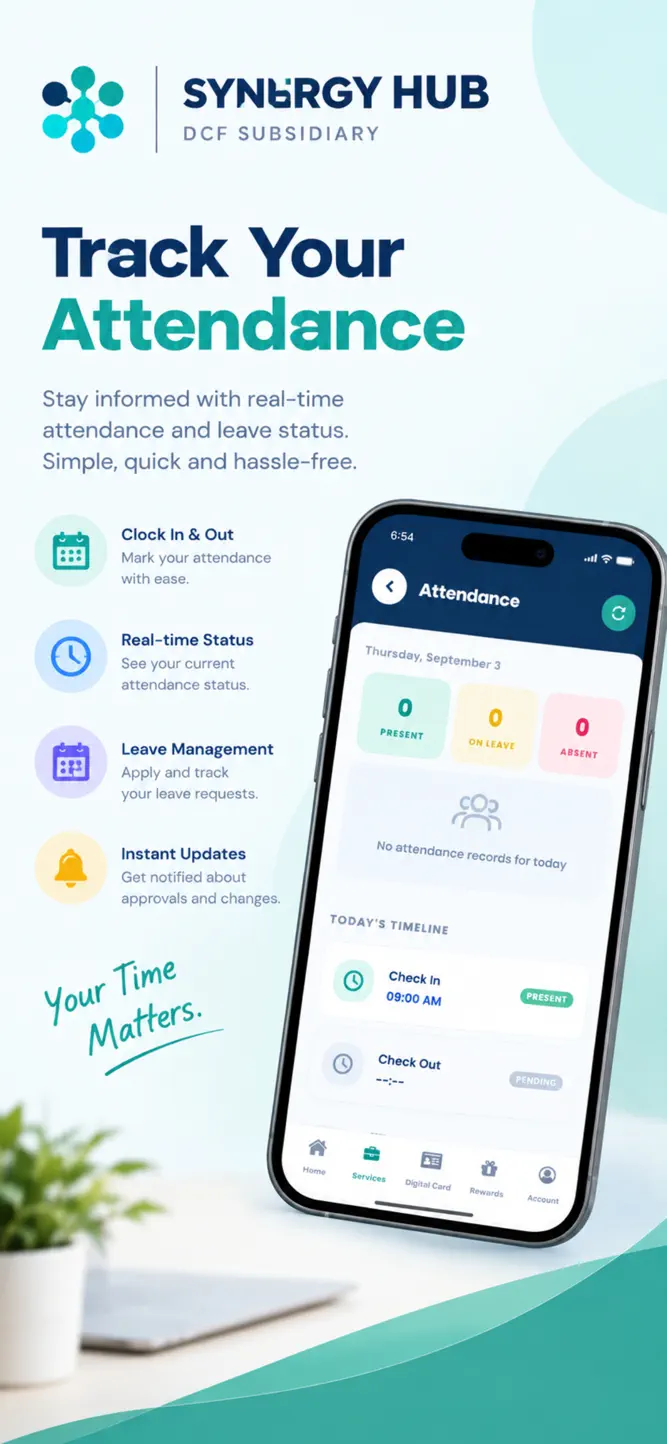
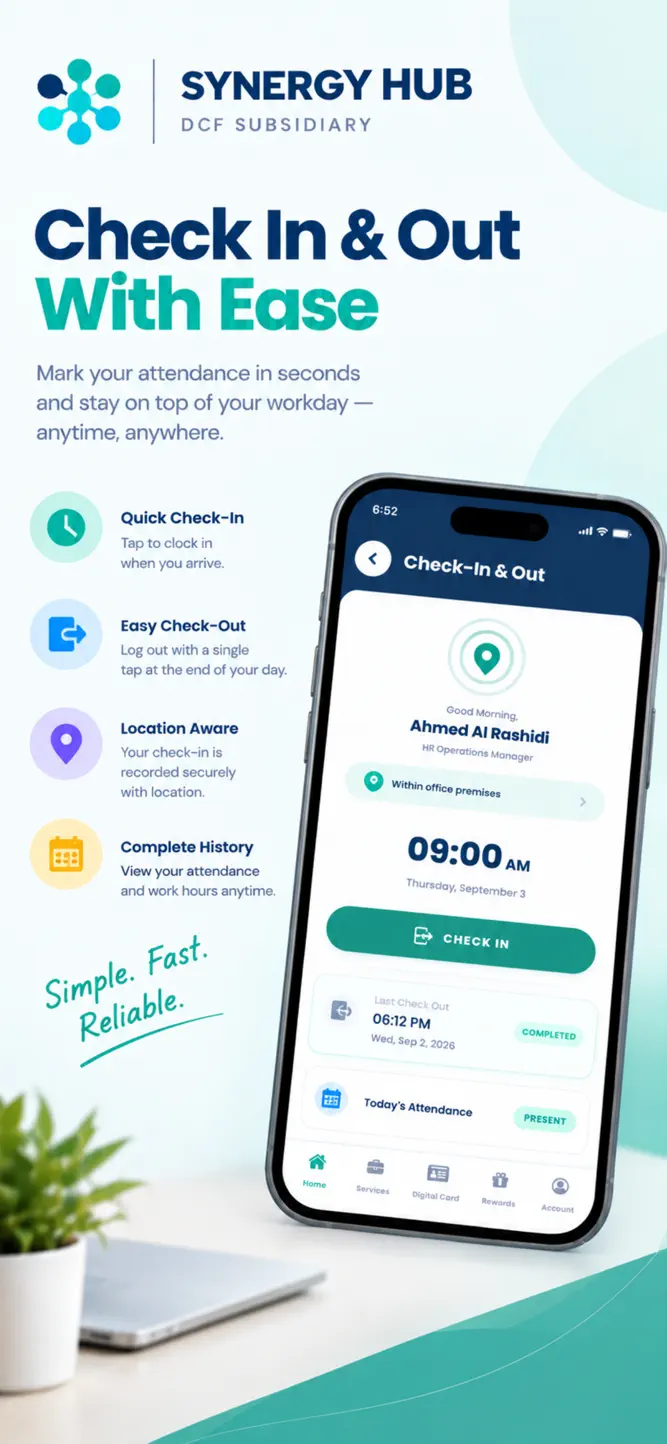
Smart Attendance & Geofencing
• Fast check-in and check-out with GPS location verification.
• Optional Face ID and biometric authentication for quick, secure sign-in.
• Real-time attendance logging and shift history.
Leave & Regularization Management
• Apply for leaves, permissions, and attendance regularizations in seconds.
• View updated leave balances, request statuses, and historical approvals.
• Attach notes or supporting details directly from your mobile device.
Manager Approvals on the Go
• Dedicated dashboard for managers to review and resolve team requests promptly.
• One-tap approve or reject workflows for leaves, shift adjustments, and regularizations.
• Real-time visibility into team availability and attendance status.
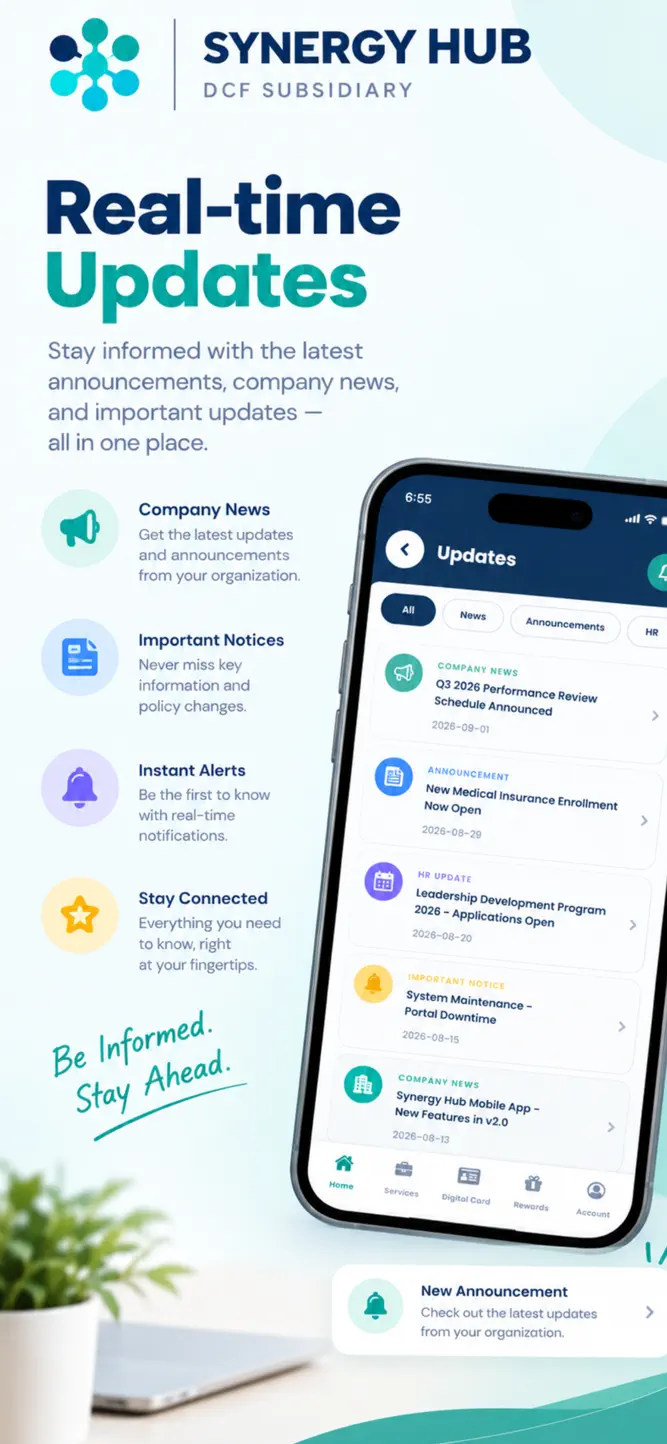
Real-Time Alerts & Notifications
• Instant push notifications for approval statuses, company announcements, and pending tasks.
• Never miss a critical update or deadline with prioritized alerts.
Documents & Employee Self-Service
• Securely view and download payslips and workplace documents anytime.
• Manage your employee profile, preferences, and security settings with ease.
Enterprise-Grade Security
• Protected by secure authentication protocols and encrypted local storage.
• Granular privacy controls ensuring your personal and location data are handled with utmost security.
Transform how your organization connects and collaborates. Download Synergy Hub today to simplify your daily work experience!
How to download Synergy Hub SA?
- Tap the Google Play button (Android) or the App Store button (iPhone / iPad) in the download section.
- The official store page of Synergy Hub SA opens in a new tab.
- Tap Install or Get and wait until the download finishes.
- Open Synergy Hub SA from your home screen and start playing.
FAQ
Is Synergy Hub SA free to play?
Yes, Synergy Hub SA is free to download.
Is Synergy Hub SA available for iPhone?
Yes, Synergy Hub SA is available on the Apple App Store and needs iOS 15.1 or later.
Is it safe to download Synergy Hub SA?
Yes. GameZone does not host any files — the download buttons open the official Google Play and App Store pages.
Download the App
Similar Games


Disclaimer
1. GameZone does not represent any developer, nor is it the developer of any app or game listed on this website.
2. Game details such as icons, screenshots, ratings and descriptions are collected from the public Google Play and App Store listings so players can compare games before installing.
3. All trademarks, registered trademarks, product names, company names and logos are the property of their respective owners.
4. GameZone does not host APK or IPA files. Every download button opens the official Google Play Store or Apple App Store page of the game.
5. GameZone respects the Digital Millennium Copyright Act (DMCA). If you are the owner of any content shown here and want it removed, please contact us at contact@shresult.com.