


TesLock
Tawara Kyohei
Category
Content Rating
4+
Developer
Tawara Kyohei
Version
1.0
Updated
Oct 23, 2026
Requires
iOS 17.0 or later
Price
Free
Size (iOS)
2.5 MB
Screenshots

Editor Reviews
TesLock is an educational game developed by Tawara Kyohei for iPhone & iPad.
TesLock is free to download. The latest version 1.0 was released on Oct 23, 2026. Content rating: 4+.
About TesLock
スマホを見るたび、暗記が進む。
TesLock は、ロック画面のウィジェットに暗記カードを出すアプリです。
アプリを開かなくても、ロック画面のまま、答えを見て「覚えた」か「あやふや」を押すだけで学習が進みます。
1日に何十回も見る画面だから、机に向かう気力がない日でも暗記が止まりません。
■ 赤シートの原理をそのまま
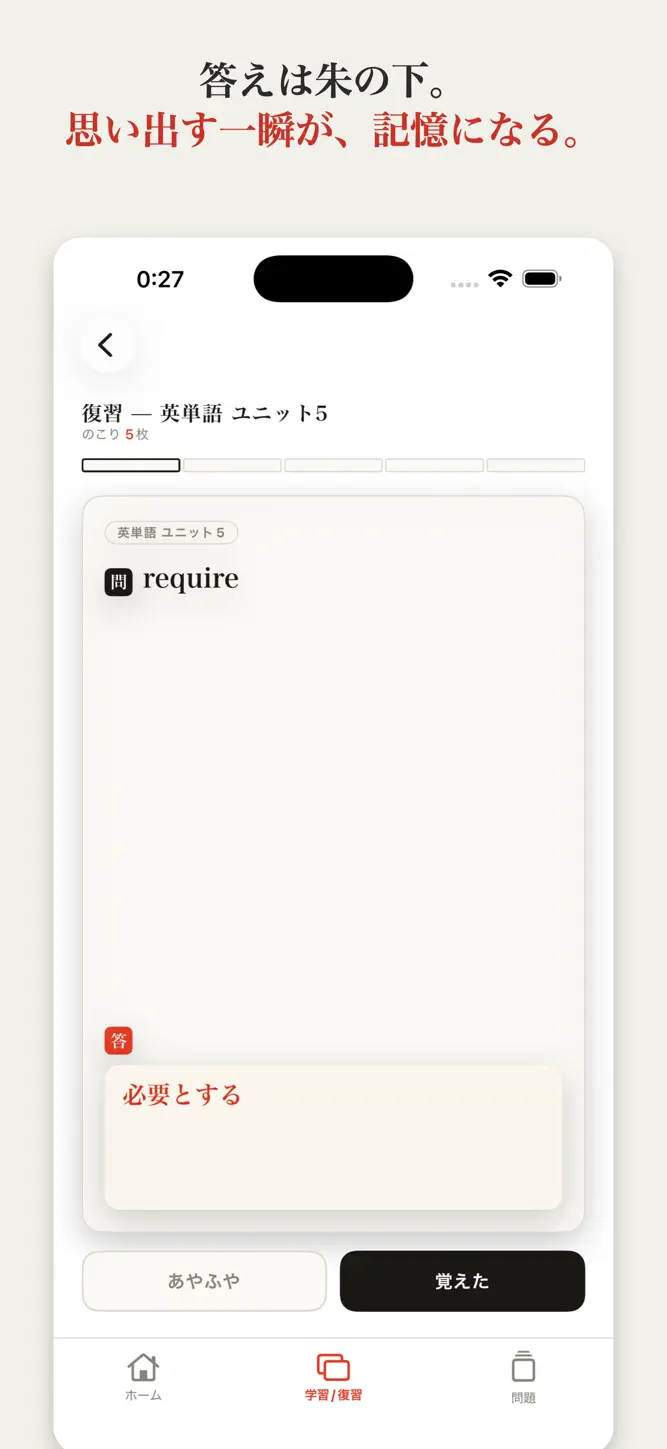
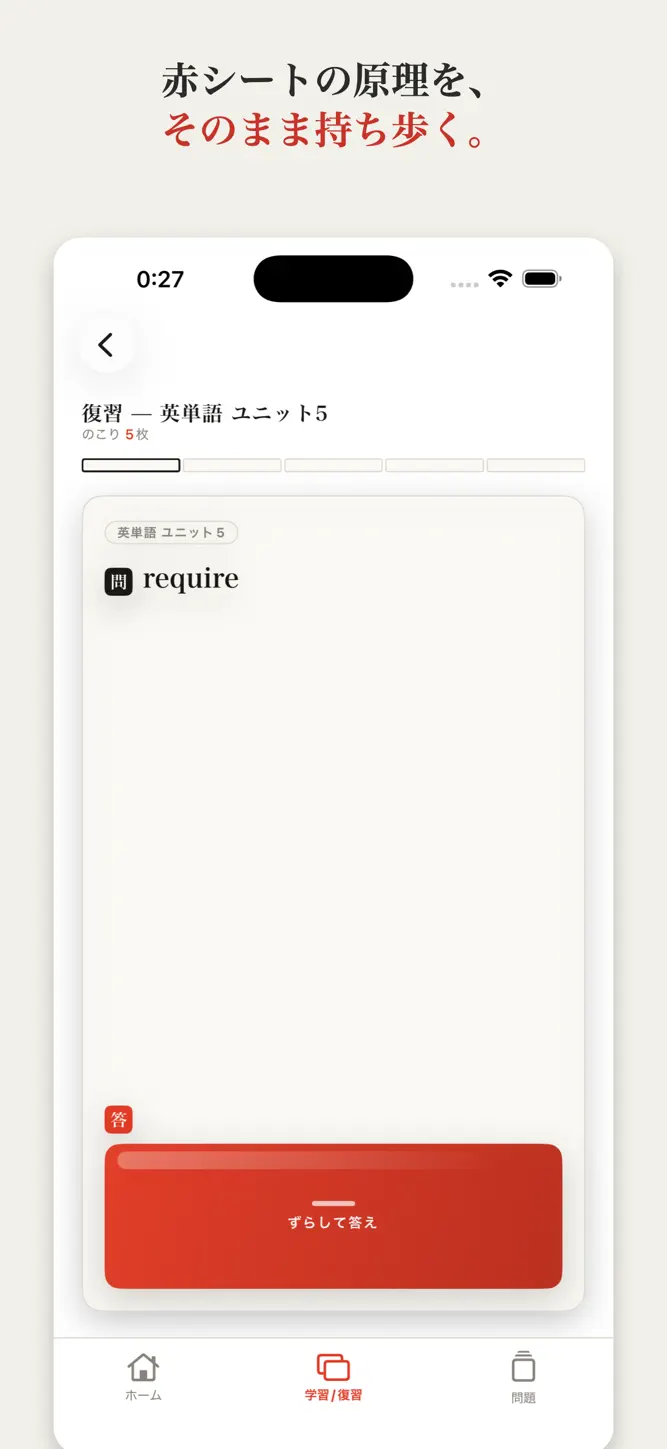
答えは朱色のインクで書かれていて、めくるまで見えません。
実物の赤シートと同じ「思い出そうとする一瞬」を、そのまま持ち歩けます。
■ 出す単語は自分で決める
問題集ごとに「1回に何枚出すか」を決めます。空欄にすると全部出ます。
決めた単語は、押すまでずっと同じものが出続けます。
明日に持ち越されるのは、いま出ている単語そのままです。
「次の◯単語へ」を押すと、次の単語に進みます。
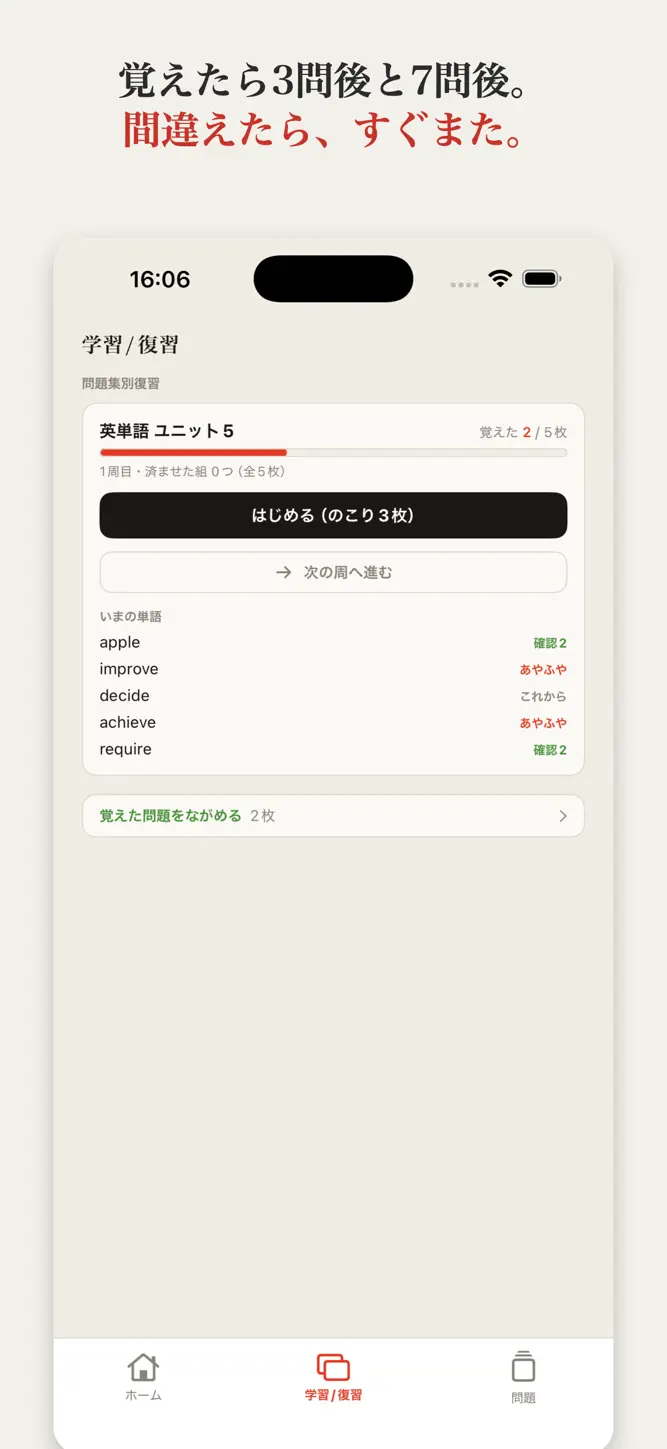
覚えた問題は3問後と7問後にもう一度、あやふやな問題はすぐにまた出てきます。
よく間違えるものほど、何度も目に入ります。
■ 間違えた問題だけを集める
「あやふや」を2回以上押した問題は、「間違えた問題集」に集まります。
問題集をまたいで、苦手なものだけをまとめて回せます。
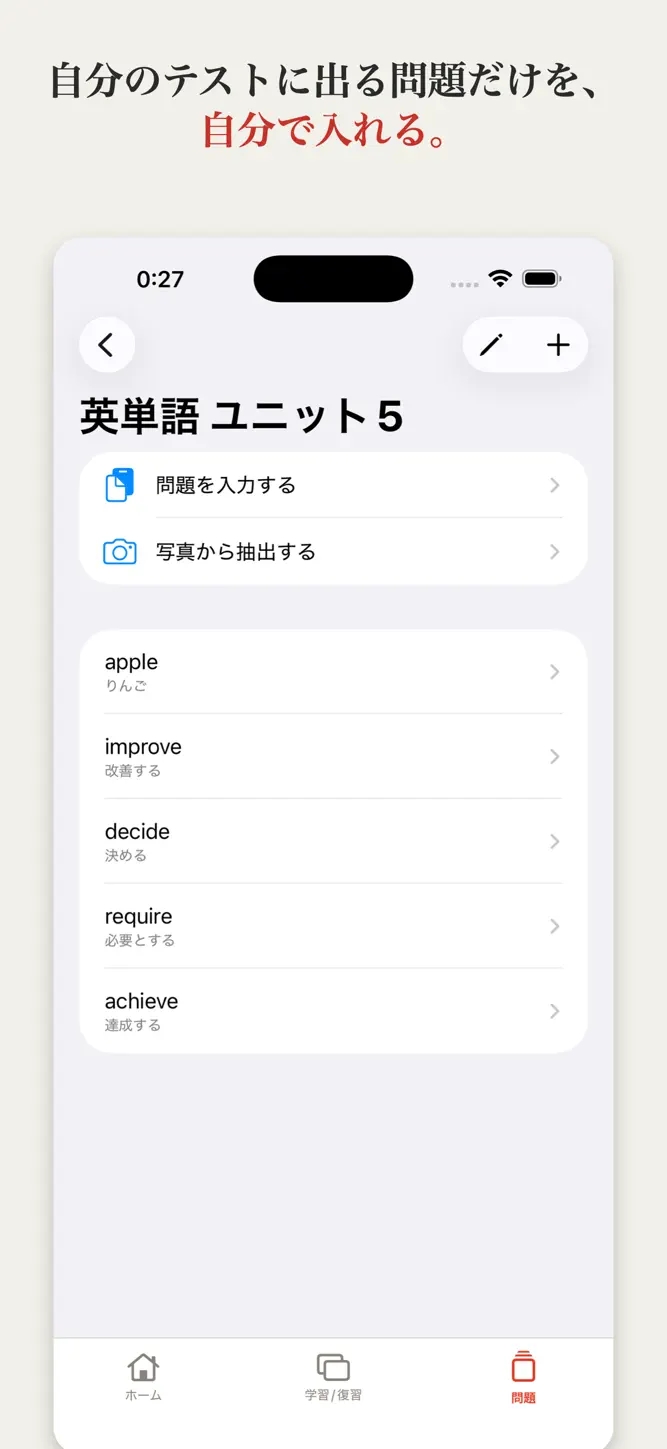
■ 問題の入れ方は3つ
・写真から作る
単語帳や教科書のページを撮ると、AIが問題の候補を作ります。
単語帳なら見出し語だけを拾い、教科書の本文なら一問一答にします。
できた候補は中身を確認して、選んだものだけ取り込めます。
・問題を入力する
問題と答えを続けて書き込んで、一気に登録できます。
・1枚ずつ書く
自分の言葉で作りたいときに。
■ 今日どれだけ触れたか
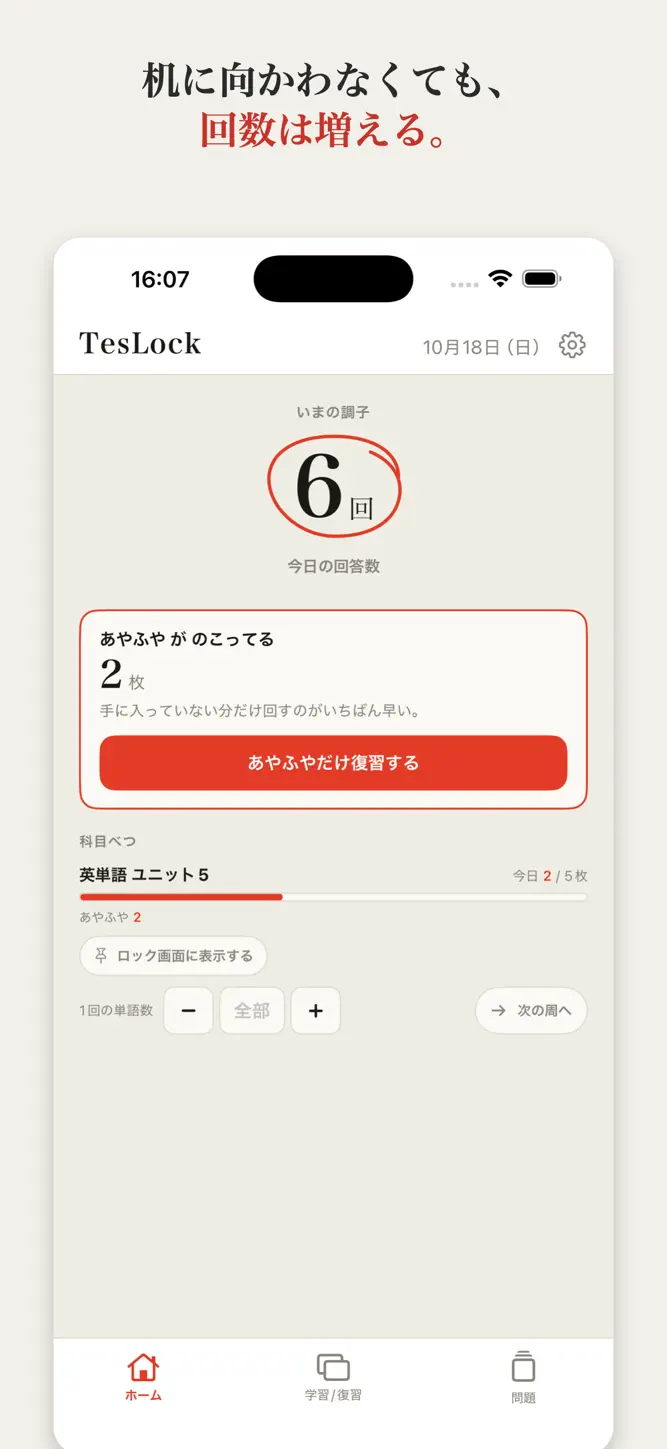
ホームの大きな数字は、今日ロック画面から答えた回数です。
机に向かっていない日でも、見るたびに増えていきます。
今日どの問題集をロック画面に出すかも、ここで選べます。
■ 見た目を選べる
ロック画面は、背景の板と文字の濃さを調整できます。
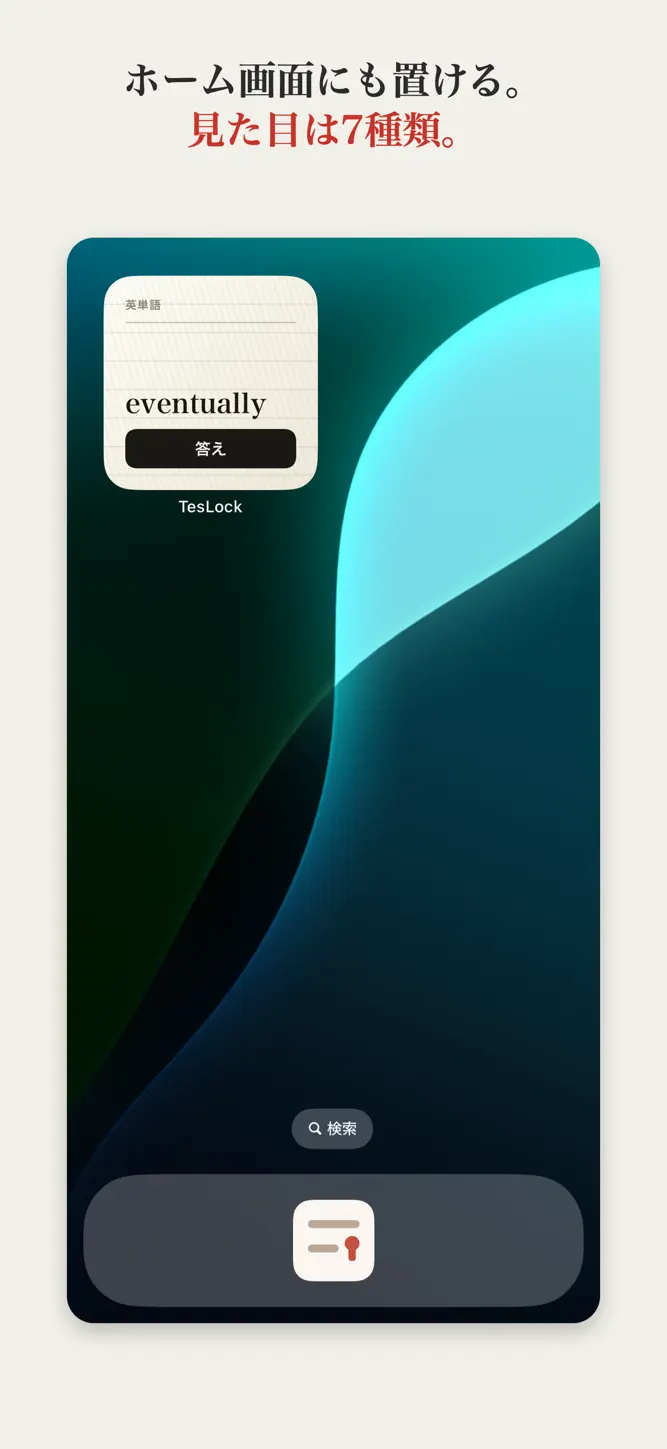
ホーム画面のウィジェットは、7種類のデザインから選べます(墨・藁半紙・朱ポスター・白地・ネオン・単語帳・方眼)。
■ 有料プランについて
問題を入れて学習する機能は、無料でお使いいただけます。
Plus / Pro では、写真から問題を作れる枚数と、選べるデザインが増えます。
・無料 … 写真から作るのは通算2枚まで/デザインは2種類
・Plus … 写真から作るのは月50枚まで/デザイン7種類すべて
・Pro … 写真から作るのは月700枚まで/デザイン7種類すべて
いずれも自動更新のサブスクリプションです。
価格と期間はアプリ内の購入画面に表示されます。
解約は iPhone の「設定」から Apple ID、サブスクリプションと進めばいつでもできます。
■ 写真をお使いになる方へ
写真から問題を作るときは、選んだ写真が読み取りのためにインターネット経由でサーバーへ送られます。
送るのは写真だけで、お名前・連絡先・端末の情報は送りません。
この機能を使わないかぎり、通信は行いません。
■ 動作環境
iOS 17.0 以降 / iPhone
アカウント登録は不要です。広告は表示しません。
■ 利用規約とプライバシーポリシー
利用規約(EULA)
https://www.apple.com/legal/internet-services/itunes/dev/stdeula/
プライバシーポリシー
https://teslock-api.jpjoy-tawara2005.workers.dev/privacy
How to download TesLock?
- Tap the Google Play button (Android) or the App Store button (iPhone / iPad) in the download section.
- The official store page of TesLock opens in a new tab.
- Tap Install or Get and wait until the download finishes.
- Open TesLock from your home screen and start playing.
FAQ
Is TesLock free to play?
Yes, TesLock is free to download.
Is TesLock available for iPhone?
Yes, TesLock is available on the Apple App Store and needs iOS 17.0 or later.
Is it safe to download TesLock?
Yes. GameZone does not host any files — the download buttons open the official Google Play and App Store pages.
Download the App
Similar Games
Toca Boca World
Toca Boca Jr: Fun Kids Games
Baby Panda's School Bus
Coloring Games: Color & Paint
Coloring & Learn
Aha World & Gabby's Dollhouse
Fluvsies - Cute Virtual Pets
Pepi City: Hospital Life
Kids Games: For Toddlers 3-5
ABC Kids - Tracing & Phonics
Toca Boca Hair Salon 4
Cooking Mama: Let's cook!
Math Kids: Math Games For Kids
Dentist games
Baby Games: Piano & Baby Phone
Disclaimer
1. GameZone does not represent any developer, nor is it the developer of any app or game listed on this website.
2. Game details such as icons, screenshots, ratings and descriptions are collected from the public Google Play and App Store listings so players can compare games before installing.
3. All trademarks, registered trademarks, product names, company names and logos are the property of their respective owners.
4. GameZone does not host APK or IPA files. Every download button opens the official Google Play Store or Apple App Store page of the game.
5. GameZone respects the Digital Millennium Copyright Act (DMCA). If you are the owner of any content shown here and want it removed, please contact us at contact@shresult.com.