


Volumes: Book Library Tracker
Codelia Studios
Category
Content Rating
4+
Developer
Codelia Studios
Version
1.0
Updated
Oct 15, 2026
Requires
iOS 26.0 or later
Price
Free
Size (iOS)
12.8 MB
Advertisement
Screenshots
Advertisement
Editor Reviews
Volumes: Book Library Tracker is an action game developed by Codelia Studios for iPhone & iPad.
Volumes: Book Library Tracker is free to download. The latest version 1.0 was released on Oct 15, 2026. Content rating: 4+.
About Volumes: Book Library Tracker
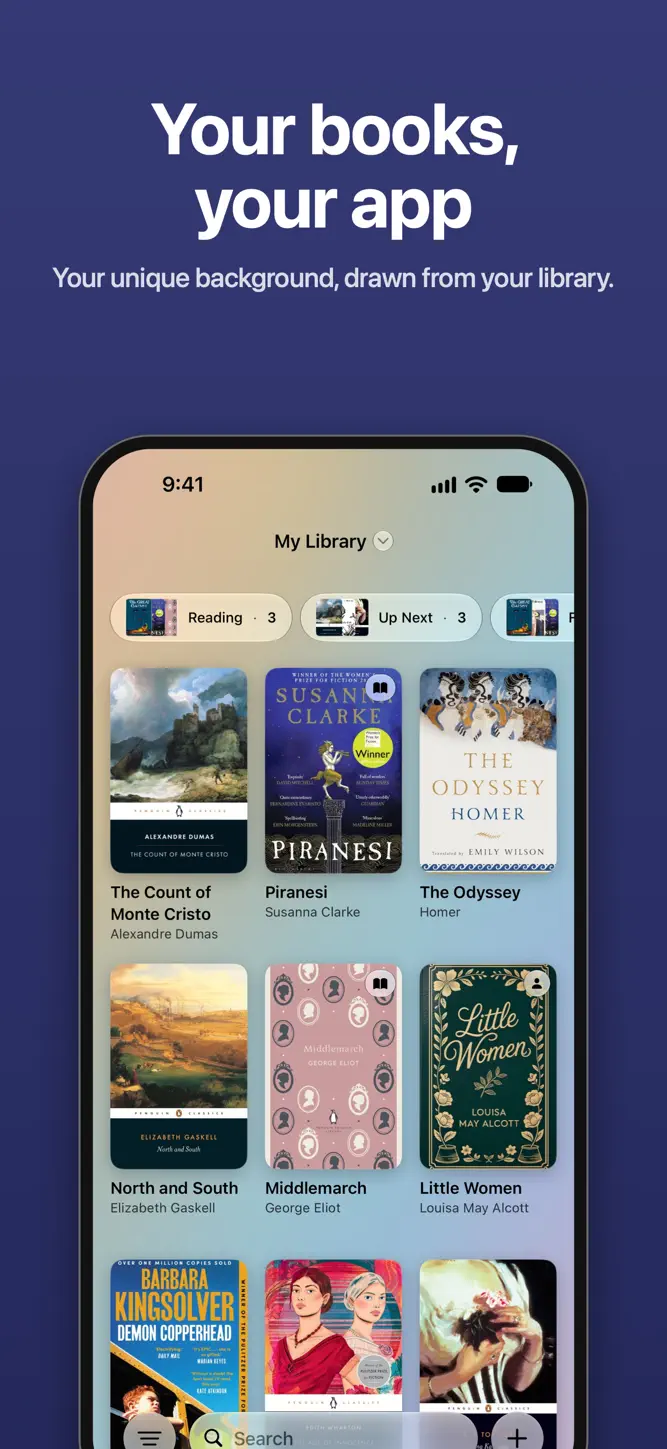
For people who love the books they own. Volumes catalogues your shelves across iPhone, iPad and Mac, remembers who borrowed what, and keeps the quotes worth rereading.
BUILD YOUR LIBRARY
- Scan a barcode and the book is added, cover and all.
- Add a book straight from Safari, Amazon or Goodreads with Share, even one with no ISBN.
- Bring your history over from a Goodreads, StoryGraph or LibraryThing export.
- Keep a wishlist, and tell Siri when you've bought one.
KNOW WHERE EVERY BOOK IS
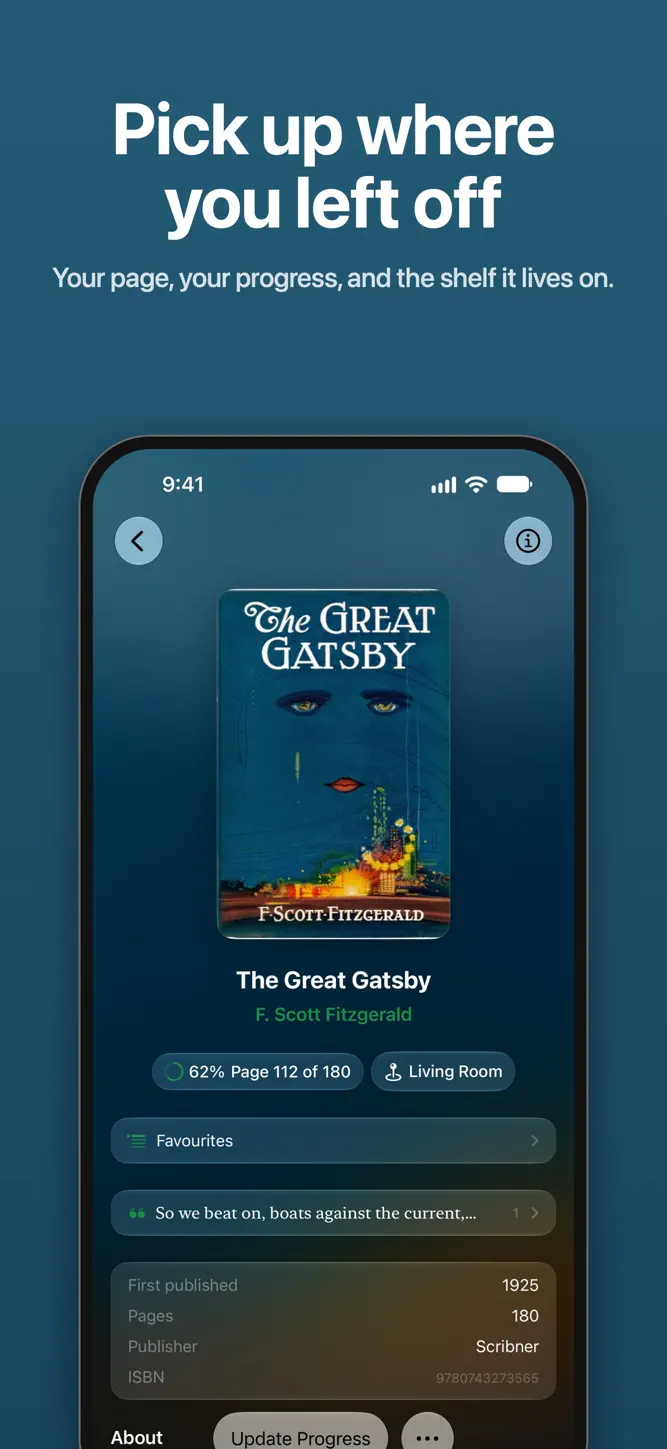
- Record which room or shelf each book lives on, like "Living Room".
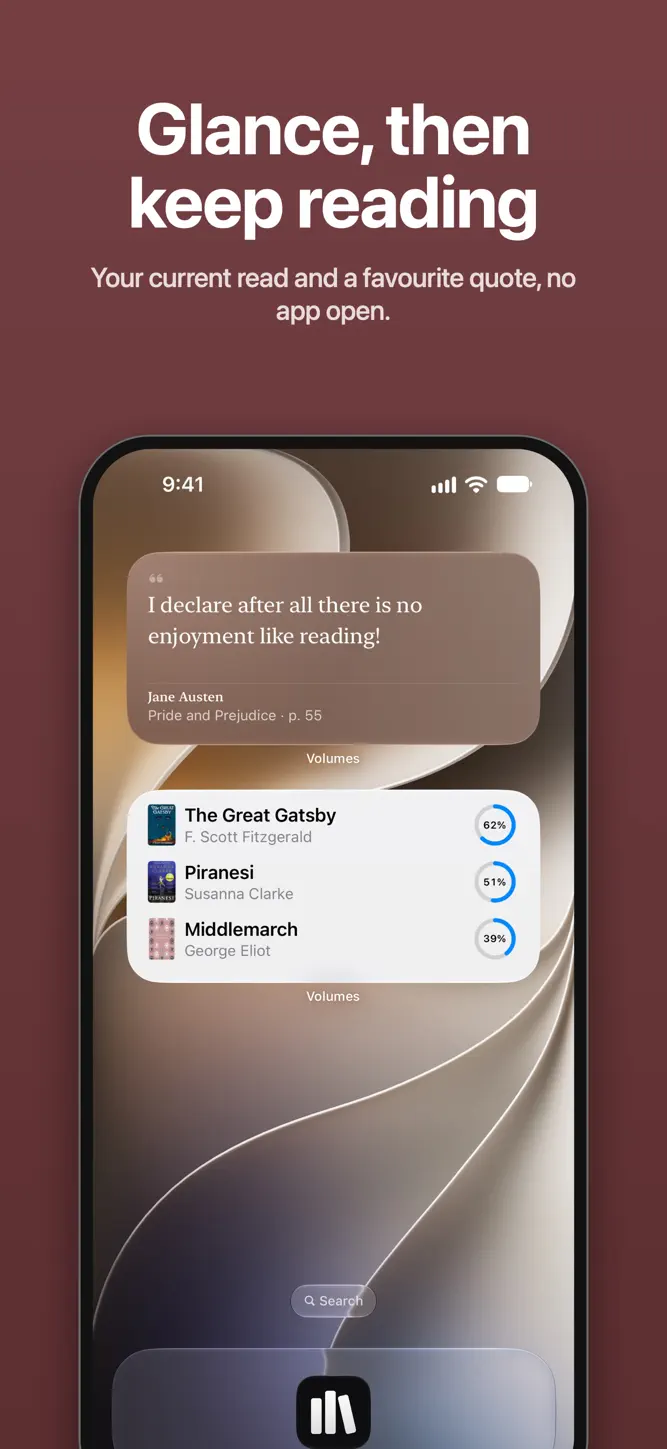
- Log your page and see your progress at a glance.
- Remember every time you've read a book, rereads included.
- Set a book aside without calling it a failure, and pick it up where you stopped.
FIND ANY BOOK FAST
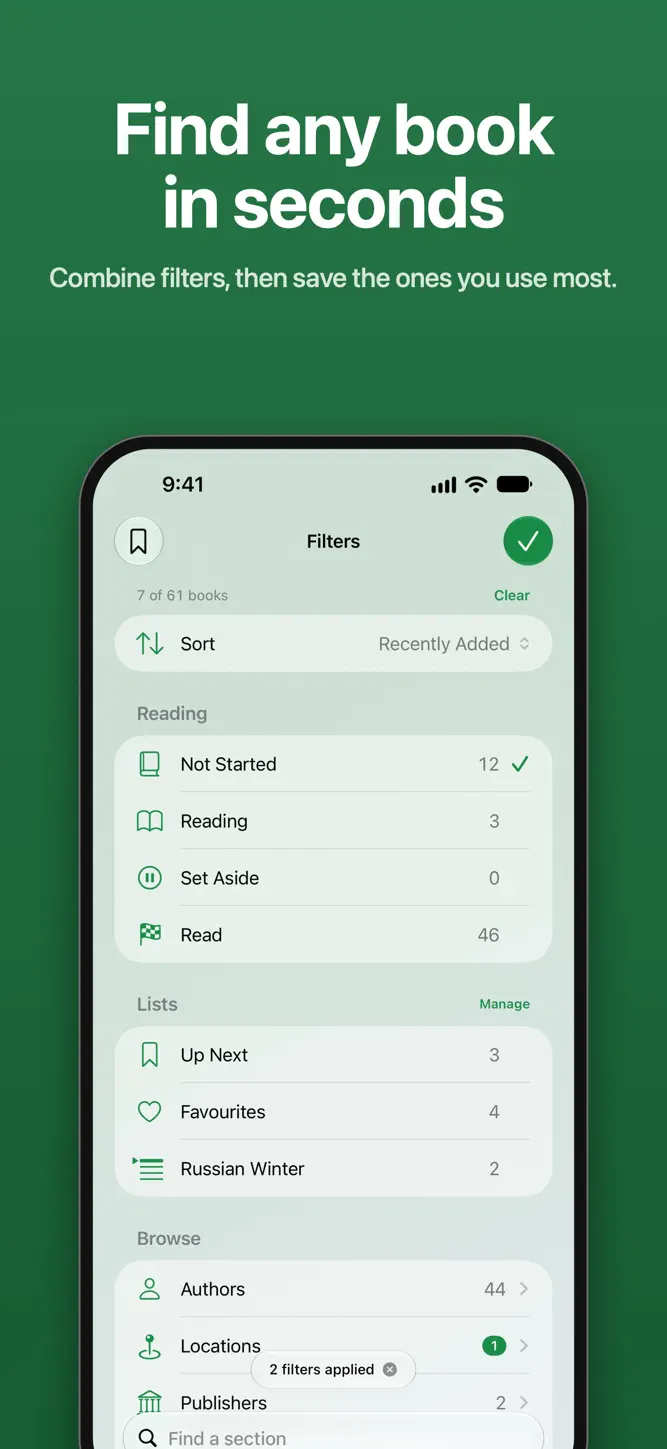
- Combine filters, like unread books in the Study.
- Type "unread books in the hallway" and get that filter, worked out on your device.
- Save a filter you use often and reopen it in one tap.
- On iPhone, point the camera at a cover to see if you already own it.
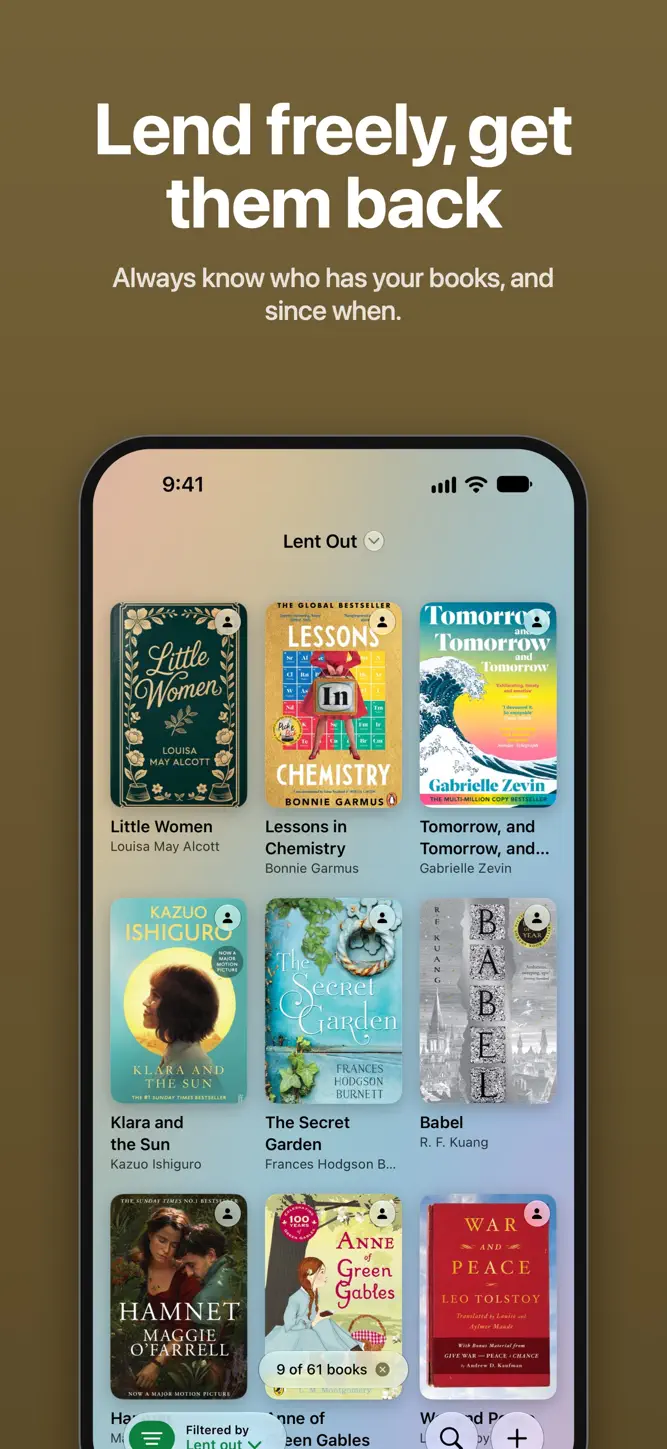
LEND WITHOUT LOSING TRACK
- Note who has a book and the day it left.
- Hand a book to a friend who has Volumes, with a link.
- Keep the quotes you saved from a borrowed book after you give it back.
KEEP THE QUOTES YOU LOVE
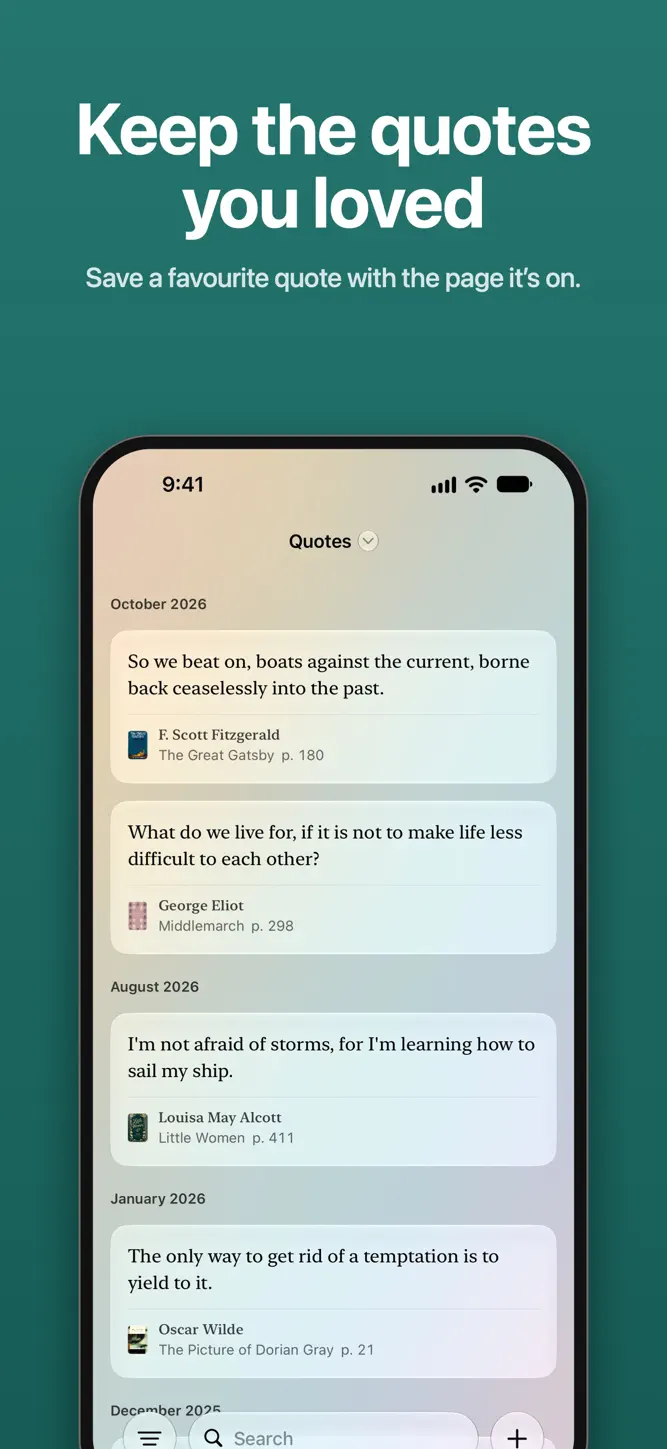
- Save a quote with its book and page number.
- Photograph the page instead of typing it out.
- Put a favourite quote on your Home Screen with the quote widget.
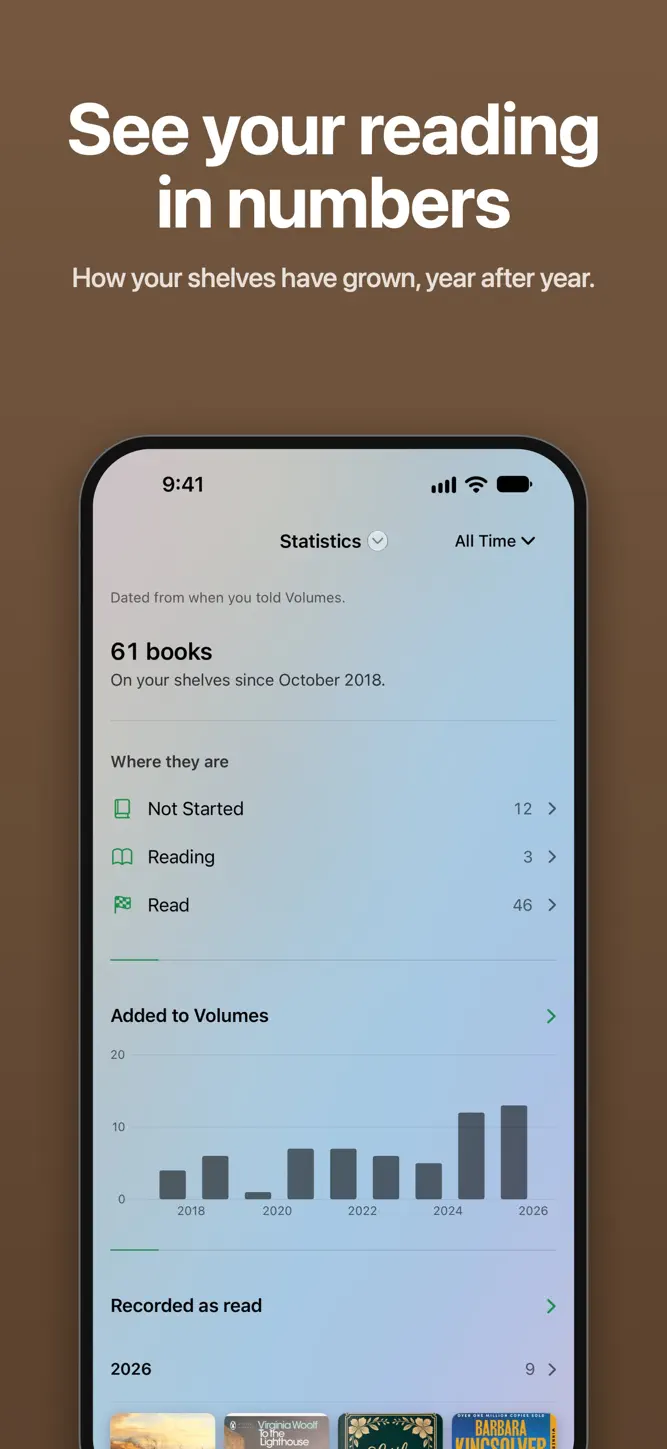
SEE YOUR SHELVES IN NUMBERS
- Count the books still waiting to be started on your own shelves.
- Watch how many books you add each year.
- See who has borrowed the most from you.
ONE LIBRARY, EVERY DEVICE
- Open the same library on your iPhone, iPad and Mac, kept in step automatically.
- Store it in your own iCloud, with no account to create.
- Ask Siri who has your books, or log the page you reached.
Your books. Your shelves. Your colours.
How to download Volumes: Book Library Tracker?
- Tap the Google Play button (Android) or the App Store button (iPhone / iPad) in the download section.
- The official store page of Volumes: Book Library Tracker opens in a new tab.
- Tap Install or Get and wait until the download finishes.
- Open Volumes: Book Library Tracker from your home screen and start playing.
FAQ
Is Volumes: Book Library Tracker free to play?
Yes, Volumes: Book Library Tracker is free to download.
Is Volumes: Book Library Tracker available for iPhone?
Yes, Volumes: Book Library Tracker is available on the Apple App Store and needs iOS 26.0 or later.
Is it safe to download Volumes: Book Library Tracker?
Yes. GameZone does not host any files — the download buttons open the official Google Play and App Store pages.
Download the App
Similar Games


Disclaimer
1. GameZone does not represent any developer, nor is it the developer of any app or game listed on this website.
2. Game details such as icons, screenshots, ratings and descriptions are collected from the public Google Play and App Store listings so players can compare games before installing.
3. All trademarks, registered trademarks, product names, company names and logos are the property of their respective owners.
4. GameZone does not host APK or IPA files. Every download button opens the official Google Play Store or Apple App Store page of the game.
5. GameZone respects the Digital Millennium Copyright Act (DMCA). If you are the owner of any content shown here and want it removed, please contact us at contact@shresult.com.